Important Notice
Do not reinstall AMP in an attempt to solve a problem with AMP itself. It is highly likely that doing so will make any problem you are having worse rather than better.
If you are having an issue where you are tempted to reinstall AMP, please make a new support post so someone can help you out 
Data Destruction Warning
Be aware that uninstalling AMP will delete your existing AMP game servers and all their data - make sure to make copies of any data you want to keep.
Windows
-
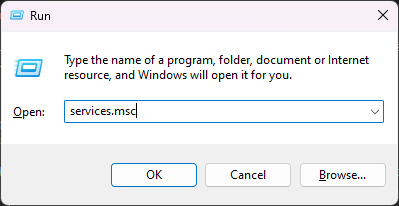
Open the ‘Services’ control panel (Win+R →
services.msc→ Enter)
-
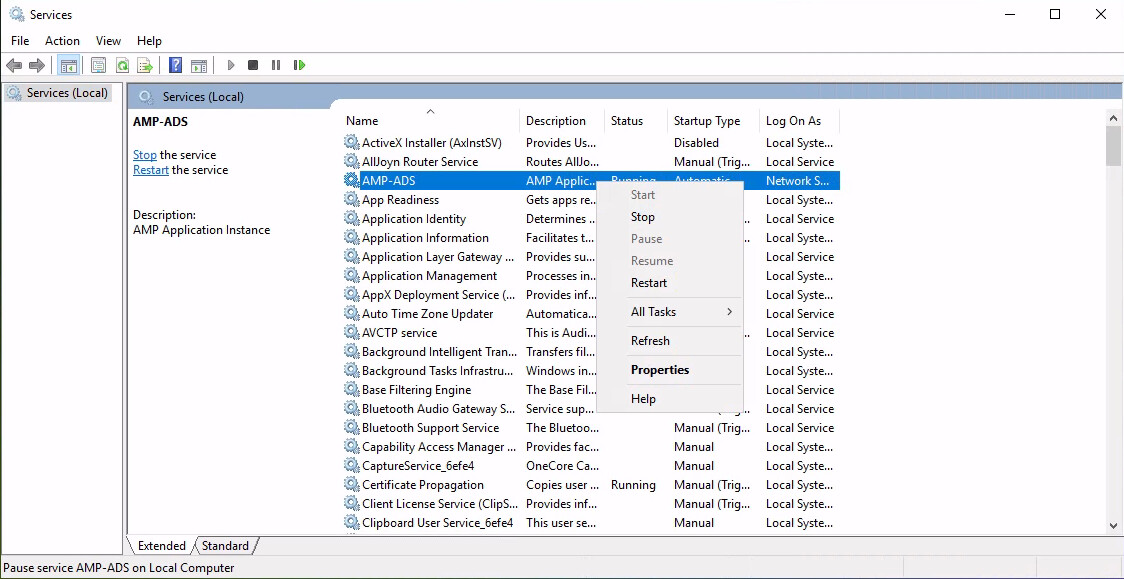
Find the
AMP-ADS01service (May be called justAMP-ADS), right click it and Stop the service.
-
Open the AMP Instance Manager GUI application, and when given the
AMP already configuredprompt - select “No” -
Starting at the bottom, right click each instance in-turn and delete the instance. You will need to stop any running instances before deleting them.
-
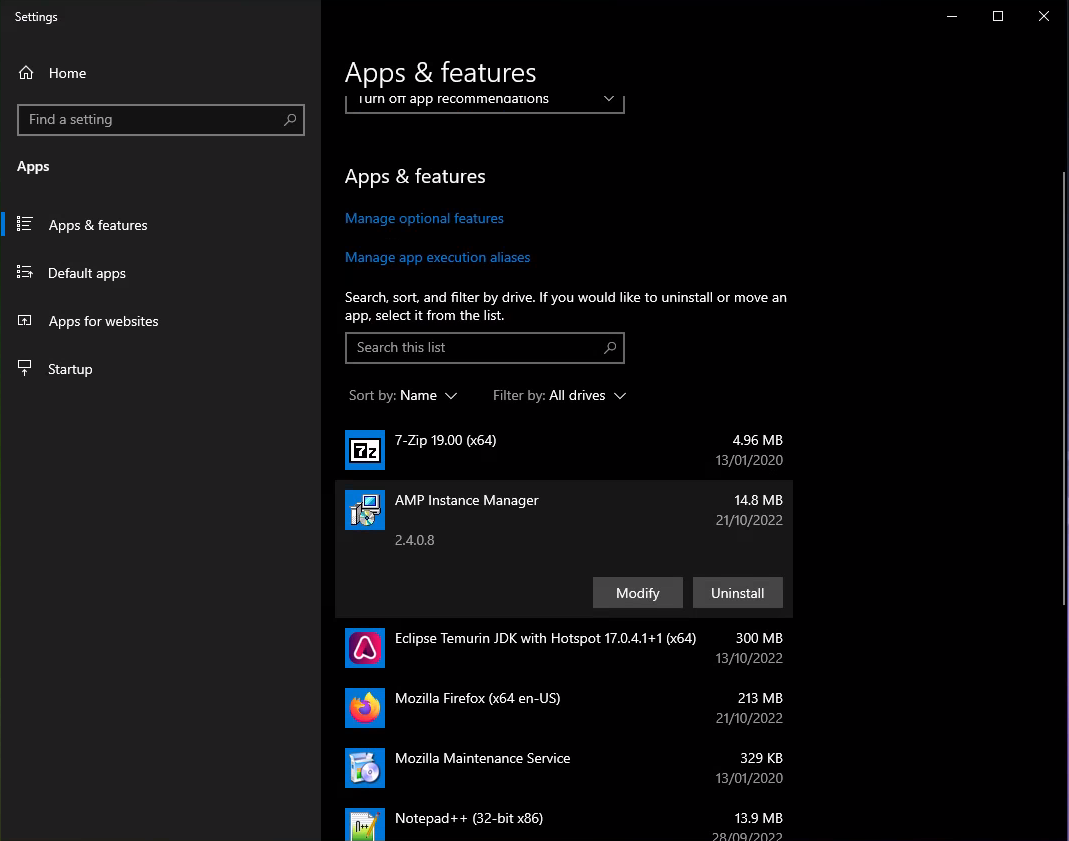
Close the AMP Instance Manager GUI app, and open the Add/Remove programs control panel. Find the “AMP Instance Manager” entry and select Uninstall.
- To remove all data (including game servers) delete the
AMPDatastorefolder. It is usually underC:\or the largest drive.
Linux
-
Login as your
ampuser by doingsudo su -l amp -
Run
ampinstmgr stopallto shut down AMP. -
Exit out of the
ampuser by runningexit -
Login as root, either directly or by doing
sudo su - -
Uninstall the
ampinstmgrpackage using your distribution’s package manager. E.g.apt remove ampinstmgroryum remove ampinstmgr -
Delete the
ampsystem user along with its home directory:On Debian/Ubuntu/similar:
deluser --remove-home ampOn CentOS/Rocky/RHEL/similar:
userdel --remove amp