if its just a few friends maybe use tailscale? put it on the server, then have your friends run it so their on the same network. then use tailscale internal IP’s and dont worry about DMZ or port forwarding?
Im running mine on unraid but as they mentioned, Just make a VM in unraid and install AMP on that. Linux/ubuntu is recommended. Works well! (I went with windows server because space engineers is my main gig but there are caveats to using windows)
After running this nearly a week without problem . Today I rebooted the host and now this is what showing
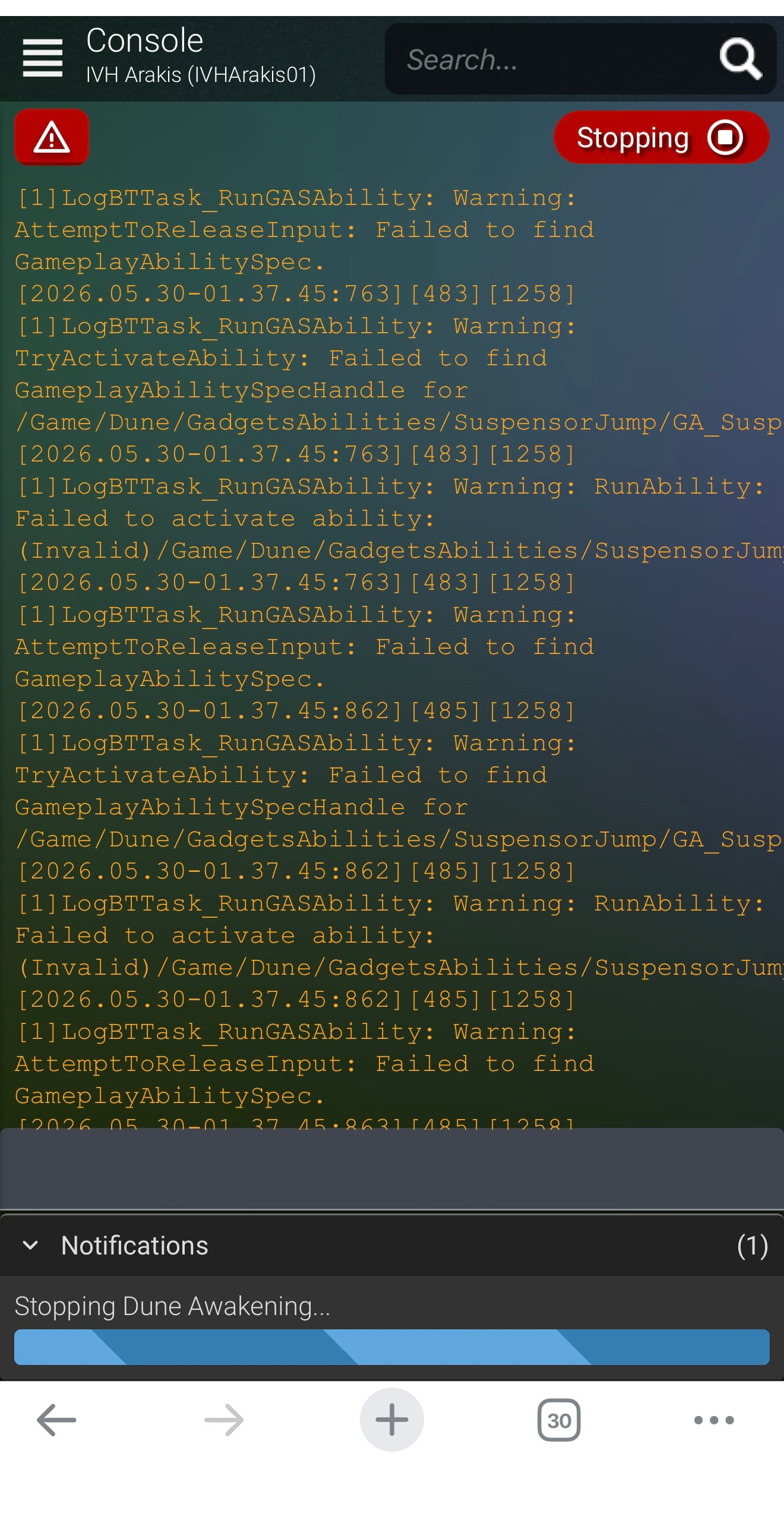
well after shutting down the server for last 12 hours. Powered it up today and updated amp and the instances. it started just fine.
now when I go to deep dessert I see 2 instances popup.
but when going into it it shows this:
[00:32:11 11 DBG RMQA] TravelQueue DeepDesert_1 received message: {
	"MapName": "DeepDesert_1",
	"IssuedUnixTimestamp": 1780187531,
	"Players": [
		{
			"Id": "55F71A1EA3070779",
			"TargetDimension": 0
		}
	],
	"OriginId": "Overmap2",
	"RequestID": "658F12068A0C4F92AA5C12F42FF579DC",
	"PasswordOrToken": ""
}
[00:32:12 16 INF Main] Received travel request for 1 player(s) to DeepDesert_1 (instancingMode=Dimension)
[00:32:12 16 INF Main] Notified player(s) "55F71A1EA3070779" of travel response Overmap2: {"Code":3,"OriginId":"Overmap2","RequestID":"658F12068A0C4F92AA5C12F42FF579DC","MapName":"DeepDesert_1","DestinationPartitionId":null,"QueueToken":null,"QueueState":null,"ServerState":null,"BroadcastExchange":null,"ServerFull":false,"ServerLoginToken":"","RetryTime":null}
[2026.05.31-00.32.12:216][121][1472][2]LogTravel: Error: [658F12068A0C4F92AA5C12F42FF579DC]: sb7Q2$ Invalid dimension
[2026.05.31-00.32.12:216][121][1472][2]LogTravelEvent: Error: [Failure] FlowType:"Travel", Stage:"Request", PlayerId:"55F71A1EA3070779", FlowId:"658F12068A0C4F92AA5C12F42FF579DC", Reason:"TravelVolumeOverland", ErrorMessage:"sb7Q2$ Invalid dimension"


So I'm assuming Mike must be doing something.
@blueSomnambulist I see you got the final harvest working. I am using the standard self-host server funcom gives you on steam nothing changed. I’m super new to all this, how can I get this working? I cant progress the story or use dual blades till i can get this working. I truly hope you can help me as this is the only mention anywhere on the net about this issue not working.
I’ve only used the AMP version, which uses mock-k8s, which i assume is an emulated Kubernetes cluster. I don’t know how your steam version works, either it is a full Kubernetes cluster or uses the mock-k8s as well. Either way there should be some equivalent of setting the replicas value of the dlc maps to 1 (as described in my third post) which would startup the UE5 servers for those maps. This will cost additional resources and only holds until the next server restart. If your version is running an actual Kubernetes cluster it’s possible that setting EnableAutomaticInstanceScaling=true will work and the server will automatically start the instances once you try to go there. That didn’t work in the AMP version for me.
I’ve managed to get the game server to be stable trhough normal gameplay, visited the main cities and Deep Desert, etc. but I’m having a weird issue ONLY with Dune.
Every single morning when I check AMP my Dune instance is stopped. ONLY my Dune instance. Even without an update/restart task scheduled. Even without a backup scheduled. Even with those events completely DELETED and AMP restarted after deletion, it stops nightly. Nothing in the event log states it’s being stopped or restarted. The console log is spam city, but it doesn’t look like a crash OR a purposeful shut down. I don’t have enough Adderall to read each line of hundreds though.
Any ideas what’s going on or what I could do to isolate the issue a bit to try and solve? It’s not really a BIG deal, data isn’t lost and I just have to hit “start” in the morning, but still.
Ah dang. I tried the setting the scaling to true but that didn’t work. I will reread you third post and hopfully i can get it working. I was excited as I saw the server needed a patch today, sadly the fix was not part of it.
I dont think 32GB is enough anymore with the warm DD map.
1 Like
If you are having issues on your server with the Landsrad requiring too much work to complete for a small group like mine (3 old men) You can reduce the amount required to win the vote of one of the houses. Keep in mind that the change will ONLY take effect at the beginning of the NEXT Landsrad segment. So after the weekly storm reset. I did this on my server and can confirm it works. Add this to your Override.ini. I have added instructions for you to the code. Also do NOT change that blob of text at the end do not try to word wrap it. You will break it iif you do. Only change the m_TaskGoalAmount line. Even changing a set of () by one space will break it. I am fairly sure you can edit other things in that blob of text but I have not tried so I cant give you any first hand info about what the changes might do.
; — Landsraad weekly goal --------------------------------------------------
; The whole Data=(…) struct must be reproduced as one line; the game reads
; it as a single unit. Only ONE value was changed from the game default:
; m_TaskGoalAmount 70000 → 5000 (applies to ALL houses, global goal)
; To use a different number, change the 5000 in “m_TaskGoalAmount=5000” below.
; Everything else in this line is the unmodified game default.
[/Script/DuneSandbox.LandsraadSettings]
Data=(m_NumberOfWeeksTermRetention=4,m_NumberOfDecreesToNominate=3,m_NumberOfGuildsInHighscoreList=5,m_TermStartedMessage=(Name=“LandsraadTermStarted”),m_VotingStartedMessage=(Name=“LandsraadVotingStarted”),m_TaskProgressedMessage=(Name=“LandsraadProgressNotification”),m_DecreeActivatedMessage=(Name=“LandsraadDecreeActivated”),m_bIsPlayerVotingEnabled=True,m_bIsTerritoryControlEnabled=True,m_BoardLayouts=(/Script/DuneSandbox.BoardLayoutDataAsset’“/Game/Dune/Systems/Landsraad/BoardLayouts/DefaultLandsraadBoardLayout.DefaultLandsraadBoardLayout”‘),m_VotingPeriodStartBeforeCoriolisCycleInSec=118800.000000,m_VotingPeriodDurationInSec=118500.000000,m_FirstTaskRevealDelayFromCompetitionStartInSeconds=0.000000,m_LandsraadRevealedTaskTimestampMinuteDifference=1,m_LandsraadTaskProgressUpdateFrequency=15.000000,m_LandsraadTaskDailyRevealFrequency=25.000000,m_LandsraadProgressFactionBalanceCurve=/Script/Engine.CurveFloat’“/Game/Dune/Systems/Landsraad/Curve_LandsraadProgressFactionBalanceCurve.Curve_LandsraadProgressFactionBalanceCurve”',m_LandsraadContractsPerVotingBlock=3,m_LandsraadContractsRepeatCooldownSeconds=57600,m_LandsraadContractsMaxActiveAmount=3,m_LandsraadContractsAbandonCooldownSeconds=3600,m_LandsraadContractsDailyBonusPerDay=5,m_LandsraadContractsDailyBonusMax=35,m_LandsraadContractsDailyBonusReferenceTimestamp=1760572800,m_LandsraadContractsDailyBonusRefreshCycleLength=86400,m_LandsraadContractsTimeToShowRewardInteractiveNotification=30.000000,m_LandsraadContractsTimeToShowErrorNotification=70.000000,m_LandsraadContractsTimeToShowPendingClaimRewardTutorial=300,m_LandsraadTaskRewardsData=“/Game/Dune/Systems/Landsraad/DA_TaskRewardsDataAsset.DA_TaskRewardsDataAsset”,m_LandsraadHouseSelectContractDialogContentWidget=“/Game/Dune/GUI/Widgets/Menus/Gameplay/PlayerMenu/Landsraad/W_LandsraadHouseSelectContractDialog.W_LandsraadHouseSelectContractDialog_C”,m_LandsraadContractReportDialogContentWidget=“/Game/Dune/GUI/Widgets/Menus/Gameplay/PlayerMenu/Landsraad/W_LandsraadContractReportDialog.W_LandsraadContractReportDialog_C”,m_LandsraadClaimHouseRewardDialogWidget=“/Game/Dune/GUI/Widgets/Menus/Gameplay/PlayerMenu/Landsraad/W_LandsraadHouseRewardClaimDialog.W_LandsraadHouseRewardClaimDialog_C”,m_TaskGoalAmount=5000,m_ControlPointsPerCycle=2,m_LandsraadContractsUnlockGameplayTag=(TagName=“Journey.LandsraadContractsUnlocked”),m_LandsraadContractsNewMarkerGameplayTags=(GameplayTags=((TagName=“DialogueFlags.Factions.LandsraadOnboardingActive”))),m_ControlPointAreaMaterial=“/Game/Dune/Systems/Landsraad/Materials/M_LandsRaadControlPointCapsule.M_LandsRaadControlPointCapsule”)
Hi, is ther any update regarding Lost Harvest fixing? @Mike
Is there a way to get the DLC maps to work? I have tried the above suggestion and did not have any luck.
I presume if not we will just have to wait until it is ‘fixed’?
Tried doing this and it just results in none of the servers binding to their ports and nothing works. I’m assuming it’s the UserOverrides.ini you’re referencing?
First thanks for this…second I thought I was having connection issues through my pangolin tunnel, so I swapped to tailscale and was still having issues and it turned out to be the password. It seems it doesn’t like special characters, so hopefully that helps some people.
Third, it seems trying to shutdown from inside the instance hangs and I can only shutdown from outside in the main control panel. this seems to mean backups are a no go. should I just back up the VM for now? Has anyone else noticed this behaviour?
or how do I find this file?
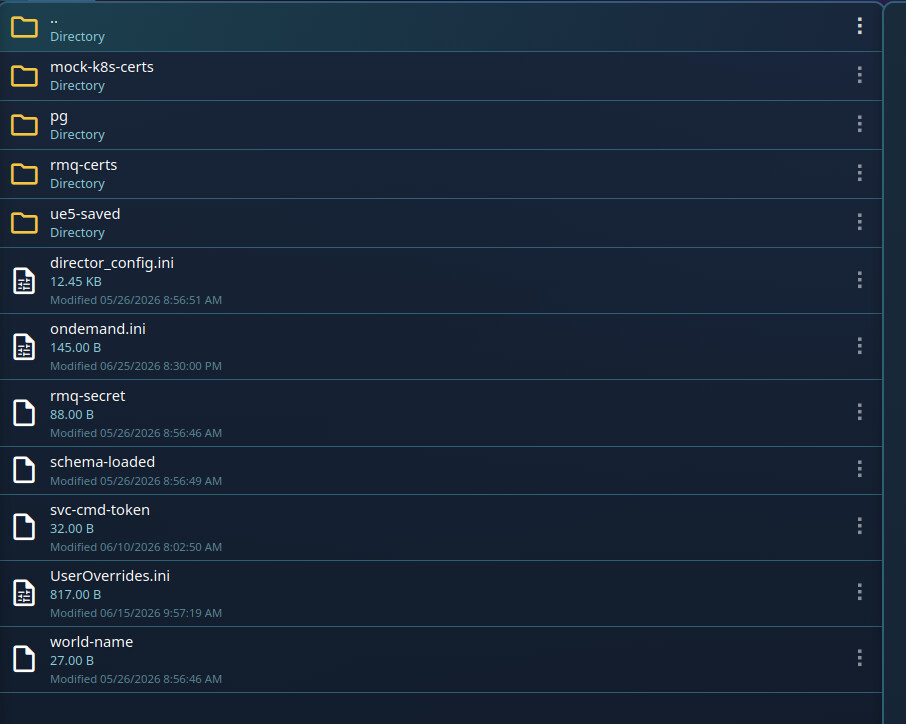
Enter manage server for dune awakening. Click file manager. Click on the “state” folder. Look for override.ini. Let me know if that gets you what you need. If not I an put up some pictures to help. Im sorry it took me so long to answer. I was out of town.
There is no override.ini in there by default for me, but there IS a UserOverrides.ini that making ANY change to breaks all my servers. I’mma try making my own override.ini in this location because fck it what can happen?
Had an issue where the game would be stuck at the connecting window when trying to connect from a computer on the same local network as the server. Had to set up a hairpin/reflection nat to get around this for anyone else with the same issue.
Since the most recent game update the servers refuse to bind to the passthru port. Server will turn on, but you can’t join. Literally no changes to anything other than updating both AMP and the Dune: Awakening instance more than 12 hours after the update dropped.
Was the passthru port always 7777? Seems like the first game server is binding it since that’s the first in the game server port range and then it can’t be used as passthru?
1 Like
Ignore the Passthru port. It’s hidden in the latest version again.