AMP 'Deimos' 2.7.0 Release Notes

Welcome to Deimos

We’re really excited to bring AMP 2.7, the first major codename update in over a year. This update is packed with huge new features that we’ve worked hard for a long time to make AMP an even more indispensable part of your day-to-day game server management.

Plugin & Mods (and more!) Store
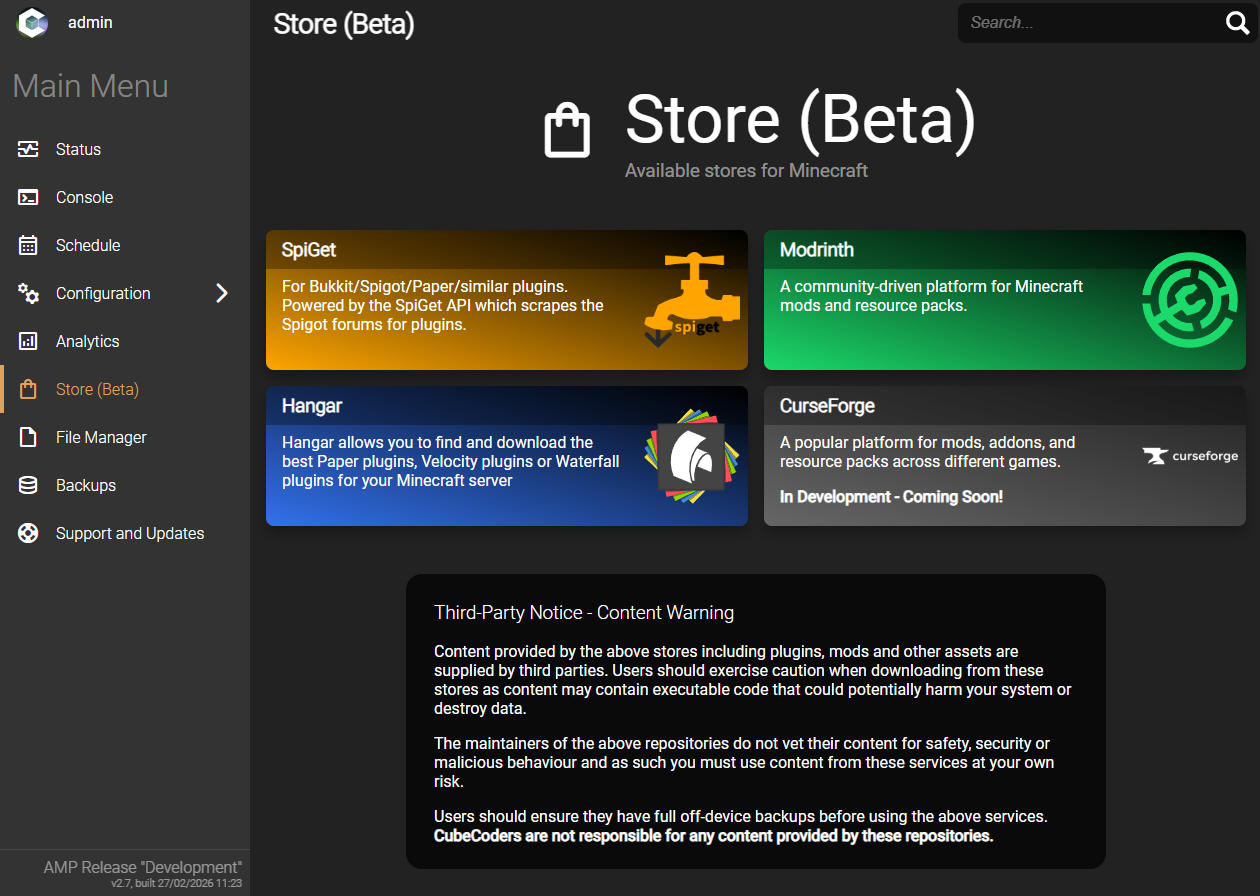
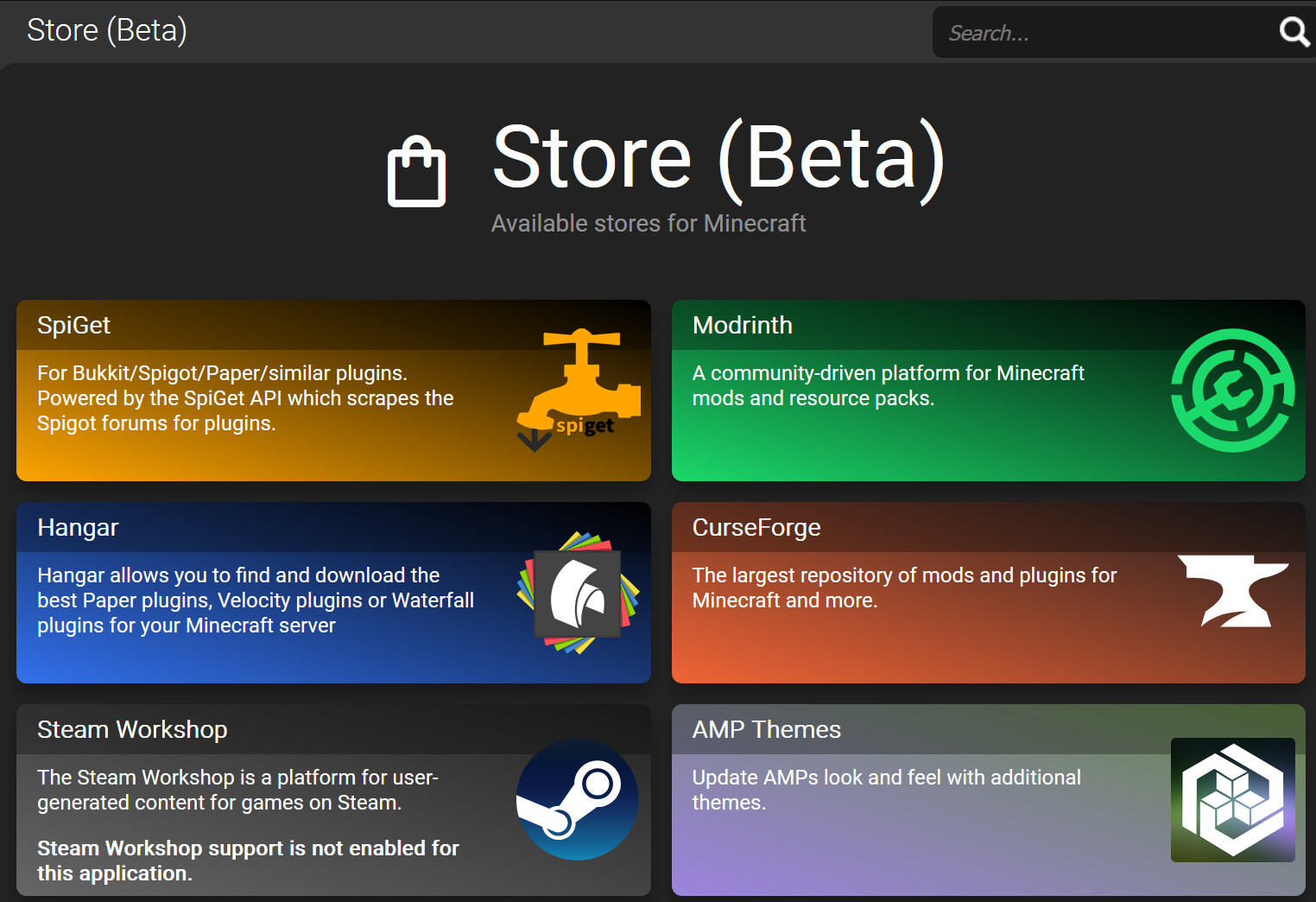
The Store is a brand new plugin that will make it easier than ever to install, manage and update third party content for your server. Regardless of where it actually comes from, AMP provides you with a friendly and consistent interface across different sources.

For Minecraft users, this replaces the old Plugins tab in the Minecraft module which was removed a few updates ago - but unlike the old Plugins tab, this isn’t game specific. It’s a shared system that can be used for different titles.
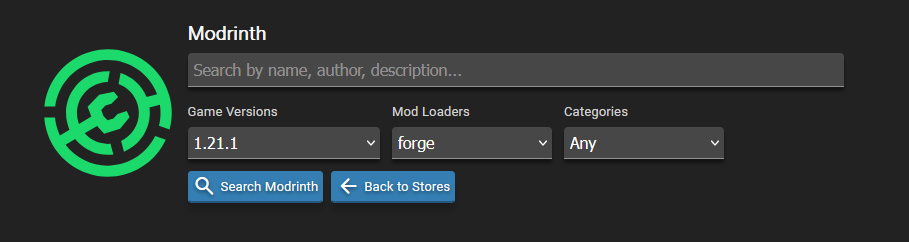
It’s even aware of different game versions and mod loaders to make sure you’re getting the appropriate content for your game.
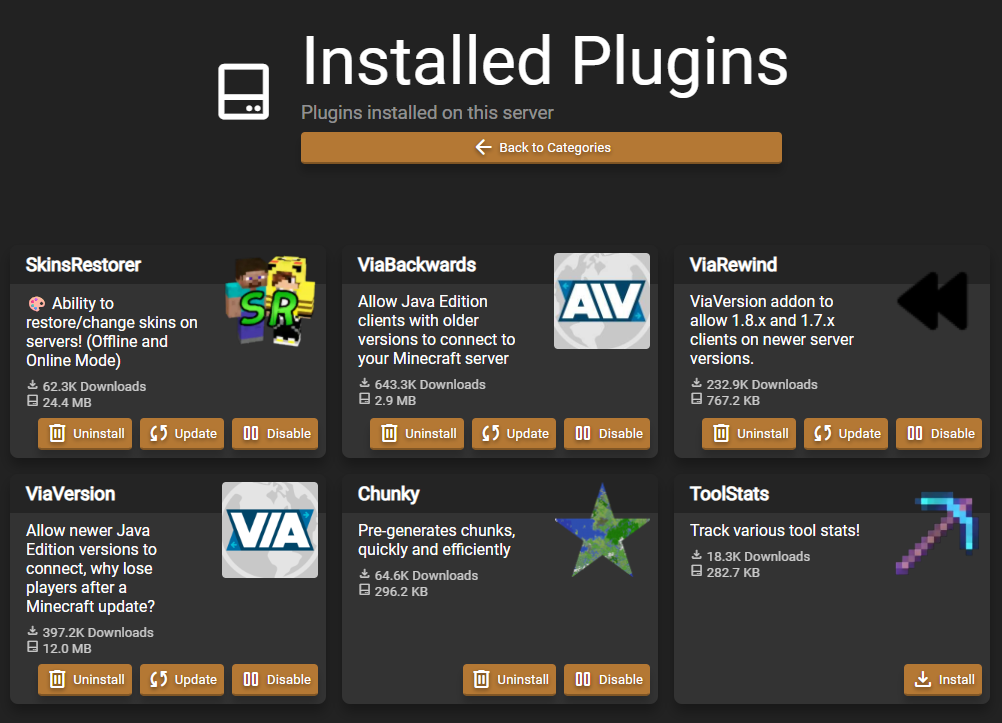
And you can easily manage your installed plugins to disable, remove or update them via the store.

Stores available as part of the initial 2.7 release are:

  • Modrinth (Individual Mods and Plugins supported - Modpacks coming soon!)
  • Paper Hangar
  • SpiGet (Mostly for legacy reasons)
  • AMP Themes Store

We’re also working on support for CurseForge and Steam Workshop in the near future.

Community Themes!

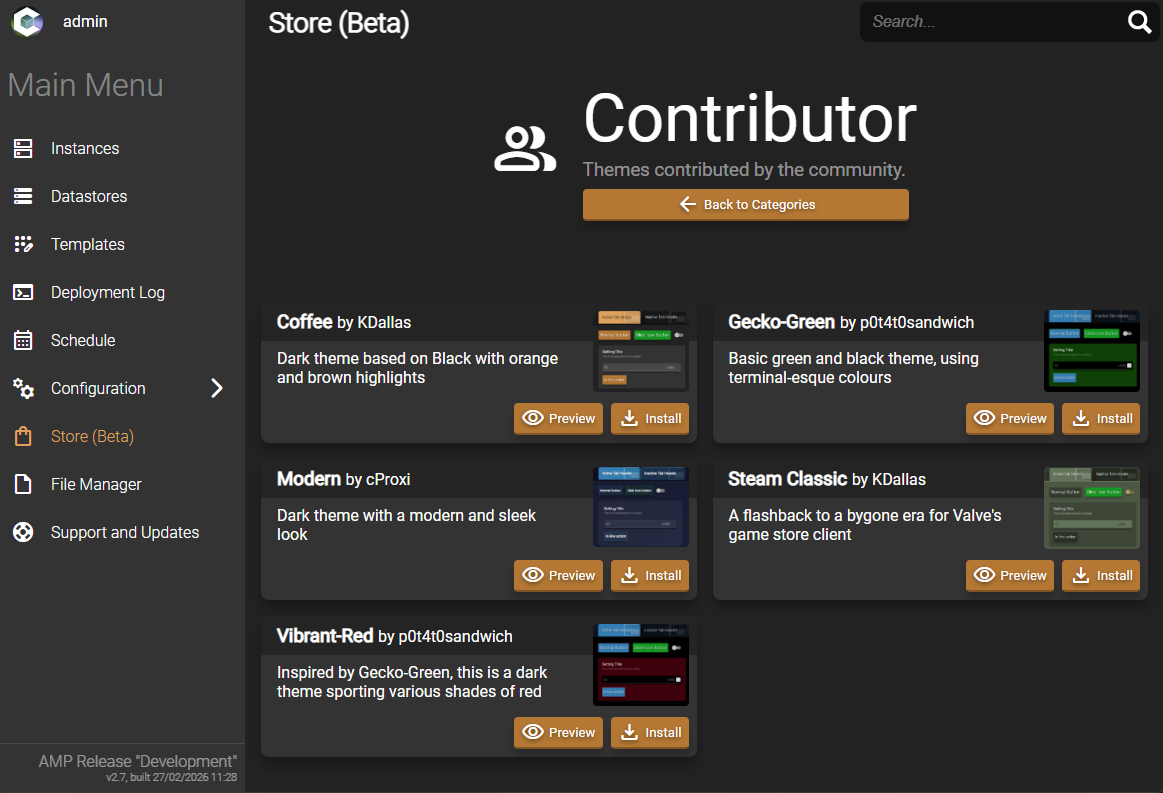
AMP has had community themes for some time but they’ve not been particularly accessible. Now you can easily customize the look and feel of AMP with themes made by your fellow users! You can quickly preview and install themes via the new Store. Pictured is the excellent “Coffee” theme by @KDallas.
Switching from Docker to Podman

We’ve made the (challenging!) decision to switch away from Docker and pivot towards using Podman for game server isolation and containerisation. Docker has pieces that run as the root user on Linux which inherently opens it up to security concerns. Podman runs rootless by default.

Big shout out to @Greelan for his assistance in helping to test various scenarios!

For users this is a painless change that won’t affect any of your existing game servers within AMP. All your instance settings and data are stored outside of Docker so your data is safe. A huge amount of testing has gone into this to ensure continuity through a platform change.

AMP will continue to support Docker on existing systems. Due to limitations in Podman it is not supported on unprivileged LXC containers and distros based on Debian 12 or older. Docker will continue to be used on Windows as well. While it may work on Windows out of the box, we have not fully tested it and have not automated installing it.

To perform the switch on Linux run getamp installPodman as root.

Container Support on ARM64

This change also enables container support on ARM64 systems! This makes it easier than ever to setup AMP on a Raspberry Pi or Oracle’s free tier. No need to install dependencies or emulation on the system as it’s all handled by Podman containers designed for running servers within AMP.

Deprecating Old Modules

We announced last year that we’d be removing deprecated modules to clean up the code base. These games have all been converted to generic templates thanks to @Greelan (again)! This allows for more functionality and quicker fix response times. More details below:

Other Changes

  • The “Set as startup Jar” option in the Minecraft module now refreshes the list of acceptable jars for a more seamless experience when you’ve recently uploaded/added a new jar file.
  • Fixed the “Update this instance” button on Windows. This issue will resolve itself after two updates due to the nature of the upgrade steps order, but you can get it sooner by running ampinstmgr UpdateService from Command Prompt.
  • Fixed an issue where (Neo-)Forge instances could crash on startup if the startup mode was set to start automatically and the server was slow fetching version data.
  • Changed how certain console event handlers work to allow the same line of source input to match multiple handlers if necessary.
  • Updated sources to fetch updates for Paper and Velocity.
  • Improved API performance.
  • Added Minecraft schedule triggers for Goals and Challenges.
  • Scheduler is now capable of correctly handling default values for task parameters, which prevents future schedule breakages when new parameters are added to existing tasks (so long as a default value is present)
  • Scheduler tick calculation updates to avoid missed ticks causing triggers to not run
  • Scheduler simultaneous file access fixed to prevent failed tasks due to locks
  • OIDC role prefix is empty by default
  • Instance names no longer need to start with a letter
  • UserData.json and RoleData.json follow .old behavior to avoid data loss during unexpected power loss
  • Changed how game servers are killed if they do not respond to a normal stop request
  • ARM CPU calculation displays correctly
  • JSON file merging for null values no longer fails in generic instances
18 Likes

Patch 20260305.1

Fix 2FA login prompt failing to load.

3 Likes

Patch 20260308.1

  • Fix Minecraft Paper - Latest build is grabbed, defaults to latest version, fix 1.21.11 startup crash due to --log-strip-color command line arg
  • Add --replace to Podman run command
  • Add Container Manager setting to allow users to switch between Podman and Docker on the fly (Assuming both are installed)
  • Modrinth store respects mod loader/version on dependencies
  • Increase store results to 50 to avoid some API request limits
  • DisplayImageSource is adjusted on instance update (fixes Hytale image, may require ADS restart)
2 Likes

AMP 2.7.2.0 ‘Deimos’

Performance & Stability: A Major Step Forward

This release brings one of the largest behind-the-scenes overhauls in AMP’s history. We’ve rebuilt core parts of AMP to be significantly more responsive — meaning less waiting, fewer freezes, and a smoother experience across the board.
If you’ve ever seen AMP become unresponsive while a server was updating, noticed the “Lost connection to the backend” message, or experienced ADS crashing unexpectedly throughout the day, this release directly addresses those pain points. AMP now handles background tasks like disk operations and external API calls much more efficiently, so they no longer hold up the rest of the application.

We’ve performed extensive internal testing due to the amount of code that was touched. We are only human though, so please report any new bugs you find and we’ll work to quickly address them in a hotfix.

Store Updates

We’ve addressed multiple major areas of the store:

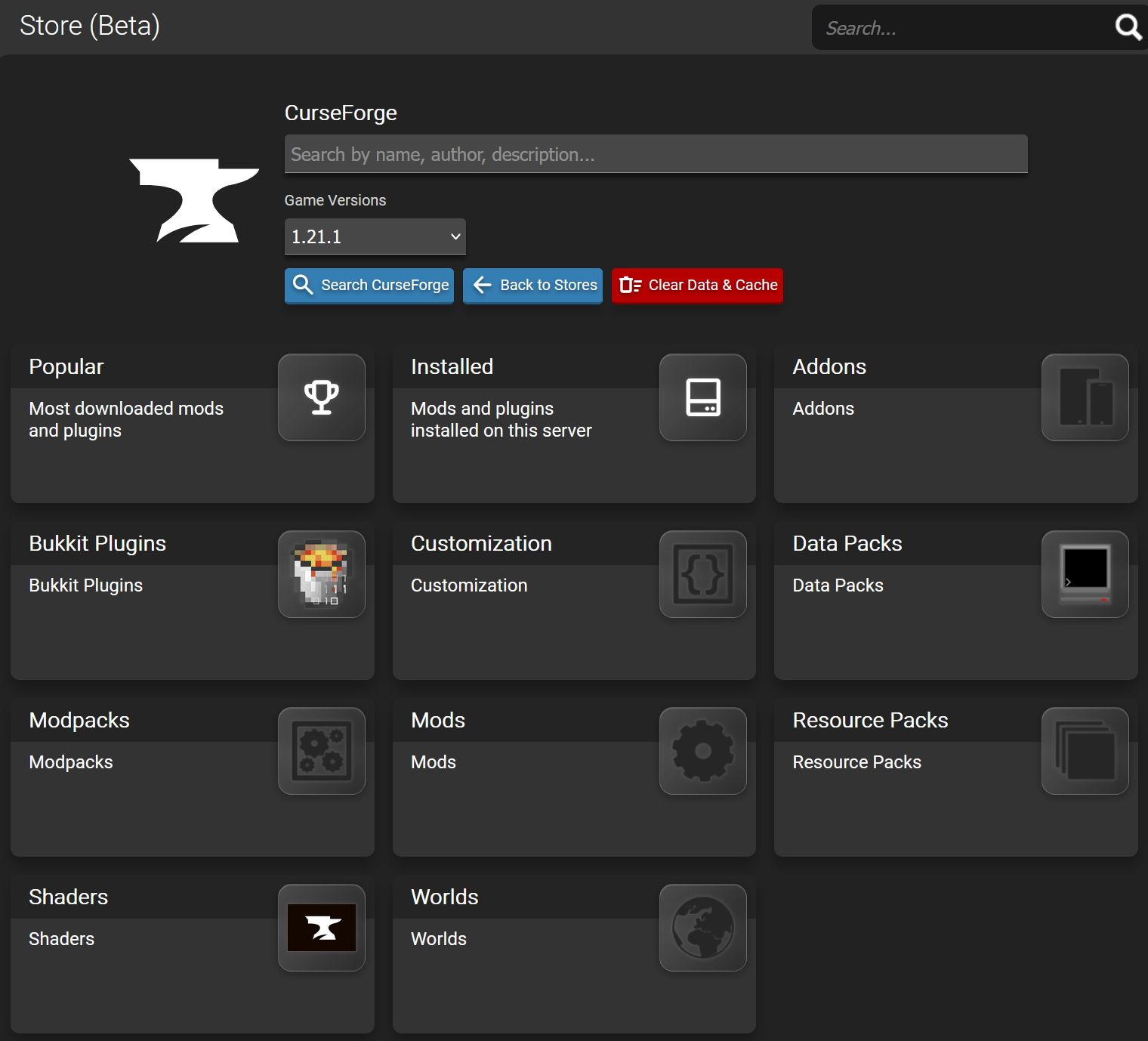
  • CurseForge integration is now available in the store — one of the most-requested features is finally here.
  • Steam Workshop management is easier than ever through the store interface. Your existing Workshop items will appear automatically, and everything stays in sync when you update your server. Note: a free Steamworks API key is required (available from the Steam Community site.
  • Modrinth now supports full modpack installs, building on the individual mod/plugin support added in 2.7.0.0.
  • All stores detect the game and mod loader type automatically based on your other settings. Game version handling to follow, but requires more work.
  • Removing a top level mod that shares a dependency no longer removes the dependent mod.
  • Searches are smarter and show results for related compatible mod loader types.
  • Store entries are now clickable — selecting a tile takes you directly to that mod’s page.
  • The UI is slightly improved because we value your eyes!
  • We added a new “Clear Cache & Data” button for when you want to wipe your mods or encounter a bug with the store (it is still beta after all!)
  • The AMP Themes store is added to all instances, not just ADS.

Instance Cloning & Migration

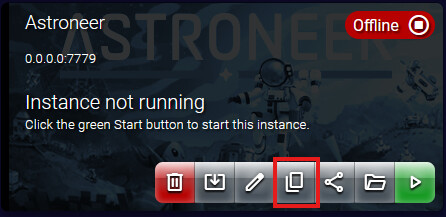
You can now copy or move an instance with just a few clicks — whether that’s to another location on the same machine or to a completely different machine. The AMP installs must be in a controller/target or hybrid/target setup to do remote transfers.

Cloning an instance requires a Professional license or higher.
Migrating an instance requires an Advanced license or higher.

File Manager Improvements

Download folders as a zip directly from the file manager — no more manually zipping before downloading.
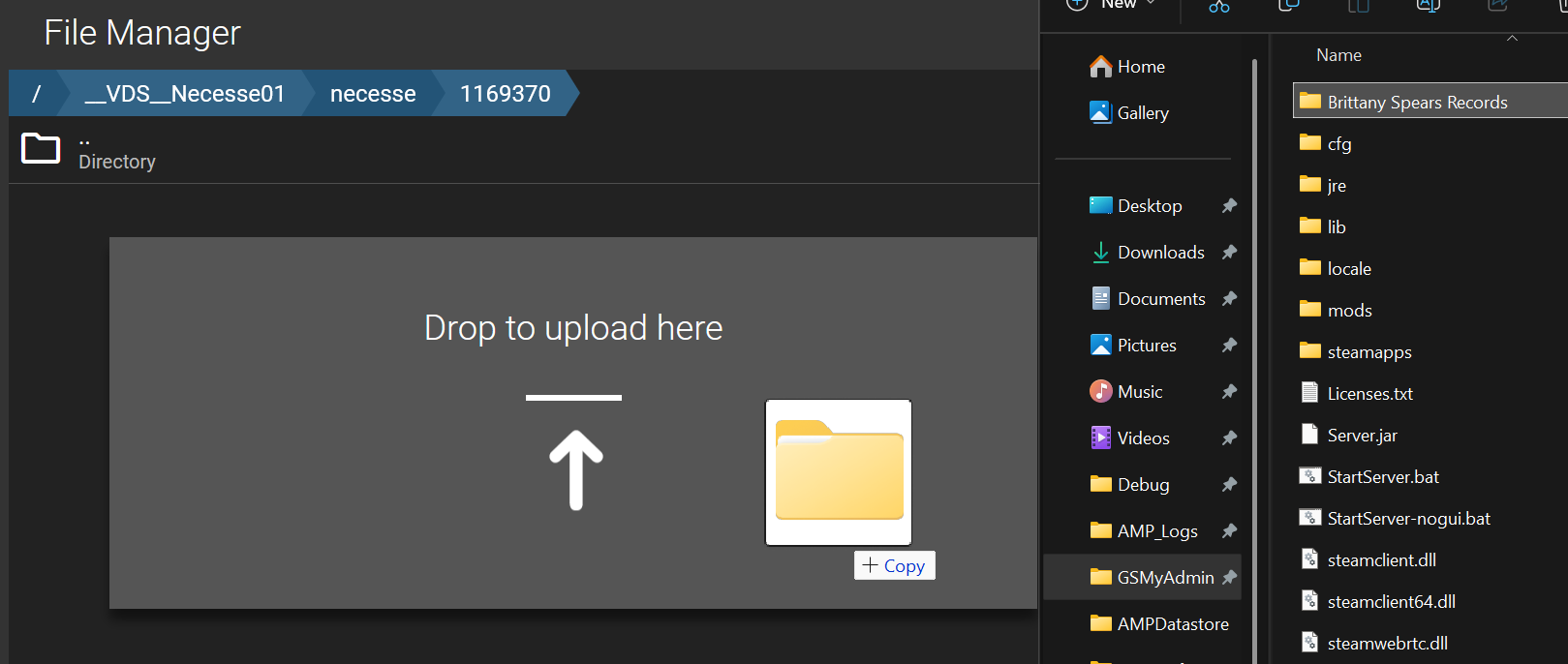
Drag and drop folder uploads are now supported. It will always be slower than zipping locally first, but it’s a simpler workflow if you don’t mind the wait.
The file manager now loads faster, remembers your last location when switching tabs, and opens to the correct directory right away.

Sample Schedules for New Instances

New instances now come with example schedules pre-configured, making it easier for newcomers to get hourly updates and backups set up quickly.

Faster File Operations

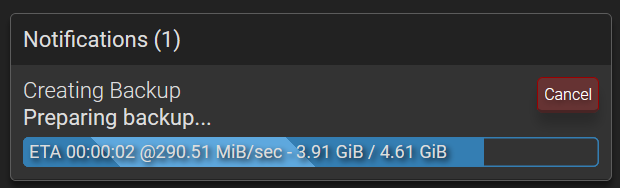
Backups, uploads, downloads, zip, and extract operations are all significantly faster. Internal testing shows roughly 2× faster backup performance (assuming you have the power to handle it). Backups also now show more detailed status updates so you can see exactly what’s happening.

iFrame Support

AMP can now be embedded in iFrames. A new iFrame Allowed Origins setting lets you control which domains are permitted to embed your AMP site, keeping things secure.

Security Improvements

The process for pairing new targets has been strengthened with improved token generation security.
Login with tokens is now 10x faster due to improvements in how authentication tokens are handled.

Bug Fixes and Improvements

  • Fixed a recurring ADS crash caused by a deadlock in logging — one of the most commonly reported issues over the past few months
  • Addressed an issue with Podman on systems with SELinux where AMP would silently fail to start with no logs to indicate why
  • Backups that failed to upload to S3 no longer appearing as successfully stored
  • Large S3 uploads timeout adjusted to lessen failures
  • Fixed several potential crashes in various parts of the application
  • Template deployments no longer fail when matching tags on a datastore
  • Template deployments respect the ExtraContainerPackages value
  • Analytics now ignores sessions shorter than 2 seconds to avoid counting bots or instant disconnects in player stats
  • ADS will prefetch updates when they’re available to reduce downtime during updates
  • API browser displays the required permissions for endpoints
  • Address Start/Wait/Stop update stages causing app to get stuck in “Configuring” state
  • Added template version to the Support and Updates tab
  • AMPService now logs to Windows Event Log on failure
  • Addressed API response failures in ADS when instance is stopped
  • OIDC prefers the browser URI for redirect to return the user to their last location after login - Please ensure your OIDC provider redirect URL is properly configured to allow redirecting to subfolders (e.g. https://amp.yourdomain.com/.*)
  • Added App.StoresSupported, App.StoreSpecificSettings, and App.StoreDownloadLocations to generic templates
  • Various other stability and reliability improvements throughout

Known Issues

  • Instance cloning in a container can fail with error 125
  • Theme within instances doesn’t take effect properly
  • Steam Workshop doesn’t download dependencies automatically (coming in future release)
  • OIDC gives a state error - Not an issue - Ensure the redirect URI in your OIDC provider includes subfolders as mentioned in the notes above

Patch 20260417.3

  • Fix Minecraft instance creation failing with 255 error when created outside of containers

Patch 20260419.1

  • Instance fails to start with Catastrophic Failure code -1
  • Instance fails to stop gracefully with Catastrophic Failure code -1
  • S3 backup uploads pause scheduler until completed for that trigger
  • Instance cloning doesn’t always transfer game server settings
  • Setting changes are now pushed dynamically to the UI on all connected browsers, no refresh needed!
  • Settings are imported into AMP from any compatible metaconfig files when game server is stopped. Fixes the need to manually import settings file when creating a new world in Windrose, among other uses that will come later

Patch 20260420.1

  • Address instance failing to shutdown gracefully due to semaphore disposal order - Caused error code -2146232797
  • Fixed default schedule for generic instances and removed update check for Minecraft (Useless since no trigger to take action when an update is found)