Satisfactory MutiHome IP Binding

OS Name/Version: Windows Server 2022 21H2

Product Name/Version: AMP Release “Phobos” v2.6.2.2

Problem Description: In the Satisfactory Instance Configuration, “MultiHome IP Binding” tells me to change the Server IP Address under “Security and Privacy”. However, there is no such setting in “Security and Privacy”. Neither in the Instance or AMP itself.

Steps to reproduce:

  • Install Satisfactory Server
  • Try to join

Actions taken to resolve so far:
I just want to disable the MultiHome startup Parameter. But I can’t find it anywhere. Or at least change the Server IP to “::”. Anyone ever solved this in AMP?

Click the pencil icon on the instance on the main instances page, go to Network and Ports

I’ve actually got a PR up to update all those setting descriptions lol

Why do you want to disable MultiHome tho?

Thank you for showing me where to find the setting! However there is nothing I can choose from the List in “Application IP Binding”. Where can I preconfigure those?

Apparently there could be an issue with IPv6. Or some services only listening locally. I haven’t dug deep as I am hosting this for friends. AMP does great with many other games, I’m sure it’s not a Port Issue. The server does show up in-game with a ping. But it “Failed to Connect to the Server API”.

Tbh, I doubt that is really the issue, since the template already sets the HTTP listener bind to the application ip binding as well. You can check in netstat what binding the sockets are on

The binding options in the instance settings should appear automatically, tho this was all badly bugged with the multi-ip changes in amp 2.6.2. Try stopping and starting the instance again

Spun up a server myself on Windows for testing.

With the Application IP Binding set to 0.0.0.0:

  TCP    0.0.0.0:7778           0.0.0.0:0              LISTENING       11616
  TCP    0.0.0.0:8888           0.0.0.0:0              LISTENING       11616
  UDP    0.0.0.0:7778           *:*                                    11616

With the Application IP Binding set to the local IP:

  TCP    172.16.66.13:7778      0.0.0.0:0              LISTENING       6760
  TCP    172.16.66.13:8888      0.0.0.0:0              LISTENING       6760
  UDP    172.16.66.13:7778      *:*                                    6760

With the Application IP Binding set to :::

  TCP    0.0.0.0:7778           0.0.0.0:0              LISTENING       11012
  TCP    0.0.0.0:8888           0.0.0.0:0              LISTENING       11012
  TCP    [::]:7778              [::]:0                 LISTENING       11012
  TCP    [::]:8888              [::]:0                 LISTENING       11012
  UDP    0.0.0.0:7778           *:*                                    11012
  UDP    [::]:7778              *:*                                    11012

Which is the same if there no binding arguments (either MulitHome or for the HTTP server listener):

  TCP    0.0.0.0:7778           0.0.0.0:0              LISTENING       4700
  TCP    0.0.0.0:8888           0.0.0.0:0              LISTENING       4700
  TCP    [::]:7778              [::]:0                 LISTENING       4700
  TCP    [::]:8888              [::]:0                 LISTENING       4700
  UDP    0.0.0.0:7778           *:*                                    4700
  UDP    [::]:7778              *:*                                    4700

tldr: don’t believe everything you read on the internet lol

I didn’t have time to verify those outputs. Out of the box, it doesn’t work for me. How can I assign the “application IP Binding” in an Instance? I see the option, the drop-down, but it’s empty. Where can I configure the settings that should be available in this drop down?

I did the verification for you xD

Configuration > Instance Deployment

If this is an old instance, maybe try creating a new one given all the previous bugs

I forgot to mention. I have recreated and restarted the instance multiple times within the last 8 hours. In AMP > Configuration > Instance Deployment > IP Address Pool = 0.0.0.0; ::, 10.0.0.xx. But I can’t choose any of those in the “Application IP Binding” Dropdown when using the “pencil icon” of the instance.

(Checking again - I can NOW choose those in the Dropdown. 100% sure I couldn’t before. Will check if those changes lead to the desired result once my friends are online).

Thank you a ton for looking into this!

Make sure AMP is fully up to date, including the amp instance manager. Check the update guide for instructions

I have fully updated AMP by redownloading the .exe and running a repair right after.

Restarted the Machine, Recreated the Satisfactory Instance from Scratch. Both ports tcp and udp 7777 are listening on 0.0.0.0.

The issue persists. Could not Connect to API Server :frowning:

Any way to see or edit the flags the satisfactory server exe is started with in AMP? Lots of people saying removing those fixed their issue.

Starting the .exe by itself does not solve the Problem for me though.

Otherwise I will spin up a linux machine for hosting this one and see if that works.

That points to your issue being elsewhere, logically.

Have you check firewall rules on the host? Checked your port forward rules? Made sure you are allowing both UDP and TCP for the Game Port?

I assume also that you/others are connecting via the server manager in-game, and that an admin has created a world on the server in-game

AMP did create the Windows Firewall Rules for tcp and udp port 7777, I double checked. The ports are forwarded in OPNsense. I tried with a single rule for both protocols and I have also split it to two rules seperately for udp and tcp. no difference.

Quite sure that is not the issue as this has always worked for other games, both with tcp and udp.

The server can be added in game under “Server-Manager”. We see the ping. But we can’t do anything on the right side. it just says “Failed to Connect to the Server API”. So no, we can’t claim or create a world.

I can see the Connection being accepted in the Server Console, too.

What about the Reliable Port too?

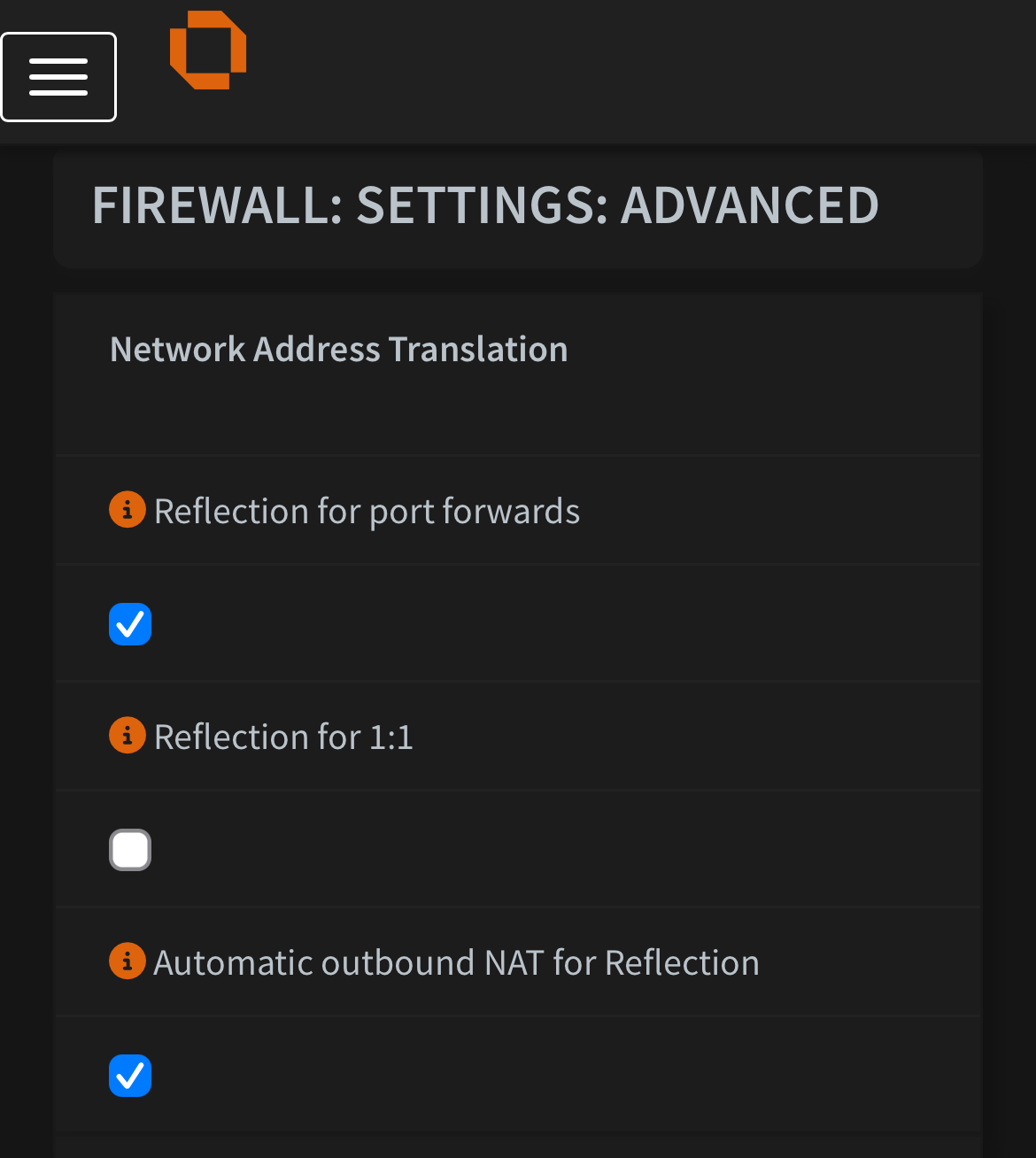
Also assume you have NAT reflection enabled in OPNsense

Yes, the reliable port too.

No difference when enabling NAT reflection for those rules

I mean the general NAT reflection rules

I enabled the reflection for port forwards and automatic outbound NAT for reflection and recreated the rules. Issue persists :frowning:

I don’t think the server connects to it’s own API over the WAN address, right? was worth a try though.

You mention port 7777 but don’t forget 8888, or similar if running multiple instances of Satisfactory.

In Satisfactory, port 8888 is used by the dedicated server’s HTTP API, which cannot be disabled and listens on TCP.