Sometimes in game the server is totally laging, for example the character is lagging and teleportating during moves and it’s unplayable. The cpu usage is between 30-60 % and a tech tells me to modify the view distance from de server config but this parameter doesnt not exist for enshrouded to improve performance. So what is the best solution ?
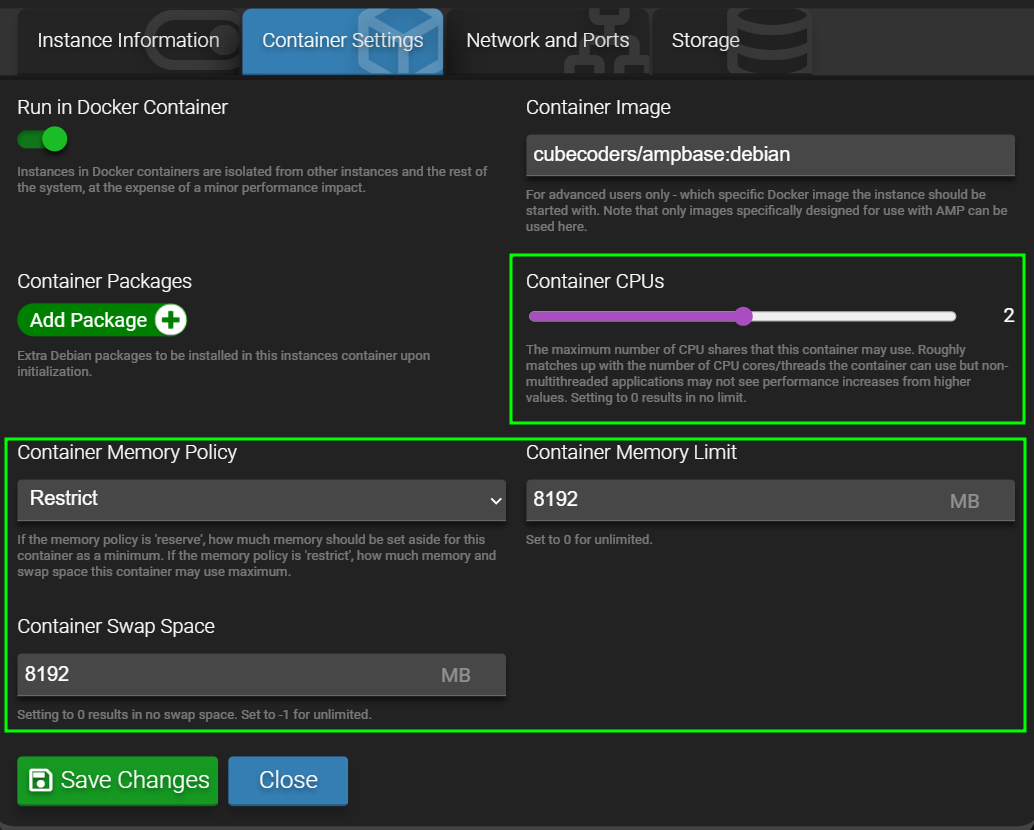
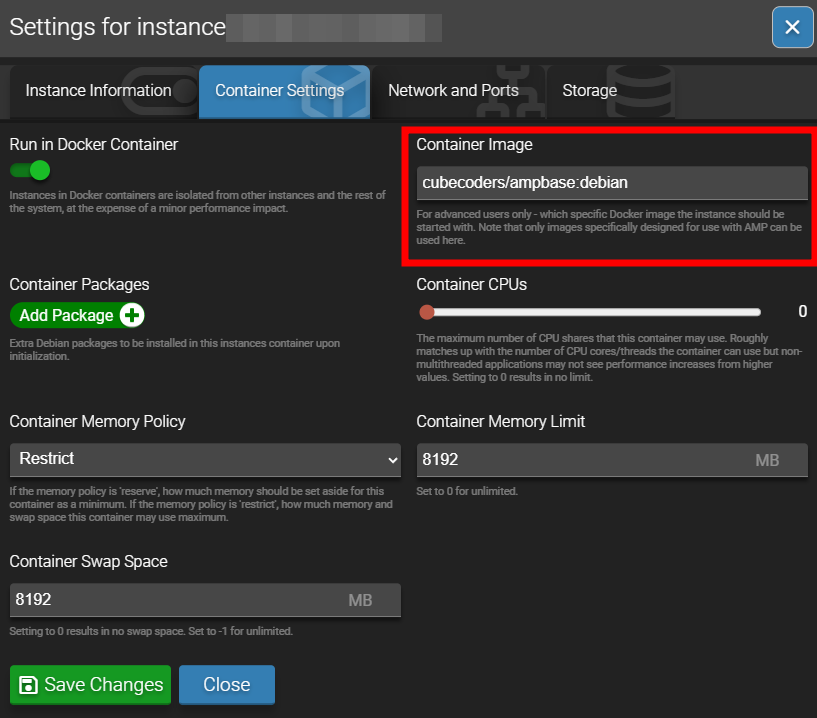
There was no restriction (no memory policy and 0 cpus) so, i decided to set to 8 cpus (max value) and 0 to reserve memory (so unlimited) to see if its change something
I would be interested to know what you find. so far performance on my server has been fine leaving it unrestricted. question is - is it performance, or maybe network latency. One thought i had was, if you have voice chat enabled, you could try turning that off.
the view distance setting doesnt exist as i saw and there was no restriction on the container. So still have the problem and it’s not network latency, the ping is very good it’s just the Server Load that is High. When i look the cpu usage with one player it reaches 300% but we have no access to setting performance so i think Keen production needs to add some settings in the next update for the server app. i have no idea to what do more ?
Alessandro - how is this, has it improved any with the latest update?
What are the technical specs of the AMP server? CPU, RAM, Diskspace … is it running on a standalone machine or in a virtual environment like ProxMox or something?
The technical specs of the server are : 8vCore (from an amd epyc 9354p 32 cores) - 32 GB Ram - 400 GB of space disk. Debian 13 on a KVM
The update didnt change anything about the high load server.
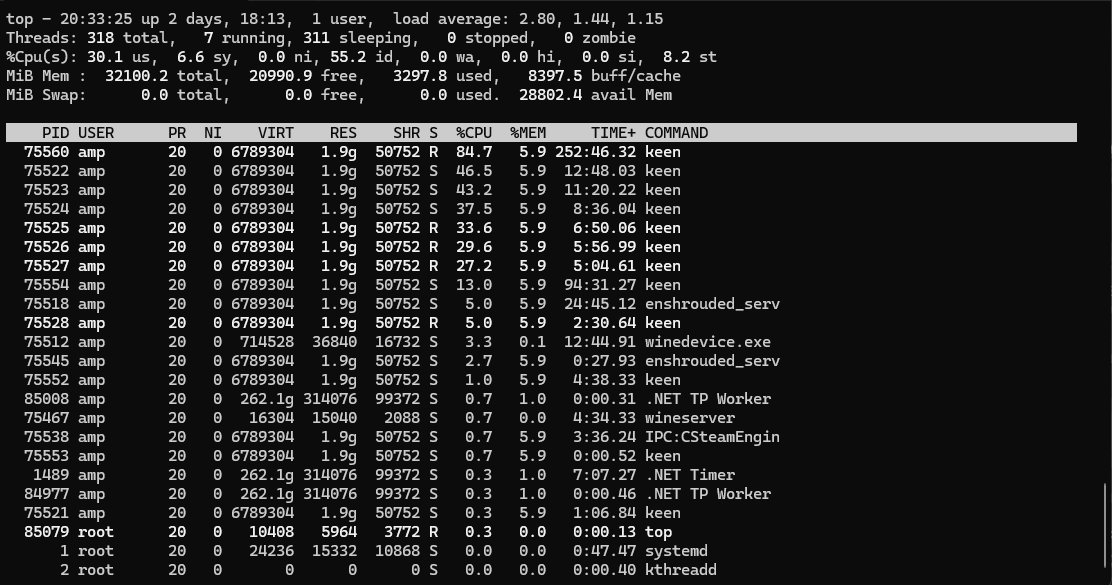
Here is the screen of the top -H command with 1 player only, we can see that on linux with wine, one thread is taking more than 84% of one core so the fact is there is a bottleneck effect from this thread.
So my conclusion is, Keen needs to optimise their dedicated server app for linux and add some more settings because we dont have performance setting available in the dedicated server app for the moment.
I try to deactivate docker instance to optimize performances but still the same.
I’m looking at mine, and we’ve got some differences, i’m on the server now playing and the CPU is … okay I think. I definitely agree that Keen needs to optimize. There do need to be more settings to control things like view distance and performance.
I have AMP running on ProxMox on an HP Proliant Microserver Gen12 … the vm is allocated 48gb ram and 1 socket 4 cores (8 x Intel(R) Xeon(R) E E-2434 (1 Socket)) and 500gb on SSD (it’s a raidz1).
I feel like you have the better CPU there, so i’m confused lol.
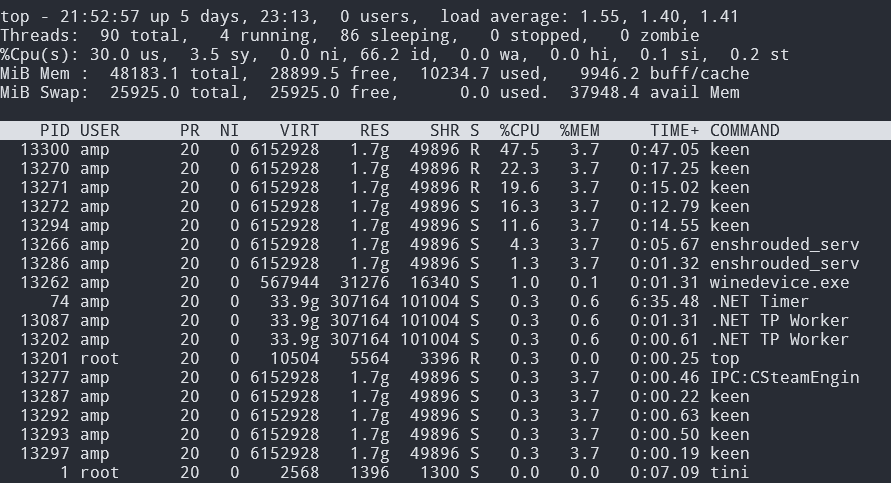
this is what i’m seeing in top -H (in the docker container.)
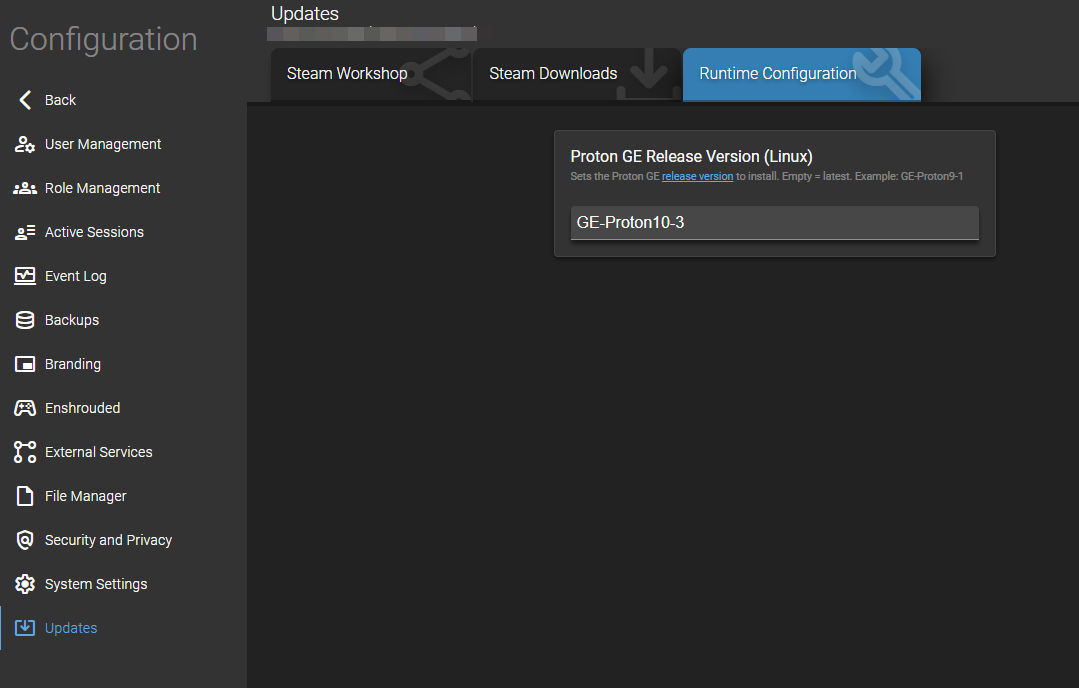
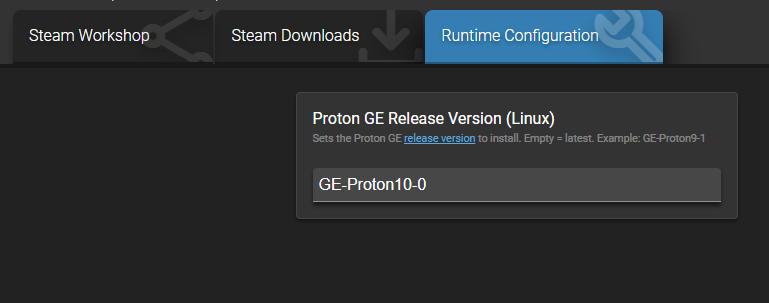
Another thing you can look at is the version of Proton that’s being used. Configuration→Updates→Runtime Config … leaving this empty defaults to the latest, but it might not be the best version for Enshrouded… I’m tinkering with it, but so far have not noticed a difference in performance on my end.
the field for proton is empty but what you’re showing is a bit confusing, why i have the main thread with more than 84% of one core ? that’s close to 40% more than you !! it’s huge !!
Yeah, your CPU usage is really bizarre to me. Proton is something Valve put together with difference versions of Wine trying to optimize for gaming use. So in the blank proton field you can specify other versions. The proton DB link shows all the games that have been tested with proton and how they perform. (sorry if you already know all this).
It looks like enshrouded (supposedly) performs best with GE-Proton10.0 through 10.3. The current version of proton appears to be 10.28 …
I would try those 4 versions of proton and see if any make a difference for you.
I don’t know, i’d be interested in seeing all the settings … container settings, system, security, game config … blur out anything sensitive like names, passwords and IP’s ..
I don’t know if there’s an easier way to share that besides screenshots…
I am also open to talking on discord or something, maybe screenshare and look at it together.
But i really feel more and more you’re right with the unoptimized code… Keen needs to clean it up.