cannot connect to server from the minecraft bedrock client anymore .try to update the server and world in case minecraft had an update. was working fine yesterday and cant connect without reason
I have the same problem. I updated from 2.6.x to 2.7.x and my Minecraft bedrock and java instances stopped listening on the network. For what it is worth, upgrading the main console went smooth but I had to login to linux as amp and run the instance upgrade manually. They would not upgrade via the web interface. Now we are dead in the water
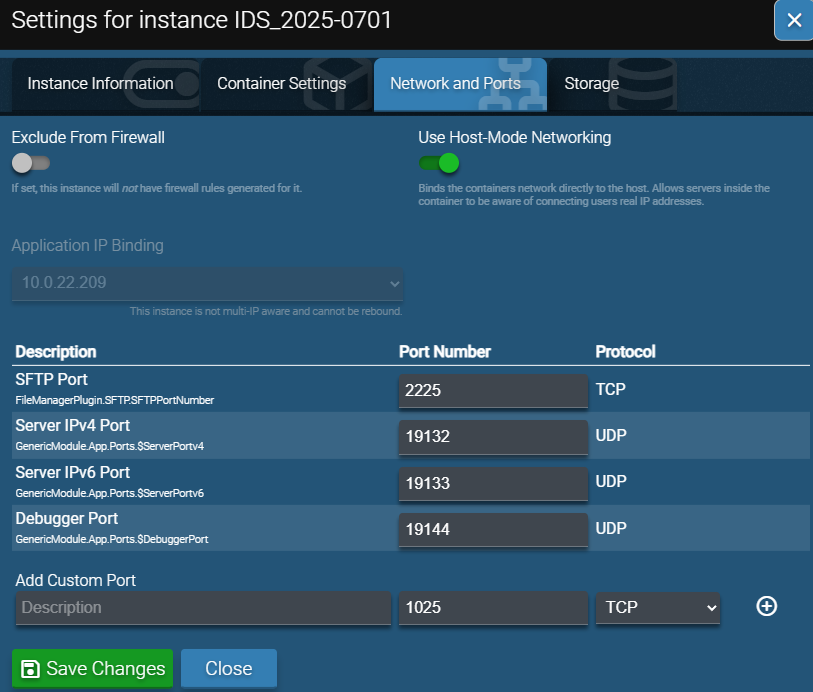
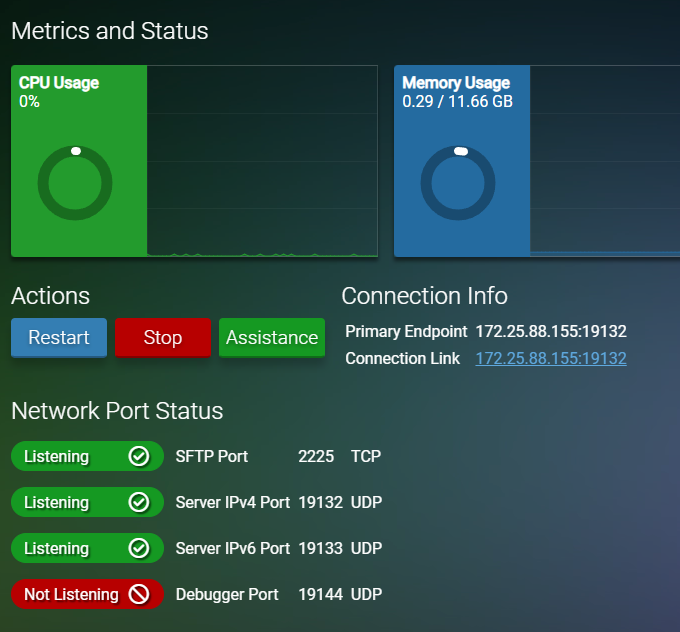
UPDATE - I was able to get it listening again by editing the port numbers for the instance and changing them to something else, saving, then changing back and saving again (i needed to stay on the original port numbers for my edge firewall). However, it still isn’t working. My server is on a 10.0.22.x network and the instance is using a 172.25.88.x. I do not have a 172.25.88.x IP bound to the server so i assume that is related to the containers. Not sure what else to try.
There will be no Minecraft this Father’s Day Weekend.
I just spent 2 hours working on this. What I can share is:
There is something wrong with networking after upgrading to 2.7.2.8
The instances start normally, ufw status shows bindings on 0.0.0.0:[port], instances show a 172 address (not the server IP) - no traffic can get to the instance
I tested creating new instances with and without “Create in Containers” slider ON. No connectivity can make it from the network > OS > Amp > Instance. Amp is where it breaks.
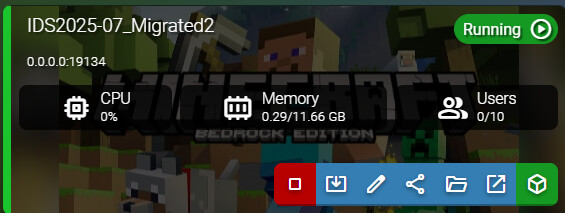
When editing networking for the instance, the panel screen does not reflect the changes. In the screenshot below, I changed my listening port from 19134 to 19139 and restarted. Minecraft started and shows 19139 in the console log - HOWEVER, the Amp dashboard still has the old port (see image).