System Information
| Field |
Value |
| Operating System |
Linux - Debian GNU/Linux 12 on x86_64 |
| Product |
AMP ‘Phobos’ v2.6.2.0 (Mainline) |
| Virtualization |
Docker |
| Application |
ARK: Survival Ascended |
| Module |
GenericModule |
| Running in Container |
Yes |
| Current State |
Ready |
Problem Description
Issue
cant get my other ark server port to listen
Reproduction Steps
- started the ark server
- fort forwarded the port 8890
- cant get port to listen
Read the guide in the Knowledge Base
tldr: doesn’t matter
have read everything i can find. one ark server is up and running and a can connect from outside my network. the second one though wont listen to the necessary port i need
I repeat: that port doesn’t matter
If you did read the guide, you would have seen this:
“The server also opens an “HTTP Server Port” by default on port 8888 TCP. This port is bound to localhost (127.0.0.1) and its purpose is currently unknown. It is not configurable. If AMP has assigned your instance a different port for the HTTP Server Port, it will show as red in AMP’s port status. This doesn’t matter.”
hey greelan was hoping to get a little more help on clusters. i think im having trouble mounting to the container. followed the guide step by step and can swap between the servers in the cluster but can upload or download anything between them. ive configured the ini file right but still no dice.i follwed your guide to the t and set it up exactly as you did on a linux machine but im getting the feeling my virtual path is getting screwy any ideas ?
Nope, given you haven’t shown what you have done
hey greelan got it fixed. the virtual path in the guide you setup was creating multiple folder throughout all my instances and i think it was getting confused on which one to read and write from.i modified this
“CustomMountBinds”: {“/home/amp/arkcluster”:“/AMP/ark-sa/2430930/arkcluster”},
to
“CustomMountBinds”: {“/home/amp/arkcluster”:“/AMP/(Ark instance i wanted to bind to)/ark-sa/2430930/arkcluster”},
i did this in gui thought since i have no knowledge of json programming.
That puts it in a completely different path in docker, and you won’t be able to see it in the file manager, but OK
You don’t need json formatting when doing it in the UI - AMP handles that for you
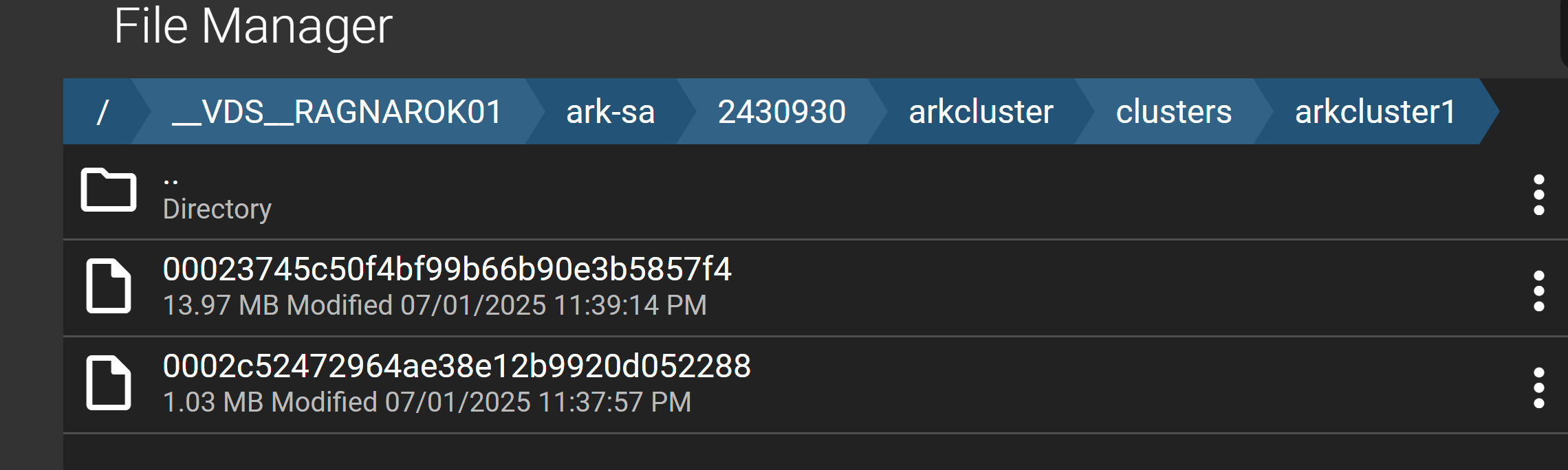
its still in a virtual path in docker and viewable through amp file manager.
That’s the ADS file manager, not the instance’s file manager
That path is also completely unrelated to what you put above, so I’ve no idea what you are doing lol
that’s the virtual path for the instance i chose to bind to my local path.
/AMP/__VDS__RAGNAROK01/ark-sa/2430930/arkcluster
same path you suggested in the guide you wrote just i specified a single instance and went to the end. i can access the files from this instance but not the other instance in the same cluster as you said .
Not how it works, but I’m not going to argue with you
not trying to argue. The guide was helpful just offering another solution incase anyone else has the same problems.