OS Name/Version: Ubuntu Linux 24.04.3
Product Name/Version: 2.6.4 - 20251114.1
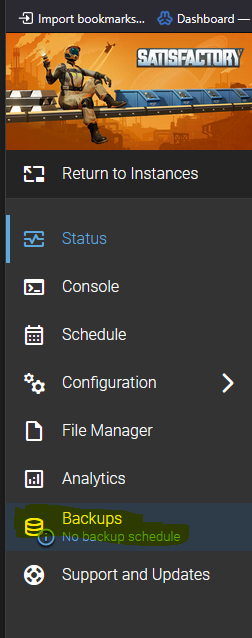
Problem Description: After creating a new instance, the Backup creation menu option is not present to select.
Steps to reproduce:
Step 1 Create New Instance
Step 2 Install server/application
Step 3 Look at menu to set up backups.
Actions taken to resolve so far:
Mike
2 December 2025 15:07
2
That usually means it wasn’t able to read/write to the backup directory. Check the logs.
ok, I just changed and looked, I am not a great linux admin/user, but decent with windows.
In terminal it shows this for amp user
rh_quarterback@ampappserver:/mnt/backup/ampbackups$ ls -ld
in the FileManagerPlugin.kvp file it has
FileManager.AdditionalVirtualDirectories={“backups”:“/backup/ampbackups”}
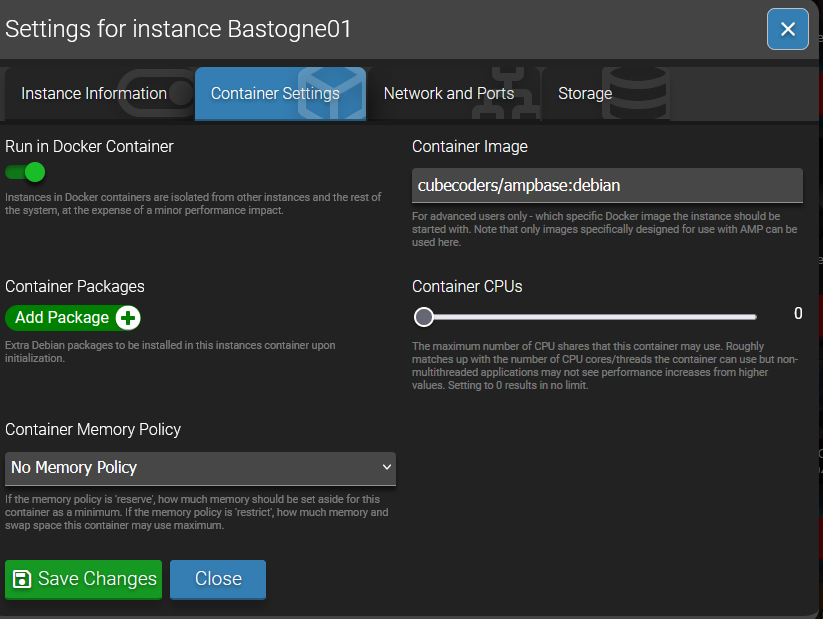
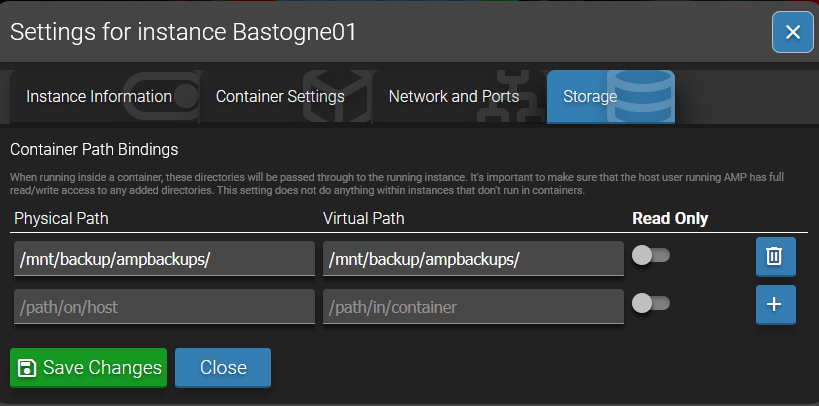
In the storage setting in AMP instance I have
Physical and Virtual set to /mnt/backup/ampbackups/ maybe this is wrong I need just /backup/ampbackups/
??
and I did update this morning
Hooray! AMP is up-to-date.
Currently running version 2.6.4.2 - 20251203.1
Mike
4 December 2025 15:51
4
Are you running the instance in a container? Have you verified that the directory exists and that the amp user can access it?
Yes they are running in a container and yes I am able to log in as the amp user create folders and files in the /mnt/backup/ampbackups/ I made a testpermissions folder, then under that created a test document file
ok I think I have it sorted out, took a lot of manual editing (personal learning) and followed this guide for EACH instance, plus setting the token in the interface for the storage, took a few times to make everything stick. Probably me doing something out of order, but I have the backup menu and testing backups created where I expected them.
This guide is an expanded version of how to add custom backup locations for your instances in AMP. It took me a while to figure this out and wanted to share with the rest of the community. The base of process comes from How to change backup locations but I will go thru everything a bit deeper here as there are some things that are left out if you are new to AMP.
There are three main things that must be done for each instance for this process to work:
Modify the FileManagerPlugin for seeing th…