OS Name/Version: Ubuntu Server 24.04 LTS
Product Name/Version: 2.7 - 20260308.1
Problem Description:
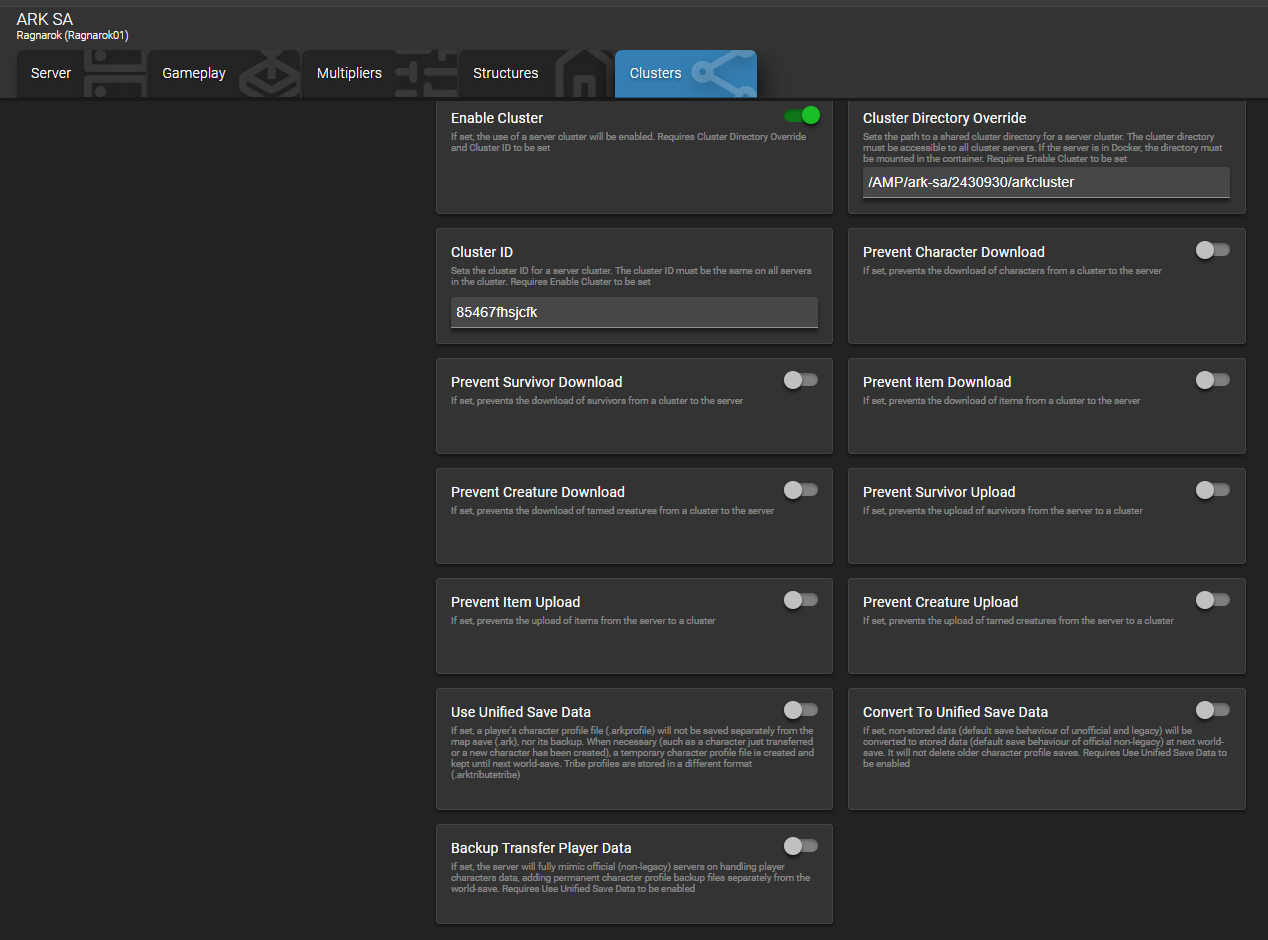
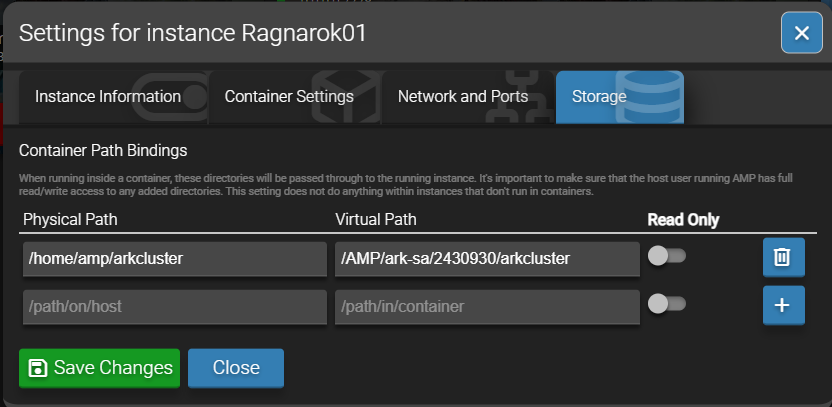
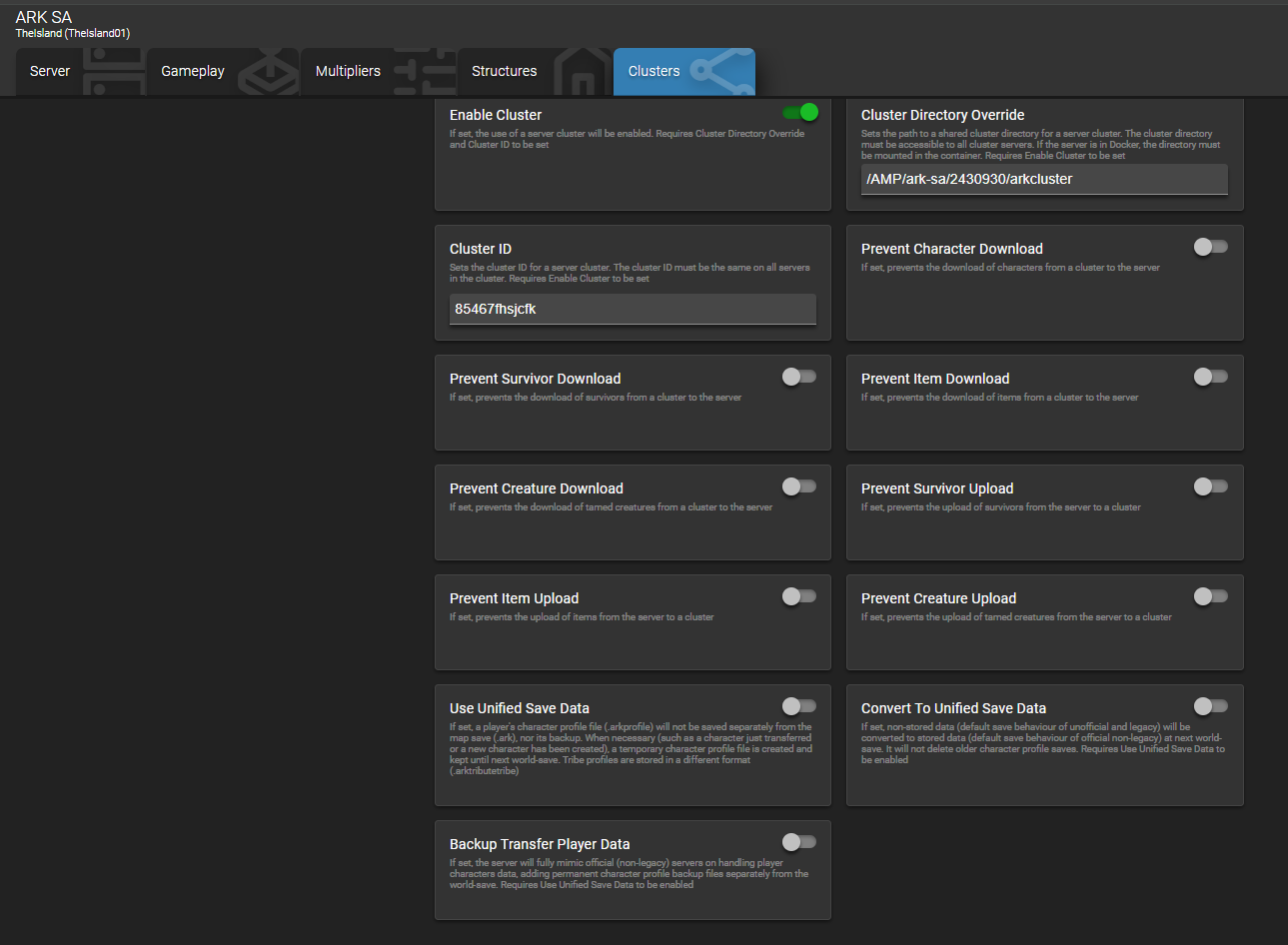
A fresh bare metal OVH server (rise-s). I have issues to configure cluster in ARK Ascended.
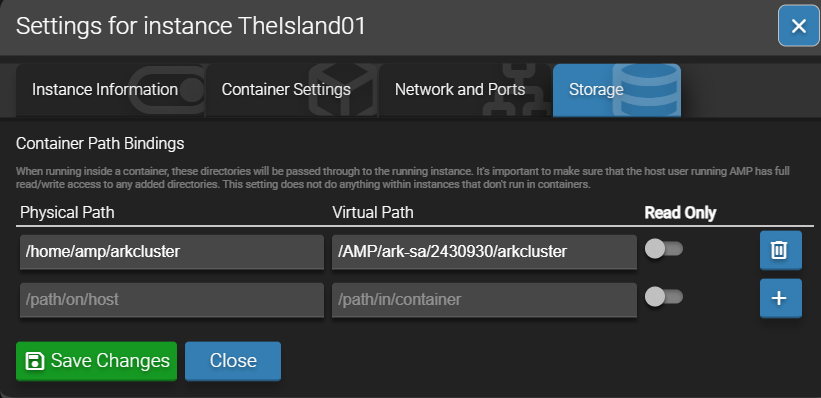
Not sure what I do wrong but cluster files seems to be not generated - I can see the cluster path/directory have no files in:
/home/amp/arkcluster/clusters/cluster_name
I believe I do everything as described in ARK: Survival Ascended Guide
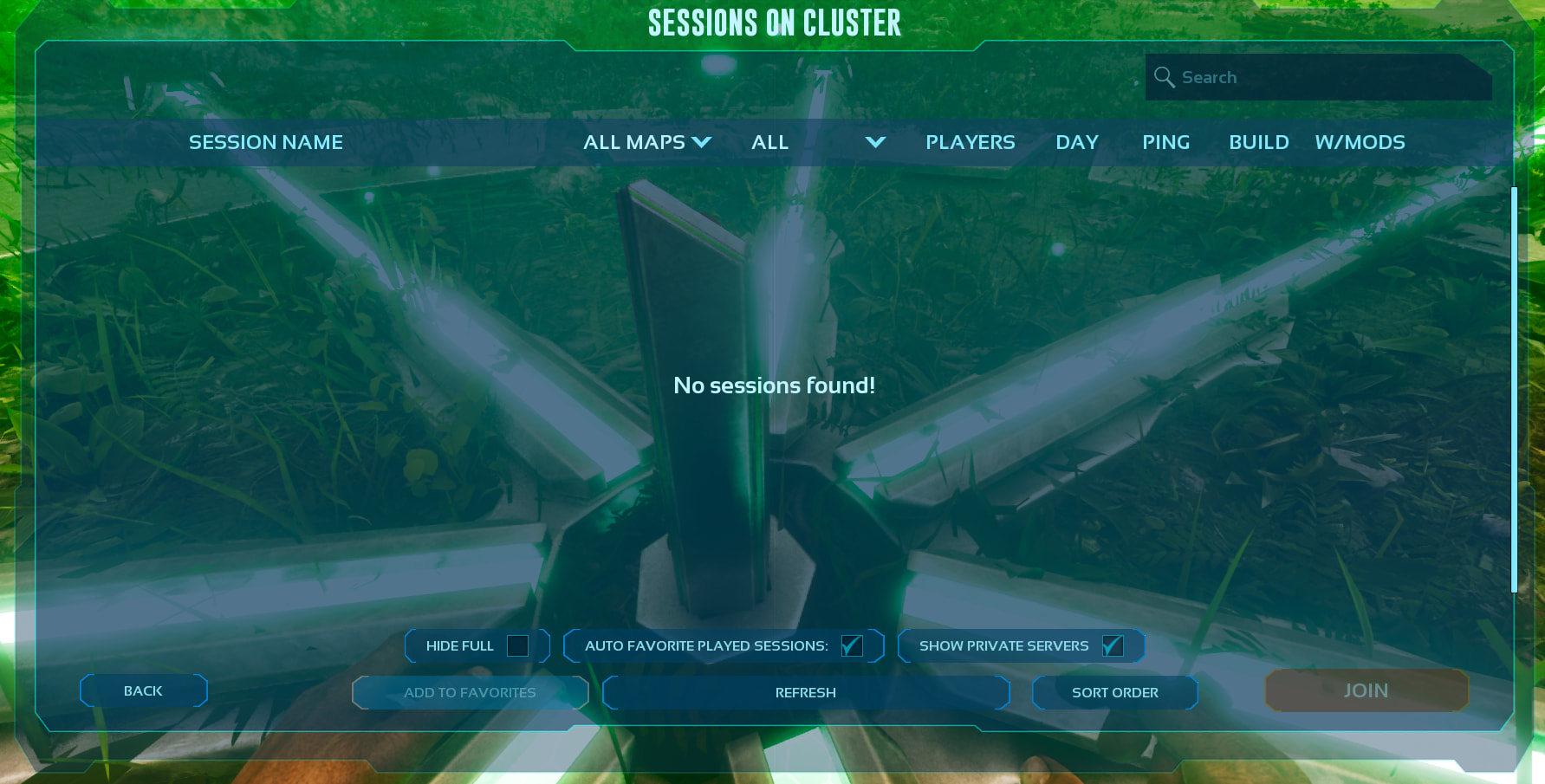
I’ve spent days trying to resolve the issue - I can’t see a server in the cluster from a game PoV.
I have vanilla settings and I am able to login to each of server separately - I just can’t travel between servers.
I am waiting 15min (just in case) after ARK instance starts for some possible sync (not sure if that is really needed).
I have no password on my servers.
Good to mention that I’ve made as a root:
chown -R amp:amp /home/amp/arkcluster
Steps to reproduce:
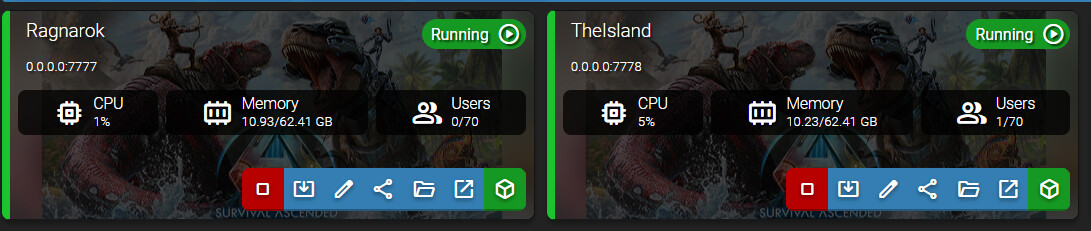
- Configure ARK Ascended instances in AMP
- Setup Ark Ascended clusters in accordance to the * guide
- Login in the game to each of ARK instance
- Can’t see another server to travel (via Obelisk)
Actions taken to resolve so far:
- Search forum
- Ask AMP Discord community, post title: “Ark ASA Ascended Cluster not working - files not generated?”
- Ask AI
- Tried with minimal and not minimal application
- Tried to run in and without container considering the guide
- Tried with debian, same issue there
- Tried to disable firewall - still not working
- Multiple restarts, wipes, re-runs