System Information
| Field |
Value |
| Operating System |
Linux - Debian GNU/Linux 13 on x86_64 |
| Product |
AMP ‘Proteus’ v2.8.0.4 (Mainline) |
| Virtualization |
None |
| Application |
Application Deployment |
| Module |
ADSModule |
| Running in Container |
No |
| Current State |
Indeterminate |
Task
Backup minecraft server
Problem Description
Issue
my backups are done weekly, last working one was on 26/6/2026, no major changes have been done to the minecraft server itself so i assume it is a change in the way AMP manages backups. i assume there are new configs i have to manually change for it to create the backups properly but i couldnt find them.
only tested local backups
Unable to complete task
This task could not be completed: Creating Backup - TEST (40996 MB) - State: 3.
Insufficient disk space to stage backup files. 40996MB needed, 35373MB available on /. Free up disk space or reduce the backup size.
Reproduction Steps
- after update ~1/7/2026
- large server backup such as large minecraft world
- automatic or manual backups
- the issue occurs
Run df -h in your terminal. Can you verify you have more than 40 GB available on your main disk?
Your out of disk space. Will need to make room.
df -h
Filesystem Size Used Avail Use% Mounted on
/dev/loop2 50G 15G 35G 30% /
tmpfs 64M 0 64M 0% /dev
shm 64M 26M 39M 40% /dev/shm
game 900G 258G 642G 29% /home/amp
/dev/loop2 50G 15G 35G 30% /etc/hosts
tmpfs 16G 0 16G 0% /proc/acpi
tmpfs 16G 0 16G 0% /sys/devices/virtual/powercap
tmpfs 16G 0 16G 0% /sys/firmware
I assume the /dev/loop2 is the issue due to it matching the 35gb free in the error, tho idk what to do with that.
i missed the ticket maker not saying this but im running am via docker on unraid.
im also very inexperianced with linux and managing drives with it.
i appriciate your help with i assume at least finding where the issue is 
Yep that looks to be your issue. No idea how you set up your partitioning but yeah your root directory seems quite small. You should also know that running AMP itself inside Docker is officially unsupported so you won’t get support outside of community support.
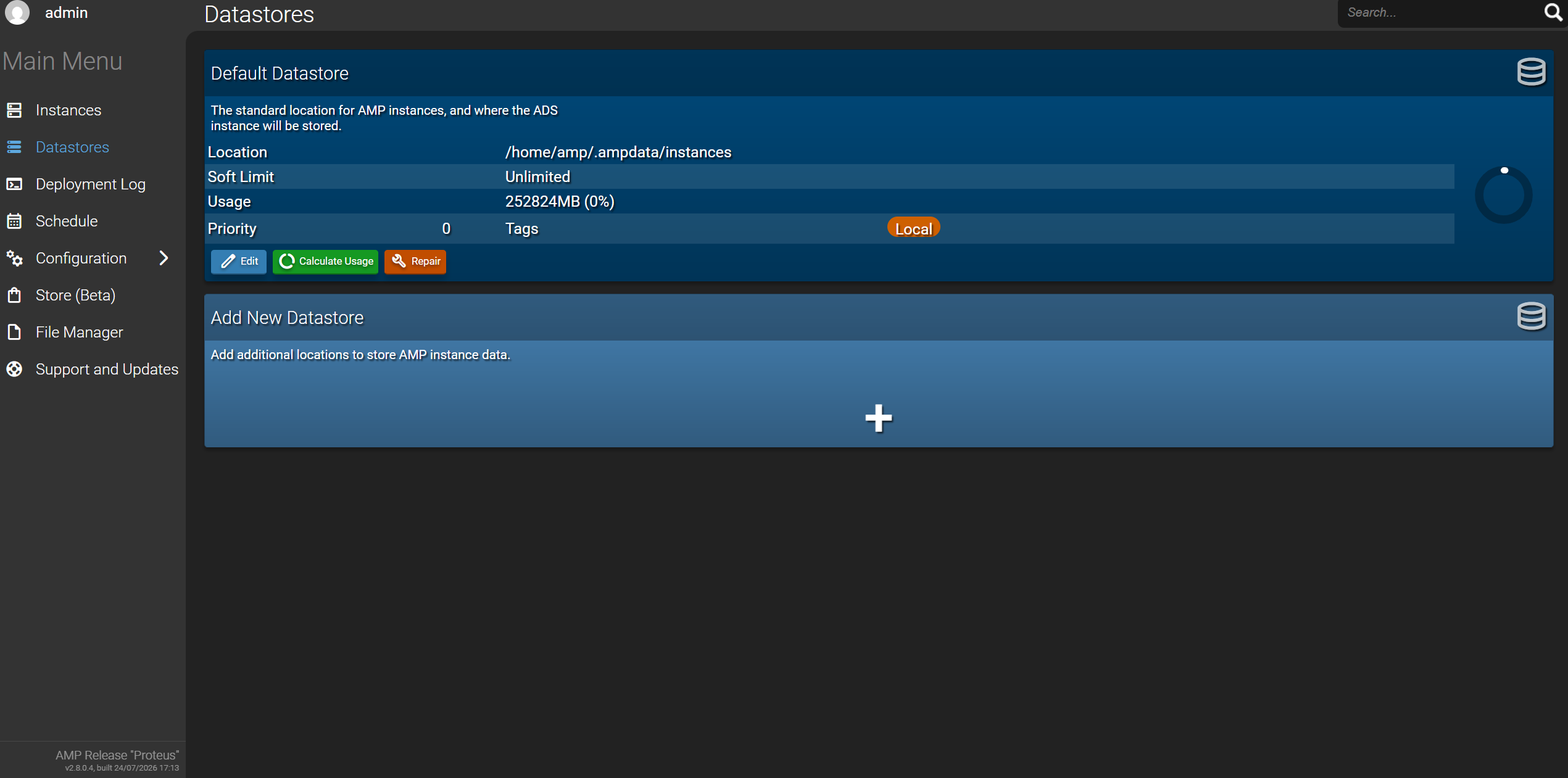
Did you happen to change your backup directory? If not it seems we need to tell AMP to save within your “game” partition. Can you show me what your “Datastores” page looks like?
i didnt modify the datastores myself as far as i can recall.
as for no official support that make sense, this is the image i think
for the amp docker image Appdata:
/mnt/game/appdata/amp
Container Path: /home/amp/
If you don’t have a specific reason for using a container, I would honestly recommend moving to a VM. I won’t be able to help much but it seems to me AMP is confused as to where it’s saving its data regarding your mounts/partitions.
If you decide to move to a VM, you can follow this “guide”:
Thanks ill look into how VM’s work in unraid and then try to move amp over there using the guide