AMP 2.8.0.0 ‘Proteus’
 It’s very important that you follow the update guide, especially on major release versions!
https://discourse.cubecoders.com/t/how-to-update-amp-to-the-latest-version/2297
In case you missed the recent announcement about the feature freeze:
https://discourse.cubecoders.com/t/the-future-of-cubecoders-and-amp-feature-freeze/40387
We’ve created a bug tracker on GitHub to keep tabs on the progress being made. If there’s a bug not listed, please be sure to create an issue in the AMP repo so we can properly address it:
https://github.com/orgs/CubeCoders/projects/4
This is the first bug fix only release since the announcement. There will be some cases where the line between bug fix and feature is blurred. We’re making sure that anything “added” is purely to fix existing bugs and defects rather than a new feature driving the change.
Advertised Connection Address
The endpoint handling in AMP has always been a big pain point and we want to fix that. While it tried to be smart and calculate the IP and port to use, it would commonly run into scenarios it wasn’t possible (proxy connections/LAN vs WAN/etc).
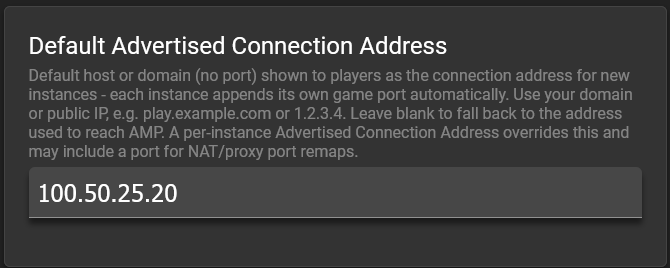
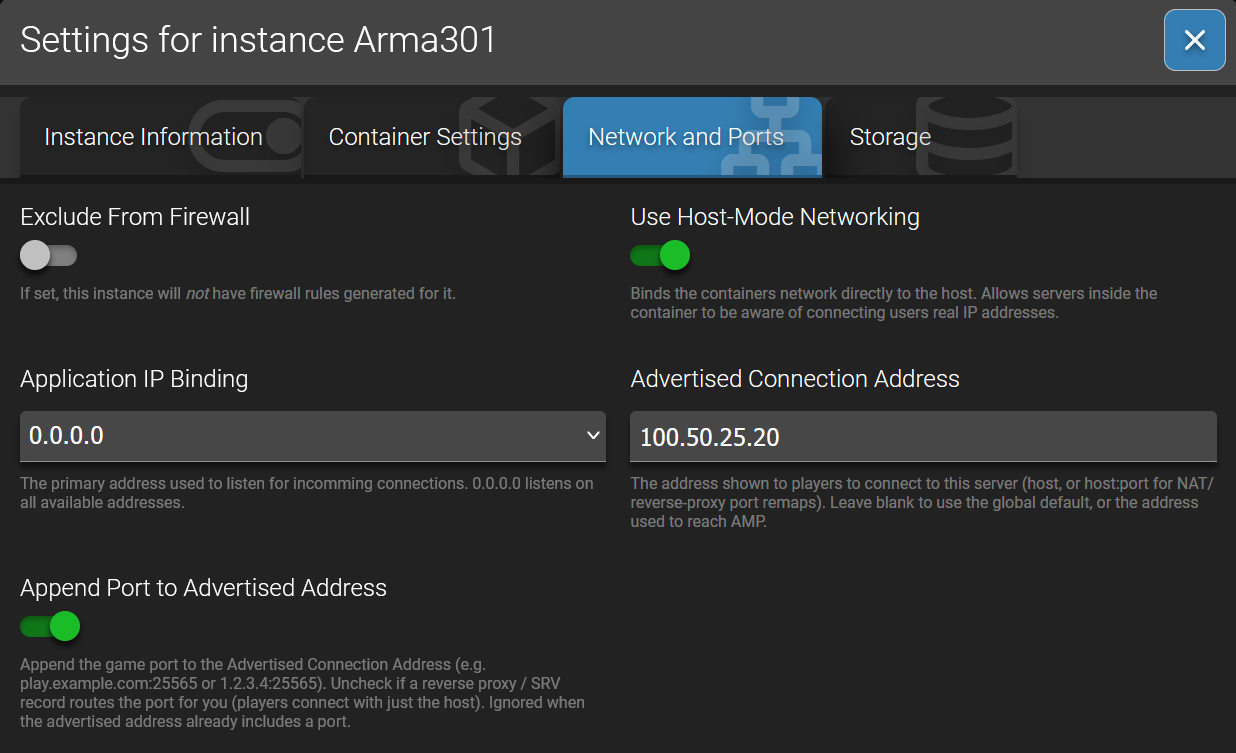
We’ve added a new “Advertised Connection Address” setting that overrides all the logic and puts what you want to display. You can set a default for this per ADS instance that will apply to all new instances and anything you do within ADS. You can also override it per instance for cases where you want dedicated domains or IP addresses to show that don’t fit the standard setting.
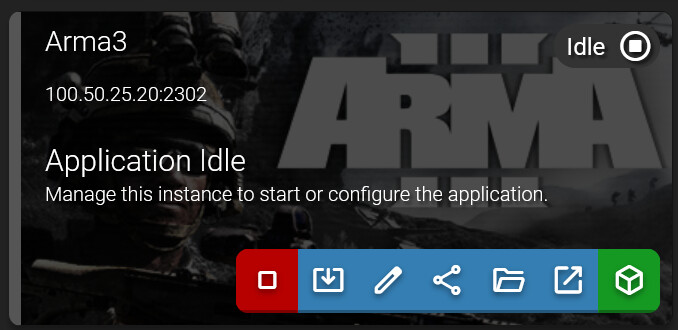
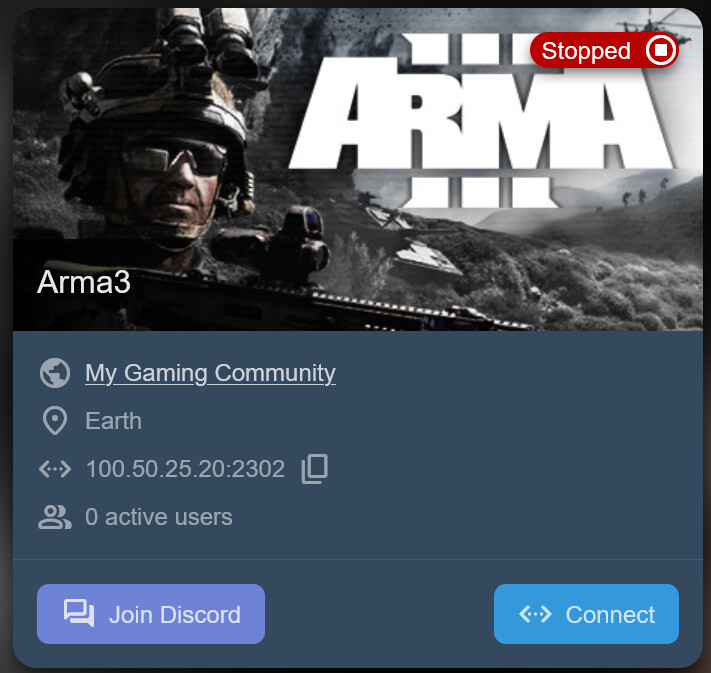
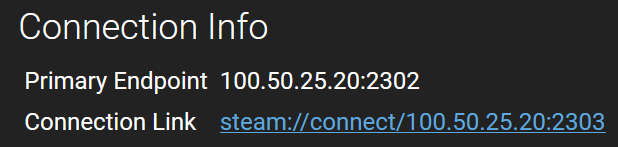
This value will display on ADS, Community Pages (the share button), and the endpoint info within an instance.
There’s a toggle in the network info section of the settings popup where you can prevent AMP from appending the port as well. This is useful if you’re using an SRV record for Minecraft or a game server that doesn’t require the port to be appended when it’s default.
If you put a specific port in the address AMP will not append one. This is useful for cases where you’re behind NAT and need to put a different public port than what AMP sees locally.
Backups
We’ve reviewed how AMP handles backups compared to industry standards and identified fundamental flaws that needed addressed. We had to change the process to account for all scenarios that come up with game servers and applications. Here is the updated process so you can be prepared to make adjustments on your existing backups:
To avoid unexpected shutdowns for people who update without reading release notes, we are NOT retroactively applying these changes to existing scheduler tasks. This means existing backups may still cause corruption and should be recreated to follow the new logic.
Some applications support “quiesce” where we can send a command to tell the application “Don’t save anything else to the disk until we say otherwise.” The game continues to function in memory only until we give the okay to continue saving to disk. This is great because we can do what we need with the existing files with guarantees the application won’t be editing or adding files while we work. Minecraft and Minecraft Bedrock are the two apps that support this currently.
Applications that don’t support a quiesce must be shutdown to take a backup. This is the only feasible way to ensure the backup won’t be corrupted by the application fighting for access. We want to minimize downtime, so we came up with some methods to address this.
In all scenarios below, AMP will perform the steps and then start the application while continuing the compression of the staged files in the background.
On Linux:
If the AMP instance is on the same filesystem as the Backups folder, it will make a hardlink to a staging directory which is almost instant. Any changes to the files after this are tracked by the OS and do not impact the linked files.
If the AMP instance is on a different filesystem as the Backups folder, AMP will clone the files to the staging directory which is fast but may take a few seconds to a minute depending on the size and file count. This requires double the space during the backup only.
On Windows:
AMP will clone the files to the staging directory which is fast but may take a few seconds to a minute depending on the size and file count. This requires double the space during the backup only.
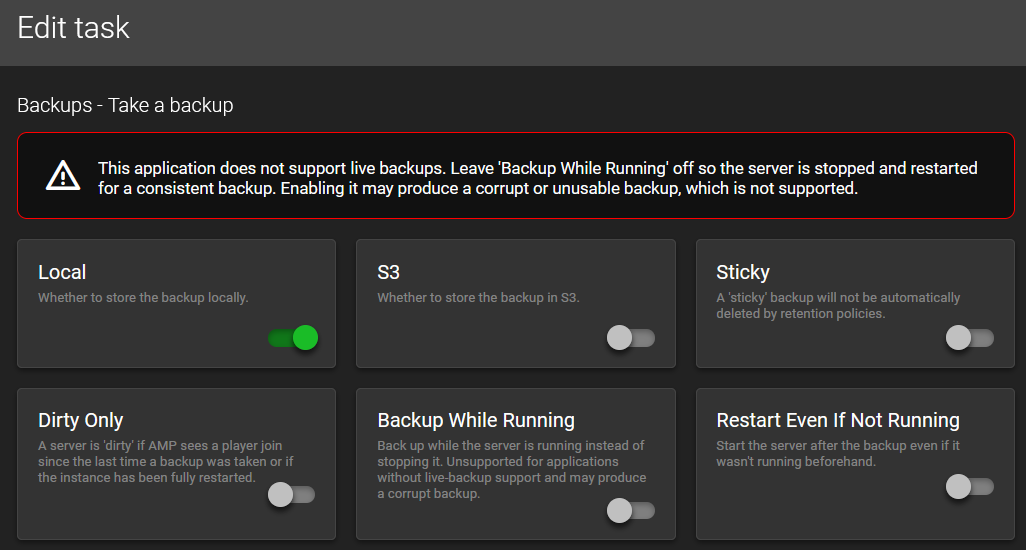
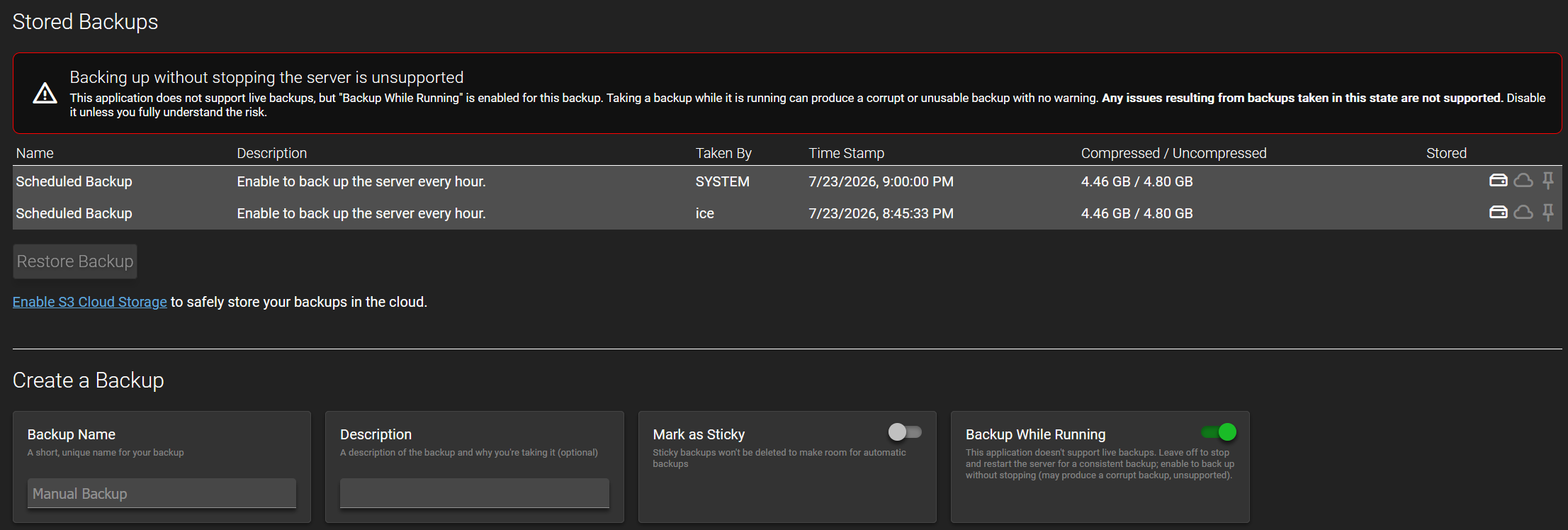
We’ve attempted to minimize any surprises by adding warnings in the scheduler and backups sections.


The backup task that includes a shutdown has been combined into the main task as a toggle, as seen in the screenshot above.
- Display backup errors in pop up messages
- Don’t fail the full backup due to file being inaccessible/not existing
- Hide the “No Backup Schedule” notice on the Backups tab if user doesn’t have Scheduler permissions
- Default “Use Smart Backup Exclusions” to on for new instances
- Files re-indexed after quiesce to account for final changes by the application
- Minecraft waits for “Saved the game” or timeout before continuing backup
- Generic Module quiesce delay moved from 5ms to 5000ms (5 seconds)
- Replaced per directory .backupExclude and .autoExclude with instance directory backupExclusions.conf and backupExclusionsAuto.conf to fix incompatibility with some game servers - File exclusion status shows in File Manager per file
Scheduler Changes
- Variables error when no input selected or unsupported input type selected when a variable is clicked to add
- Tasks are hidden that aren’t supported by the application (Check for Steam updates on non-Steam apps/Do something when last player leaves but no player tracking, Send a console command when no writable console) - Existing schedules are not impacted, but will continue to work with the flawed logic
- Default scheduled triggers that are automatically added in a new instance are based on the above logic as well
- Prevent firing triggers that are disabled after startup
- Fix the “x” button not closing the popup
- Event triggers queue rather than silently dropping when multiple fire of the same type at once - Timed triggers will continue to be dropped to avoid accumulating the issue caused by long running tasks
Minecraft Changes
- Allow empty setting values rather than reverting to defaults
- Incorrect Java Version logic updated to properly change to the correct version when a wrong one is selected on startup. Added support for multiple modloaders
- Fix Folia TPS monitoring
- If “Specific Jar” is selected, reset it to Automatic when a new ModLoader or Version are selected
- Fix for sleep on start where the server wouldn’t sleep after waking up
- Velocity should select the latest non-SNAPSHOT release on Stable
- Sleep mode now presents the proper server icon and text in grayscale rather than default icon and not formatted
- Sleep mode wake up message support for languages that don’t use the Latin Alphabet
- Switched Betacraft to handle alpha/beta/classic versions due to not being available from Mojang (IPv4 only due to DNS issues with their site)
- Fix startup monitoring and arguments for many alpha/beta/classic versions
- Adjust user join/leave tracking to handle
[Something]PlayerName:format that certain mods use
ampinstmgr Changes
ampinstmgr upgradeallandampinstmgr switchallskip Docker image updates and marks all instances for update prior to restarting ADS - Fixes some instances not getting updated randomlyampinstmgr validateInstancefixes for version checks and release streamsampinstmgr reconfigureno longer deactivates an instance or resets settings (e.g. OIDC getting disabled)
getamp Changes
- Add Docker dependency to prevent hard shutdown on Docker updates (obtain by running
getamp updateon existing installs) - PhotonOS fixes courtesy of rtfmoz2
- Prerequisite package install ordering courtesy of rtfmoz2
- Remove tput as a hard requirement
Further Fixes
- Fix duplicate port assignment and erroneous reassignment on update - Includes an overhaul to port assignment code to be cleaner/easier to maintain
- First time setup tutorial no longer recommends managing a new instance from a target
- Podman instances with mounts in read only mode failed to start due to incorrect syntax
- Starting instances on boot will continue starting instances after one fails instead of stopping the entire startup sequence
- Add a check for network status on container instances to avoid starting AMP before the network stack is fully loaded
- Container images are pulled once every hour per image and only pulled on instance startup - Added
Unlimited Container Image Pullssetting for users that wish to override this logic - Tweak CSS code for UI to avoid stuttering on things like the progress loading bar
- Fix the new special notice Next/Finish button not responding
- Enums (dropdown lists) should respond to setting change notifications when adjusted in a different session than this one
- The following generic template changes are being merged simultaneously Changes for 2.8.0.0:
- Remove App.TemplateMatchRegex
- Remove backup exclusion file downloads for games that had special exclusions
- Switch Smart Backup Exclusion to supported for all apps
- Switch Quiesce Settle Delay Milliseconds from 5 to 5000 (5 seconds)
- Add Quiesce commands for Minecraft Bedrock
Known Issues
New instances are unable to store encrypted settings - Fix actively being implementedPassthru Port showing on Status tab (visual bug only)Duplicated ports showing with different numbers assigned