Introduced in AMP 2.6.2 - Webhooks allow you to easily trigger in-game actions in response to external events. This feature is available to users of Professional Edition and above
 Caution
This facility must be used with care. Incorrect use could compromise the safety and security of your game server instance. Be very careful when using the webhook payload verbatim as an input. See the section below regarding securing your webhook.
Receiving webhooks
Webhooks are integrated with the scheduler as a trigger:
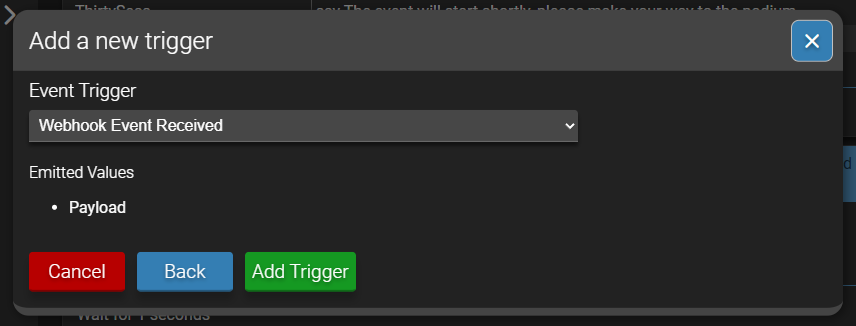
The trigger emits a single parameter called Payload which contains the value of the Payload field from the request JSON body.
Adding a task to the hook.
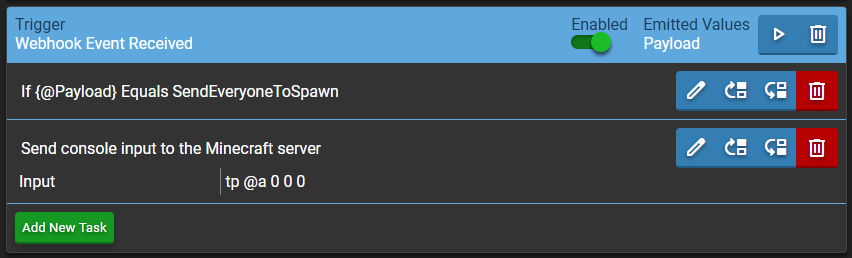
We can then perform certain tasks in response to the Payload.
In the below example, the “If a condition is met” task is used to filter the payload, and only send the console command if that specific value is sent. You can follow this up with the “Else if” task to accomodate multiple different values.
While you could send the Payload value directly, doing this requires additional steps are taken to secure the webhook
Securing the webhook with a bearer token
If you need or want to accept webhook pushes from external sources or otherwise expose it, you will need to generate a bearer token from the configuration:
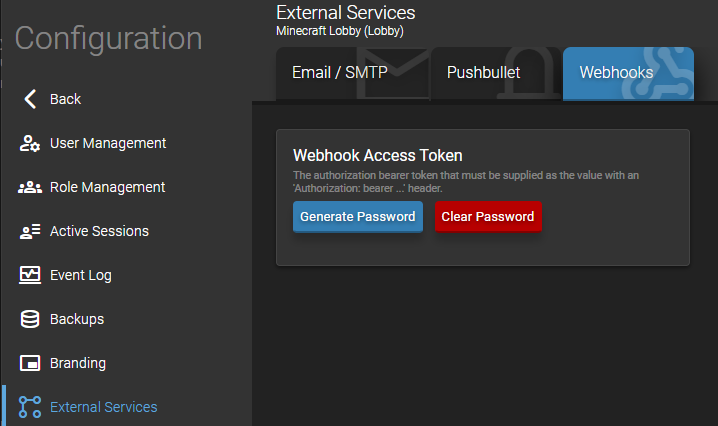
Keep hold of this generated value as you will not be able to retrieve it again.
Sending a webhook request
Working out the webhook URL
The first thing you will need is the Instance ID for the instance you want to send the webhooks to. This can be found under Support and Updates:

Then you will need to take the address for your ADS instance. So this will be the same as the address in your browsers address bar. (E.g. https://amp.example.org or http://localhost:8080)
The full URL is then as follows:
https://amp.example.org/API/ADSModule/Servers/INSTANCEIDGOESHERE/API/WebhookPlugin/TriggerWebhookEvent
So for example as per the above instance ID:
https://amp.example.org/API/ADSModule/Servers/ab464bdd-eee2-44da-9ae5-152981f0ad2d/API/WebhookPlugin/TriggerWebhookEvent
Webhook Payload
The request must be a POST request with the following headers:
Content-Type: application/json
Accept: application/json
Authorize: Bearer <TOKEN>
And then the POST body is JSON as follows:
{
    "payload": "SendEveryoneToSpawn",
    "data": "",
    "SESSIONID": "<TOKEN>",
}
Note: The inclusion of “SESSIONID” in the JSON body is a temporary workaround for an issue with how ADS handles proxying these requests and will not be necessary in a future update. The data parameter is optional. The Payload and Data fields of the JSON body are mapped to the Payload and Data parameters of the schedule trigger.
Integrating with the Stream Deck
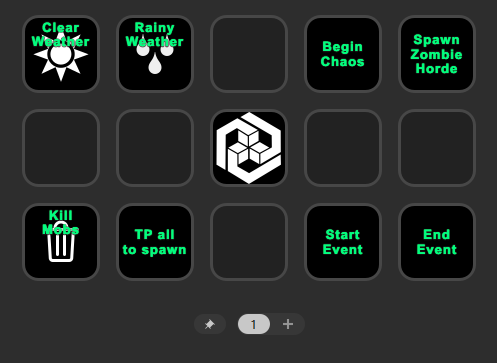
Download the latest StreamDeck API Request Plugin release from GitHub: Releases · mjbnz/streamdeck-api-request · GitHub
Once the plugin is installed, you can use the API Request action:
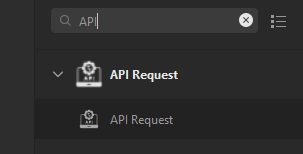
Which can then be configured using the same values as above:
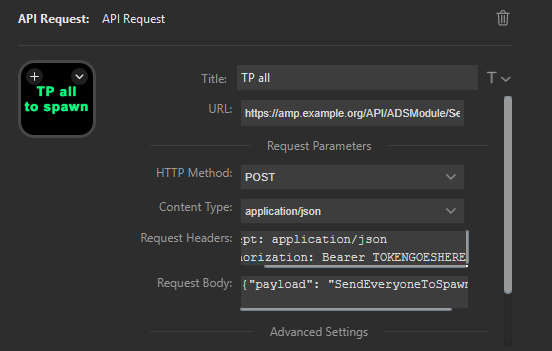
This will then trigger this hook (and subsequent schedule tasks) once the button is pressed.