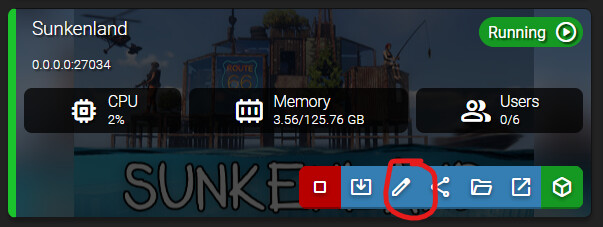
You must select a specific IP address for this server to function correctly in AMP. Selected: 0.0.0.0. Loopback (127.0.0.1) and Any IP addresses (0.0.0.0) are not supported. You must edit the ‘Application IP Binding’ setting network settings from ADS using the pencil icon and select the ‘Network and Ports’ tab
but i got it like in the messagt please help
Reproduction Steps
server not starting
network is on 192.196…
server still saying unable to start cuz ip is 0.0.0.0
Because of a bug that has been around for months but Mike seems to have overlooked despite multiple reports, the ip binding setting will show the ip, but it won’t be set. Switch it to 0.0.0.0, save changes, then switch it back to the IP, save changes
After you create the instance, manage it and search “branch” in the search box. You can set the branch to “unstable” there, then update the server to install it
If you have already installed b41 in the instance, delete the Zomboid dir in the file manager, then update