I’m running a Project Zomboid instance under AMP and facing an issue where AMP automatically overwrites my servertest.ini and other config files every time the server restarts or triggers an update.
I’d like AMP to use only the existing configuration files located in:
/home/amp/.local/share/Zomboid/Server/
and not deploy or reset any templates automatically on start or update.
Could you please tell me how to properly disable AMP’s configuration syncing or templating for Project Zomboid, so that it always uses the live configs from the server folder and doesn’t overwrite them?
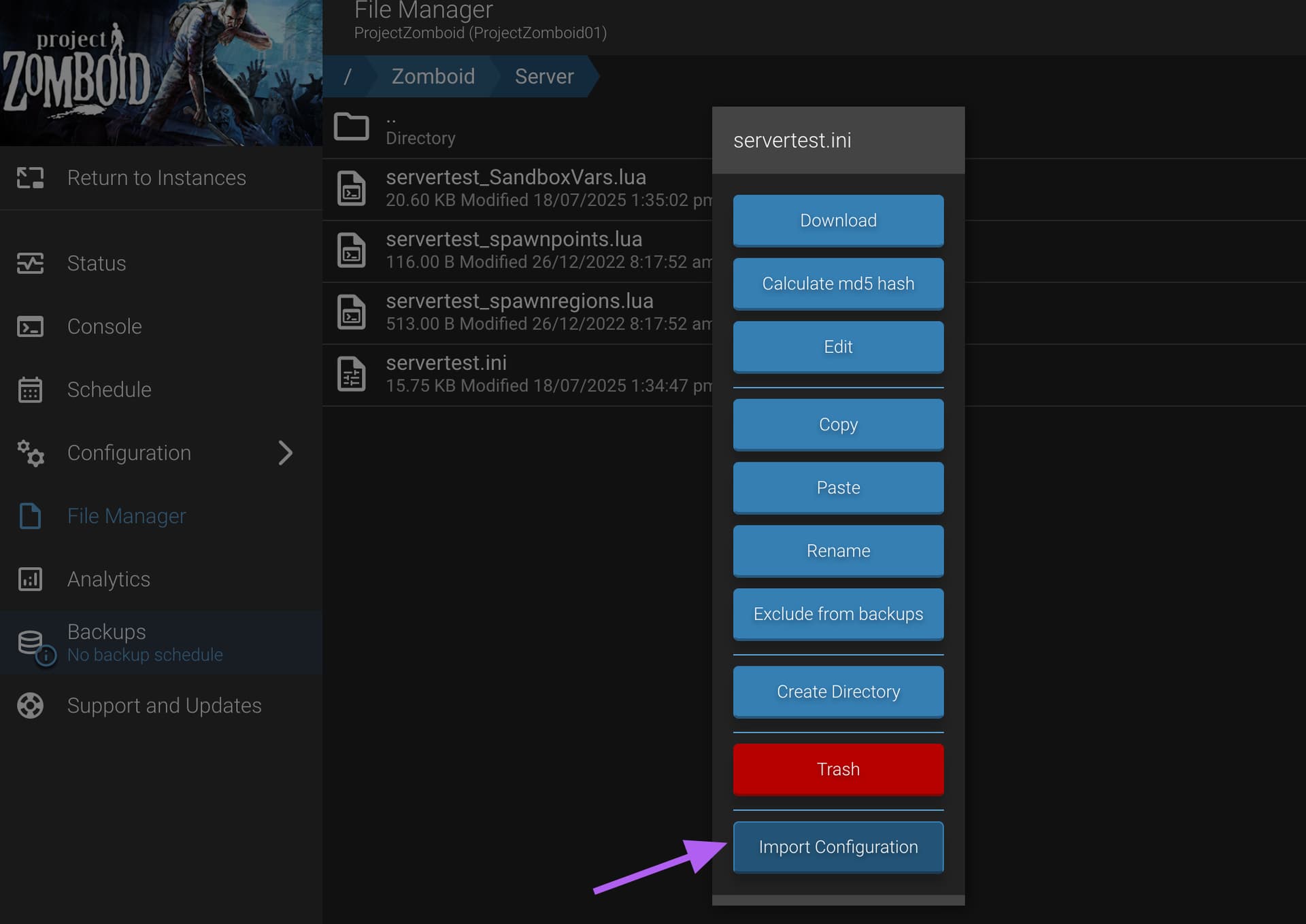
AMP controls servertest.ini. Put what you want in it (in Zomboid/Server in the instance datastore), right click on the file in the instance file manager and import
I’ve noticed a consistent issue with Project Zomboid instances under AMP.
When I manually edit the servertest.ini file inside Zomboid/Server (through the AMP file manager or via SSH) and then run reloadoption from the console, AMP resets the file back to its internal default state.
This makes it impossible to keep custom parameters that are not exposed in the AMP web interface (for example: PlayerConnectionAdminCheat=true, AdminStealth=true, etc.).
Even if I import the file manually using Right click → Import, the next reload wipes out those lines again.
I’m running a Project Zomboid instance on AMP (latest version).
There’s a persistent issue where AMP keeps overwriting my servertest.ini with default values on every restart, even if the server is stopped when I edit the file.
Here’s what I’ve already tried:
Edited /Zomboid/Server/servertest.ini manually while the instance was stopped.
Used “Reload Options” in the AMP console after saving changes.
Tried importing the config through the file manager (can’t find any import option in the latest UI).
Regardless, when the server starts, AMP always loads its own internal config and replaces my servertest.ini with a default one.
Some options I need aren’t available in AMP’s UI, so editing the file directly is necessary.
Could you please clarify:
• How can I fully disable AMP’s automatic config generation for PZ?
• Or how can I properly import my manually customized servertest.ini so AMP respects it on startup?