Okay, I Have Several Problems...Can Use Some Help/Direction

OS Name/Version: Ubuntu 24.04.4

Product Name/Version: AMP 2.8.0.4

Problem Description: I’m having two issues…

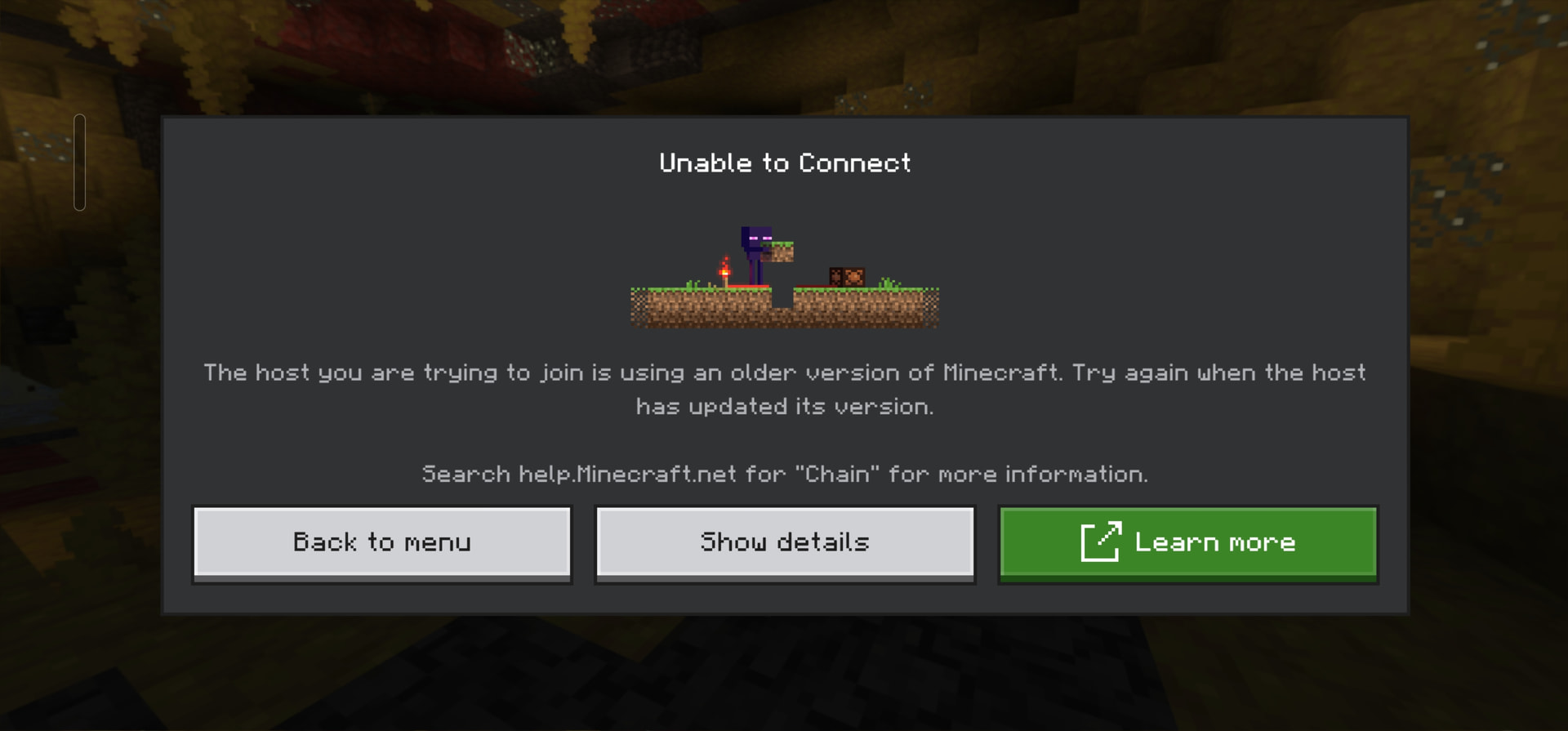
I’m running a dedicated minecraft bedrock server. I’m trying to log in and get the error that I’m using an older version of minecraft.
I’m updating AMP with

sudo su -l
getamp update

and also

s udo su -l
getamp addRepo

to make sure the CubeCoder repo isn’t outdated.

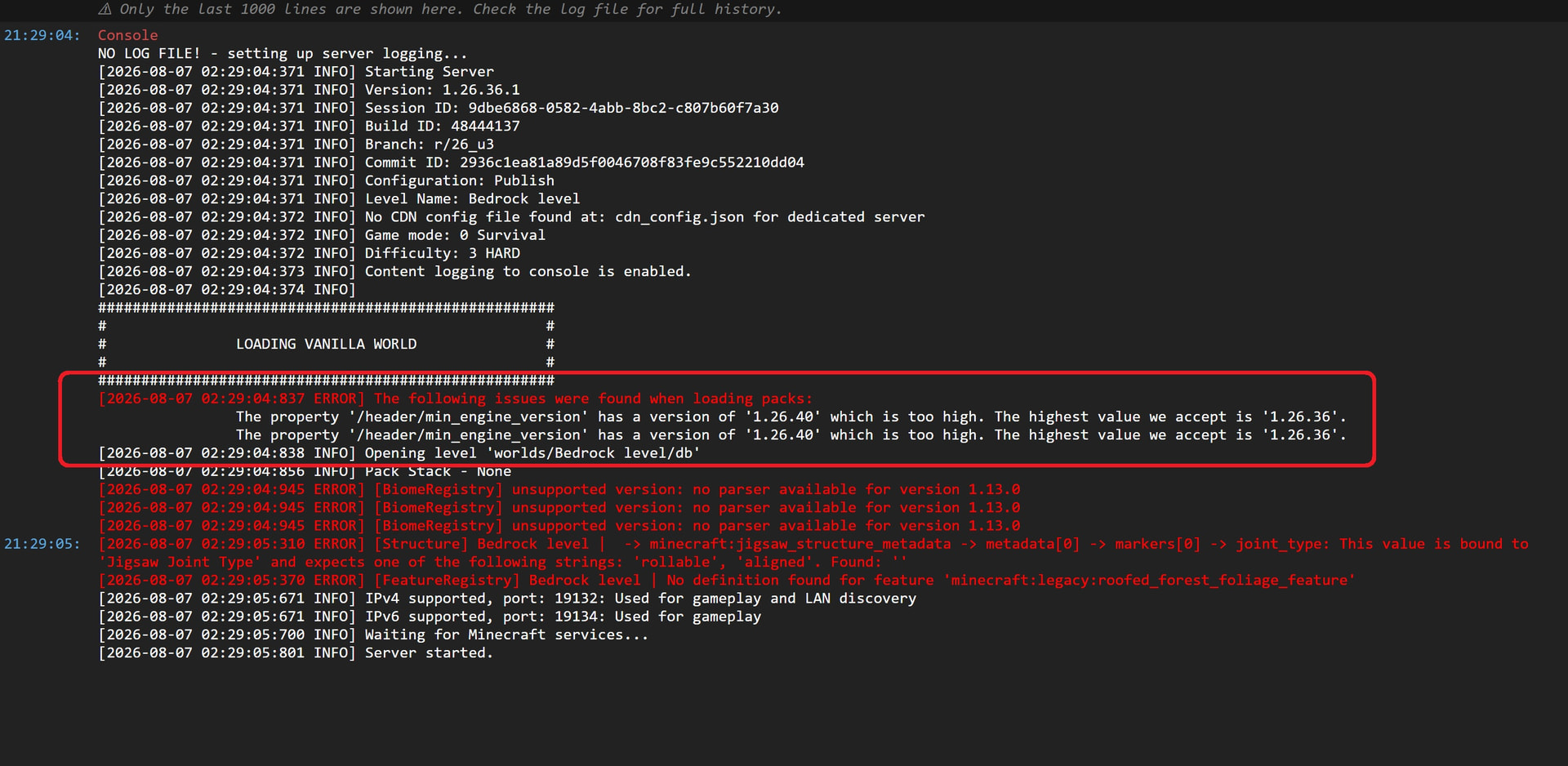
So, after I update and restart, it looks like the AMP server sees version 26.40 but it says it’s “too high”?
And then, my next problem, I don’t know if they’re related, is that every time I restart the server, it switches to port 19134.
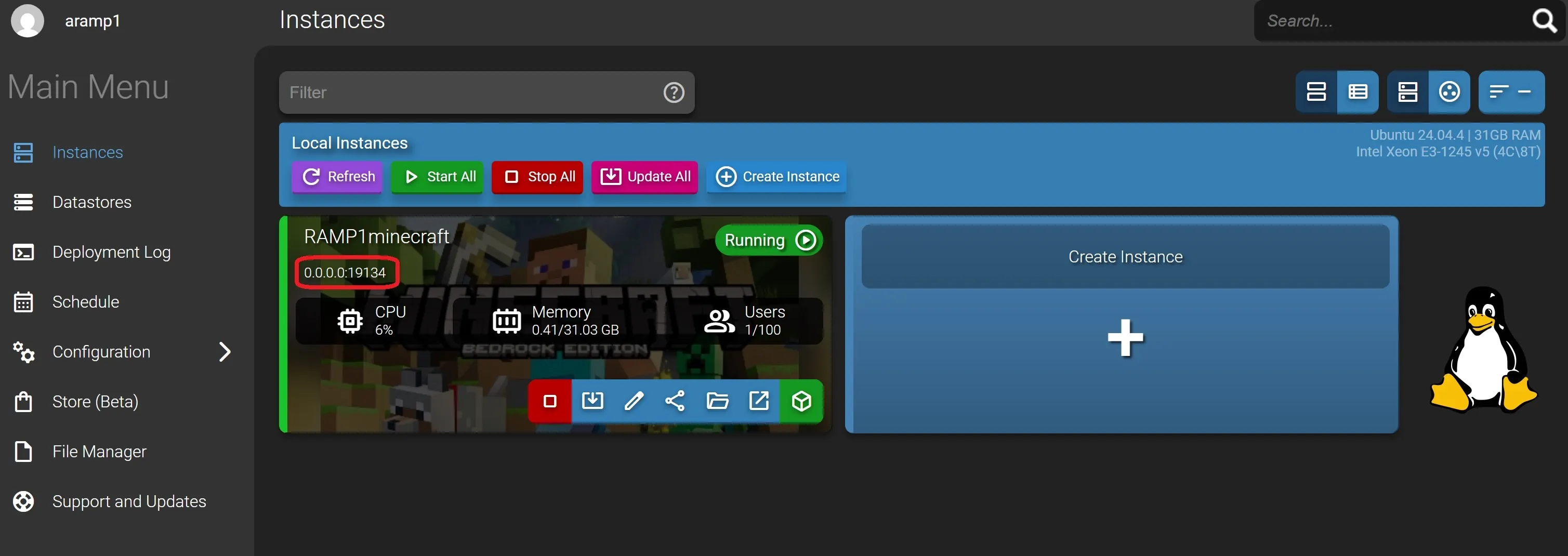

So, I’ll go into settings and change it back to 19132.
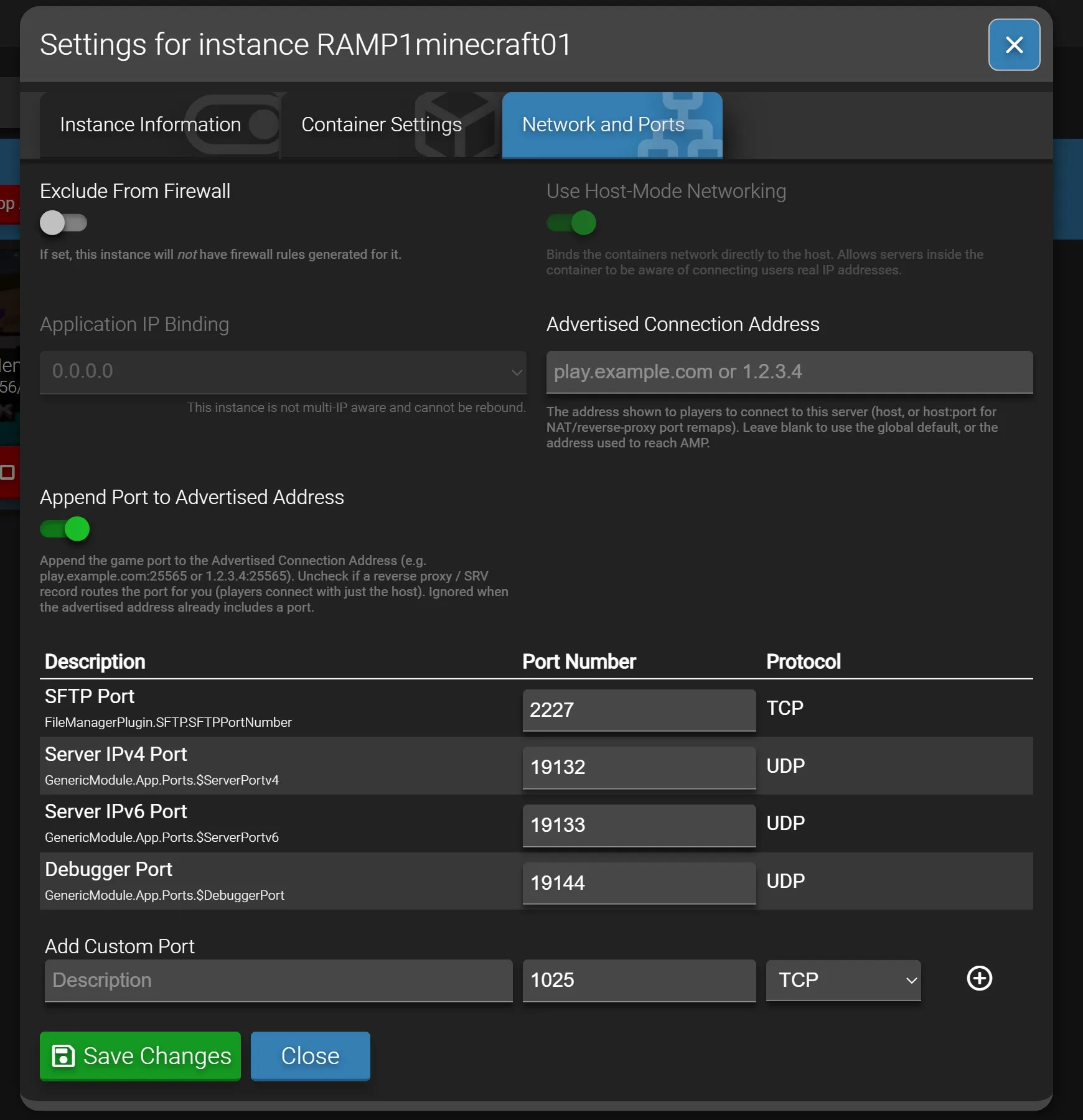
I have no idea why it’s doing this. I have port 19132 open on my router. I’ve looked in the config files and see 19132.
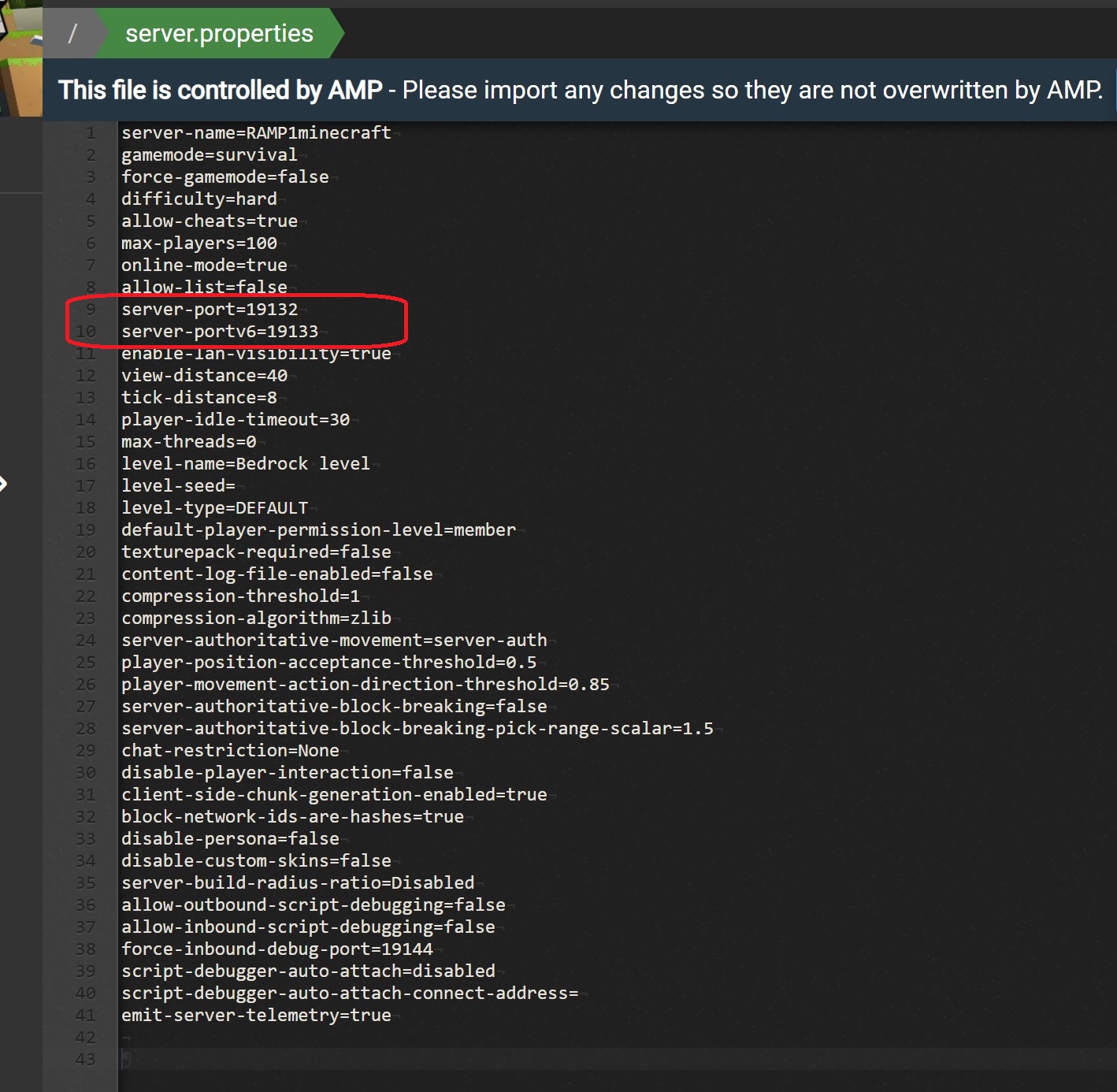
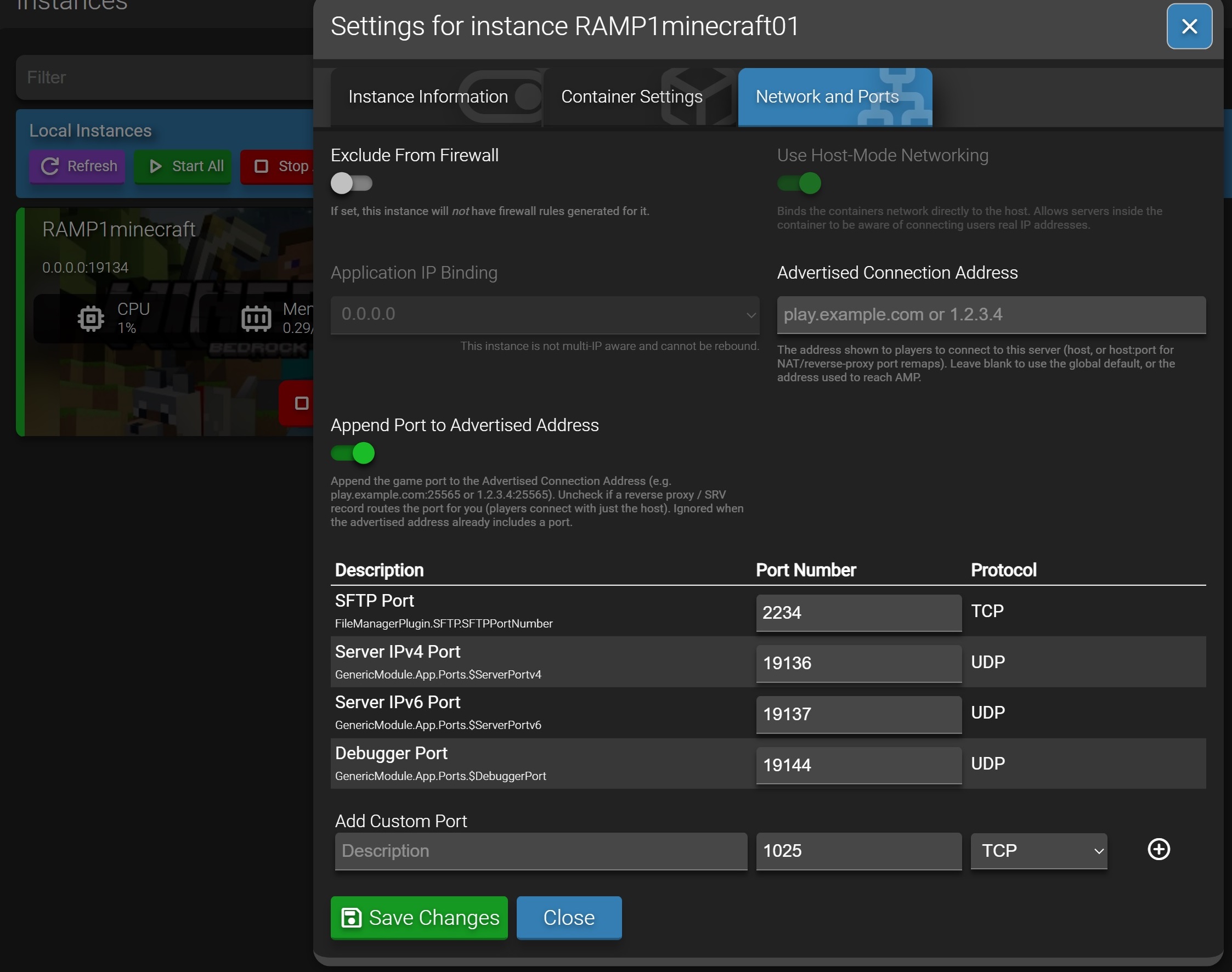
So, finally after changing it back after every restart trying to update, I decided just to tell everyone to change their ports to 19134 since that’s what it’s automatically changing to, and sure as shit after the next restart, it restarted at port 19136.

Here’s when I opened settings right after a restart…
So, the two questions are:

  1. How do I update Minecraft Bedrock to the latest instance?
  2. Is there a setting where I can keep my port 19132?

Any help or direction is appreciated.
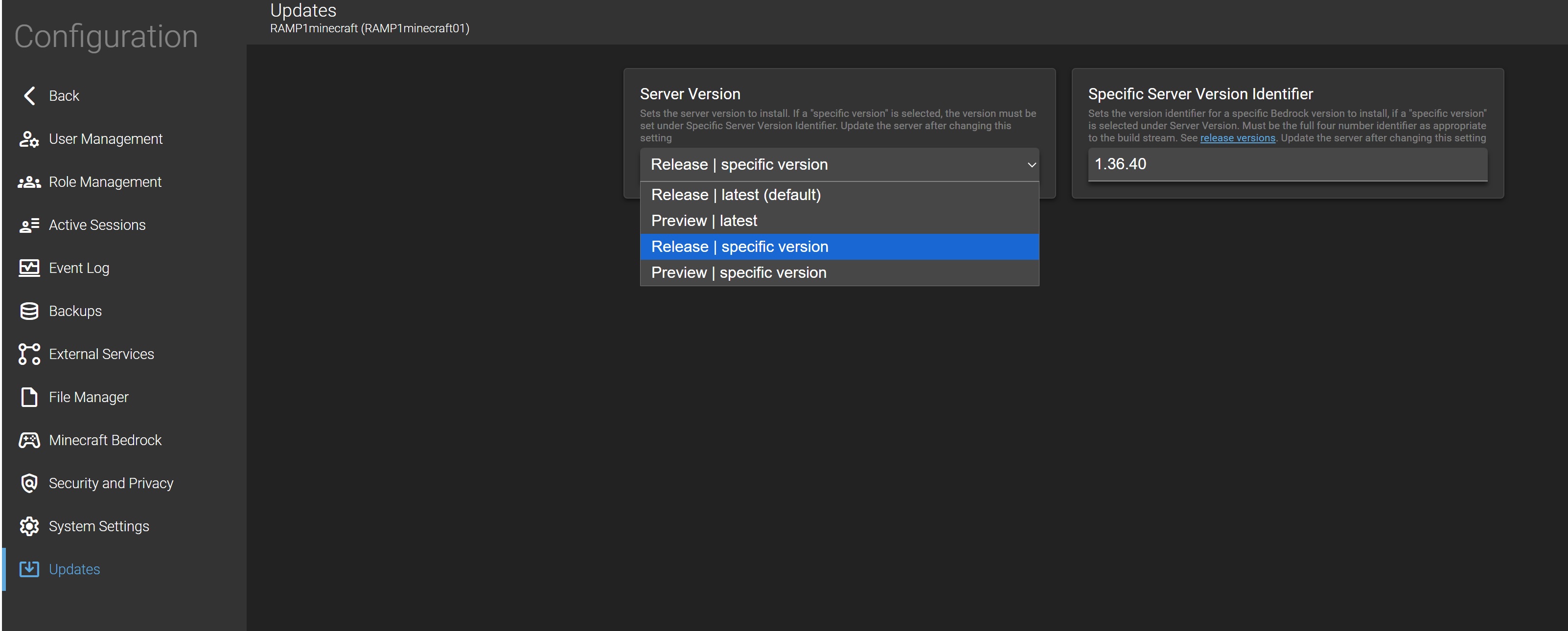
I believe on the version number you need to go under Configuration->Minecraft->Server and Startup and change the version you are running there then hit the update button from the instance screen.

On the port issue…do you have more than 1 instance set up?

Thanks for the reply.

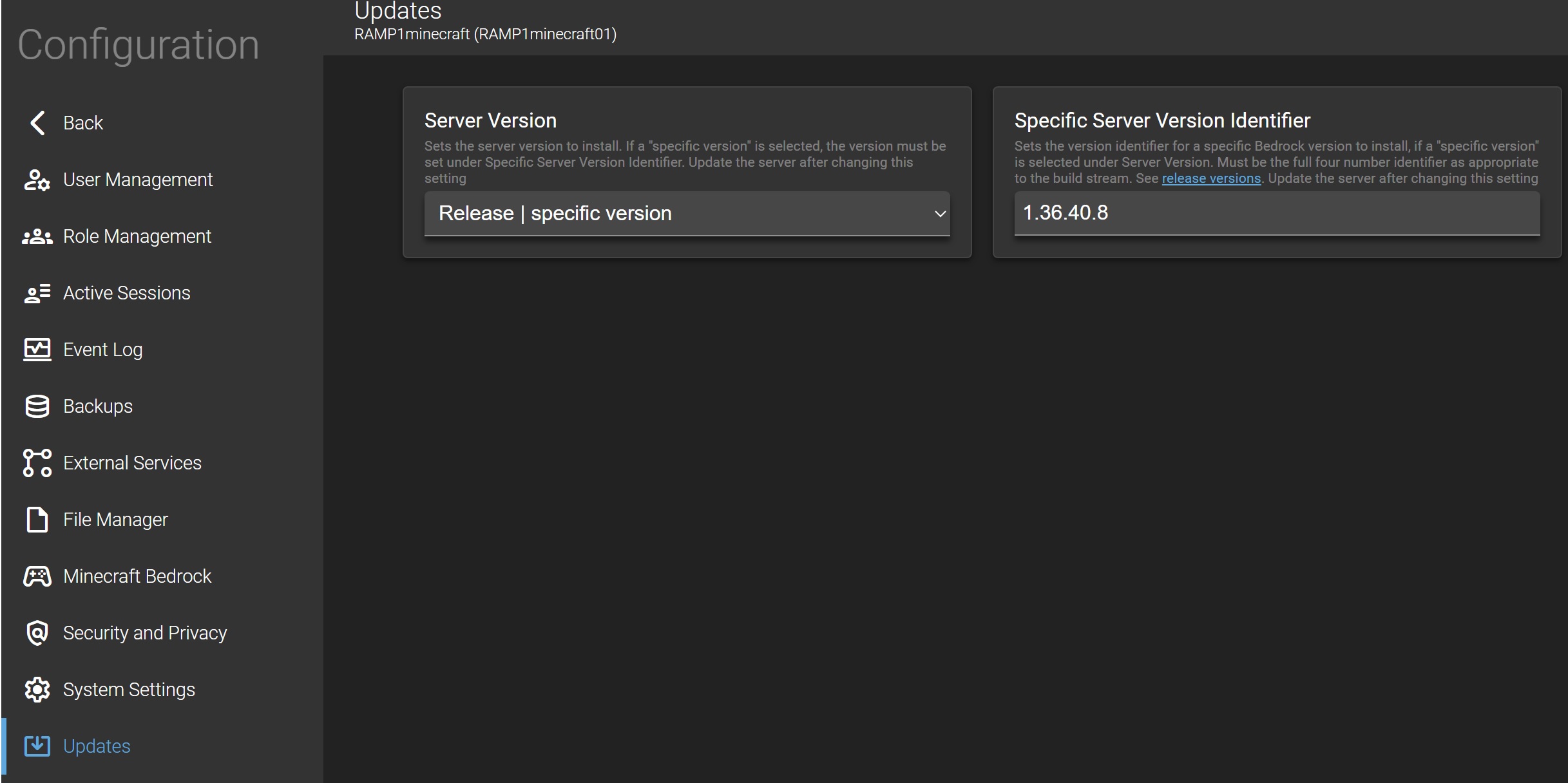
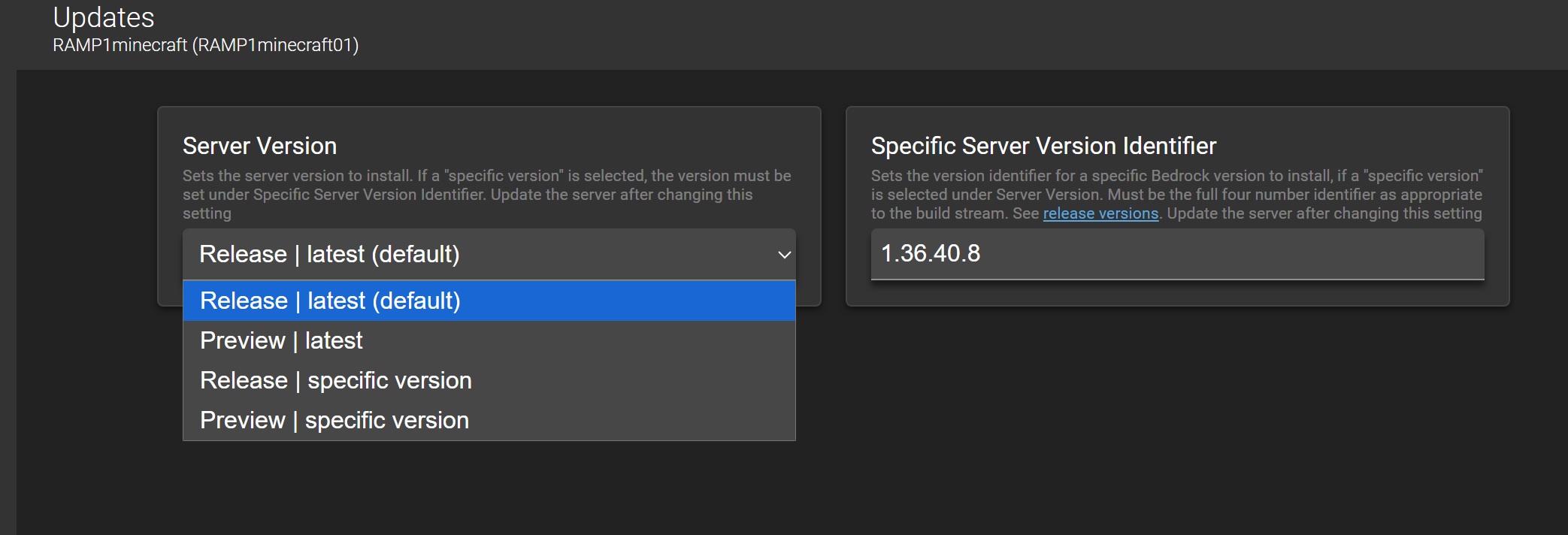
Under Configuration → Minecraft Bedrock there isn’t a startup but there is “updates”. I’ve been toggling between latest and latest (default). But, I went ahead and typed in 1.26.40 for the specific version.

That didn’t seem to work.

This is the only instance I’m running on the server.

Did you press Update either in the console or on the status page after changing the version?

Also note that Preview | latest will be preview versions not widely adopted yet by clients, so I doubt you’ll regularly need that one.

As far as your connection issues, MC Bedrock has had an outstanding bug for a while now causing connection issues to servers. You can track it here:

Even though I put in the specific version, it stays on the old version.


Yes, tried updating with “Update All” and “Actions → Restart” in instance, SSHed in “sudo reboot” and have even pressed the physical button on the computer to restart the system.

As far as any of these, it doesn’t seem to matter what I click or what I write in for Specific Server Version Identifier (or if I leave it blank), the server will start with Version: 1.26.36.1.

Is there a file in the file manager, or can I SSH into it to make the changes?

I’m kind of at the point where I’m ready to burn it down and just start with a blank slate and reload everything.