OS Name/Version:
Ubuntu 22.04.3
Product Name/Version: (Always use the full version number - not ‘Latest’)
AMP Enterprise/2.4.6.8
Problem Description:
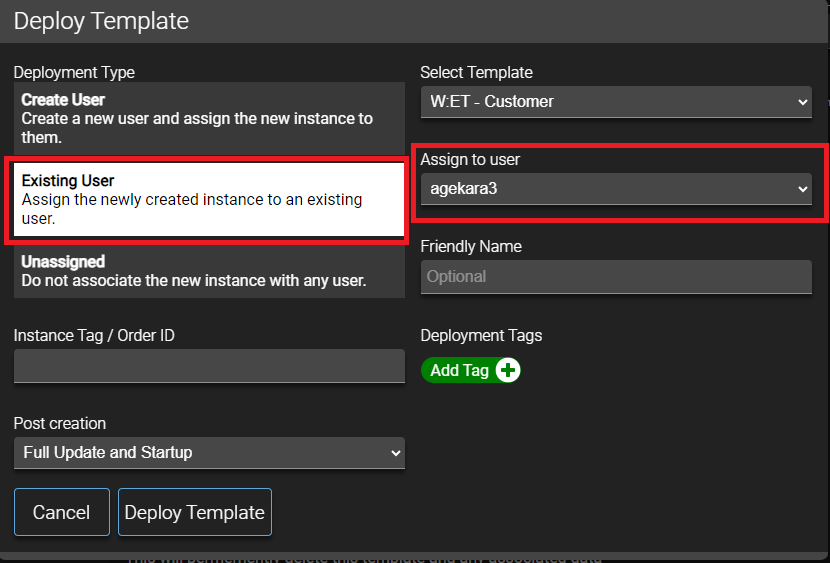
I tried to create a new instance via template and assign the new instance to an existing user, but the user cannot see the instance in the main panel. It also doesn’t work when I choose “Create User” and specify an existing user in “New Username” parameter.
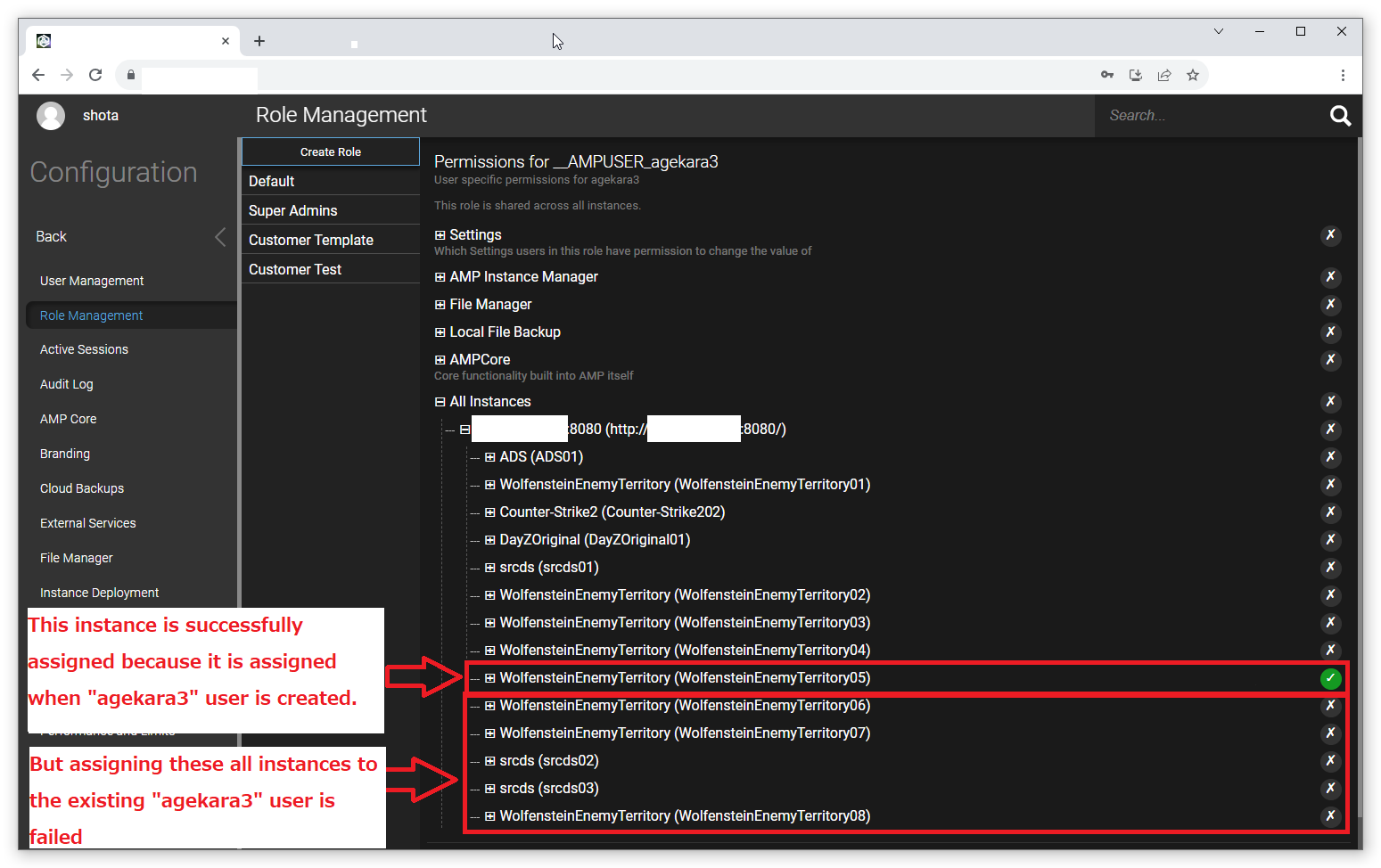
I looked into the permission of the specific user (by going to “Configuration” in the controller’s ADS panel → “User Management” → selecting the user which the instance should have been assigned to → Clicking “Edit User Permission”) and it seems the system doesn’t automatically enable the permission of an instance in “All Instances” section. It’s disabled even after the instance is provisioned.
At least it seems working for the completely new user. (Choose “Create User” and specify a username which doesn’t exist in “New Username” parameter)
If you need any other information, I’m happy to provide them.
Many thanks,
Steps to reproduce:
-
Step 1:
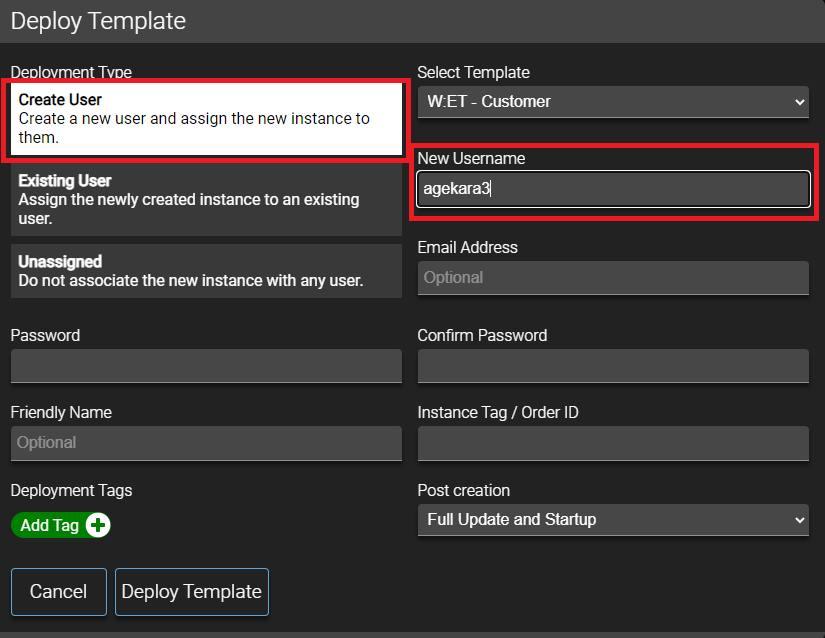
Create a new user at the same time when creating a instance. (see “create_user” image above). This step confirms “Create User” in Deployment Type successfully assign an instance to a new user. -
Step 2:
Create a new instance and assign the instance to the existing user (see “existing_user” image above) This step confirms “Existing User” in Deployment Type failed to assign an instance to an existing user. -
Step 3:
Check the user specific permission (See “instance_permission” image above). I think you can confirm that the system doesn’t automatically assign the permission to the existing user after an instance is provisioned.
*All these steps are done in the controller ADS panel, not instance or target ADS’s panel.
Actions taken to resolve so far:
- Confirmed this issue happens when:
- “Clone Role Into User” is disabled in the template
- No template role is selected in the template
- Went through the steps above with a new user without any role.