It says "process configuration failed, AMP wasn’t able to query the NeoForge version list. When I go to configuration - Minecraft - Server and Startup. the NeoForge versions are blank. When I tried using any other server type like vanilla it was also blank
Re-select all of the versions. So change the server version from NeoForge to something else then back to Neoforge. Same for the specific version and the release stream.
If that fails check that instances own logs in its AMP_Logs directory.
I have tried everything you asked but it still is showing up blank. I have also checked AMP_Logs and there are files in their. I have also tried to create a new instance, thinking I could just copy a backup onto it but it comes up with the error message The core archive failed to download or unpack: Failed to find a release matching the specified version: Mainline/ - This version may no longer be available to download, you should update to a newer version I also tried with several other games like Palworld and Ark: Survival evolved but it kept coming with with the same error message
Show us more of the logs, also make sure that Debug Logging is turned on for that particular instance. It sounds like you still have a problem somewhere.
Also do instances that aren’t running in containers have this issue? You might have a firewall issue that is stopping anything in a container (podman) from connecting out.
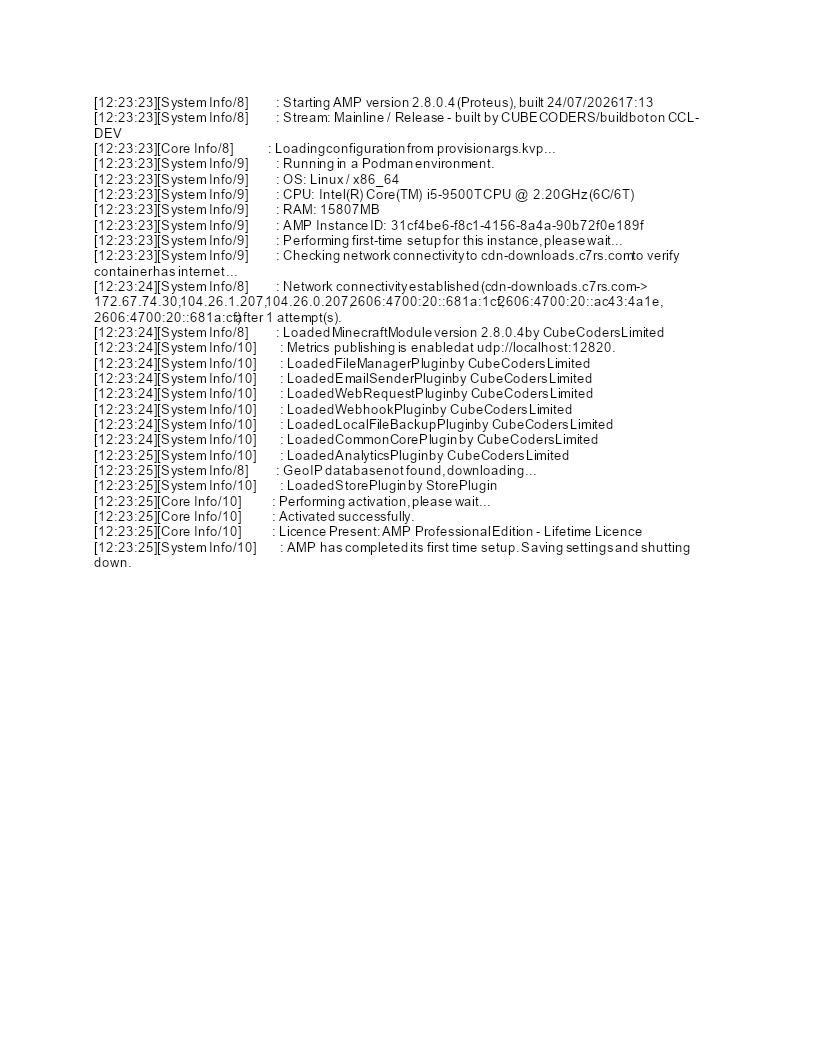
here is the most recent log, it won’t let me add more but let me know if you need me to send the rest in separate posts. I’m not sure what you mean by containers