Configuration with Application Deployment - Docker on Windows

System Information

Field Value
Operating System Windows - Windows Server 2022 on x86_64
Product AMPService ‘Proteus’ v2.8.0.8 (Mainline)
Virtualization VMware
Application Application Deployment
Module ADSModule
Running in Container No
Current State Indeterminate

Problem Description

Issue

Hey, is there a way to use docker instances on Windows? We do have a windows 2022 server and I want to spawn instances in a container to get a full log. I cannot find a way to make it running.

Reproduction Steps

  • WSL Linux installation
  • Docker Desktop installation
  • Complete Setup via WSL and docker

To set all new instances to use Docker, go to Configuration > Instance Deployment > Deployment Defaults > toggle on “Create in Containers”.

To set an existing instance to run in a container, stop the instance, click the pencil icon on the instance, then under Container Settings, toggle on “Run in Container”.

You didn’t mention that you’ve tried these yet so just want to make sure you’re aware of the process.
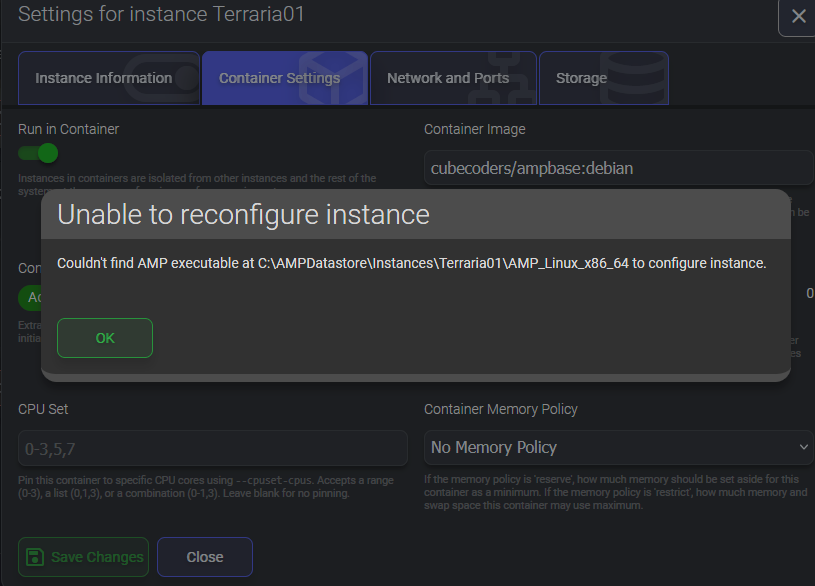
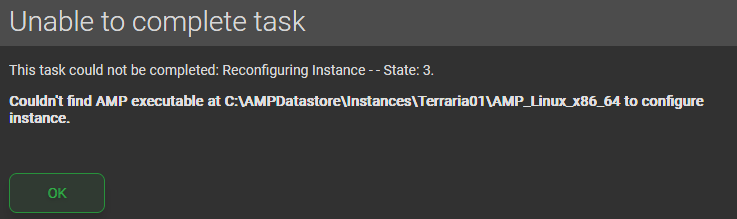
This unfortunately does not work. I do get an error and the application will not start

Can you please share the error?

Sure, sorry i do not get any notifications.

Update the instance and it should switch over to using Linux binaries now it’s in a container.

The instance is up to date. Or i there a different way to upgrade it?