Hi, I’ve recently upgraded my licence to AMP Advanced and one of the features I was looking for is OIDC SSO, I’ve setup all the settings but when I try to connect AMP say that my licence does not permit it… Can you explain me please?
Reproduction Steps
Setup the OIDC client on your OIDC provider (for me Pocket ID)
Configure AMP to use your OIDC provider as alternate login method
Okay i didnt saw it, I’ve updated all AMP components to 2.8.0.4, deactivated IPv6 and restarted the server but still the same issue… i’ve tried a curl https://auth.cubecoders.com and i received a 403 forbidden access error and a simple curl auth.cubecoders.com don’t work, the first time when i was debugging my self i was thinking that it was because of my DNS server so I configured the DNS on 8.8.8.8 and 1.1.1.1 but still the same issue
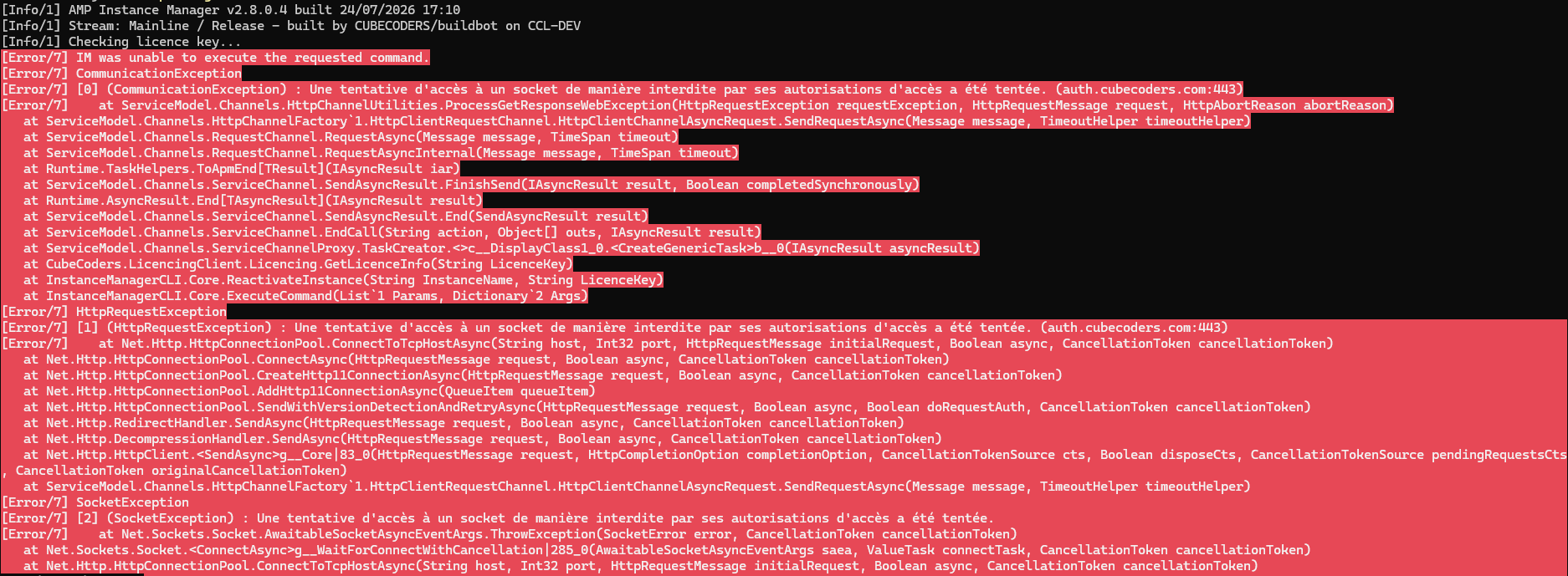
[Info/1] AMP Instance Manager v2.8.0.4 built 24/07/2026 17:10
[Info/1] Stream: Mainline / Release - built by CUBECODERS/buildbot on CCL-DEV
[Info/1] Checking licence key…
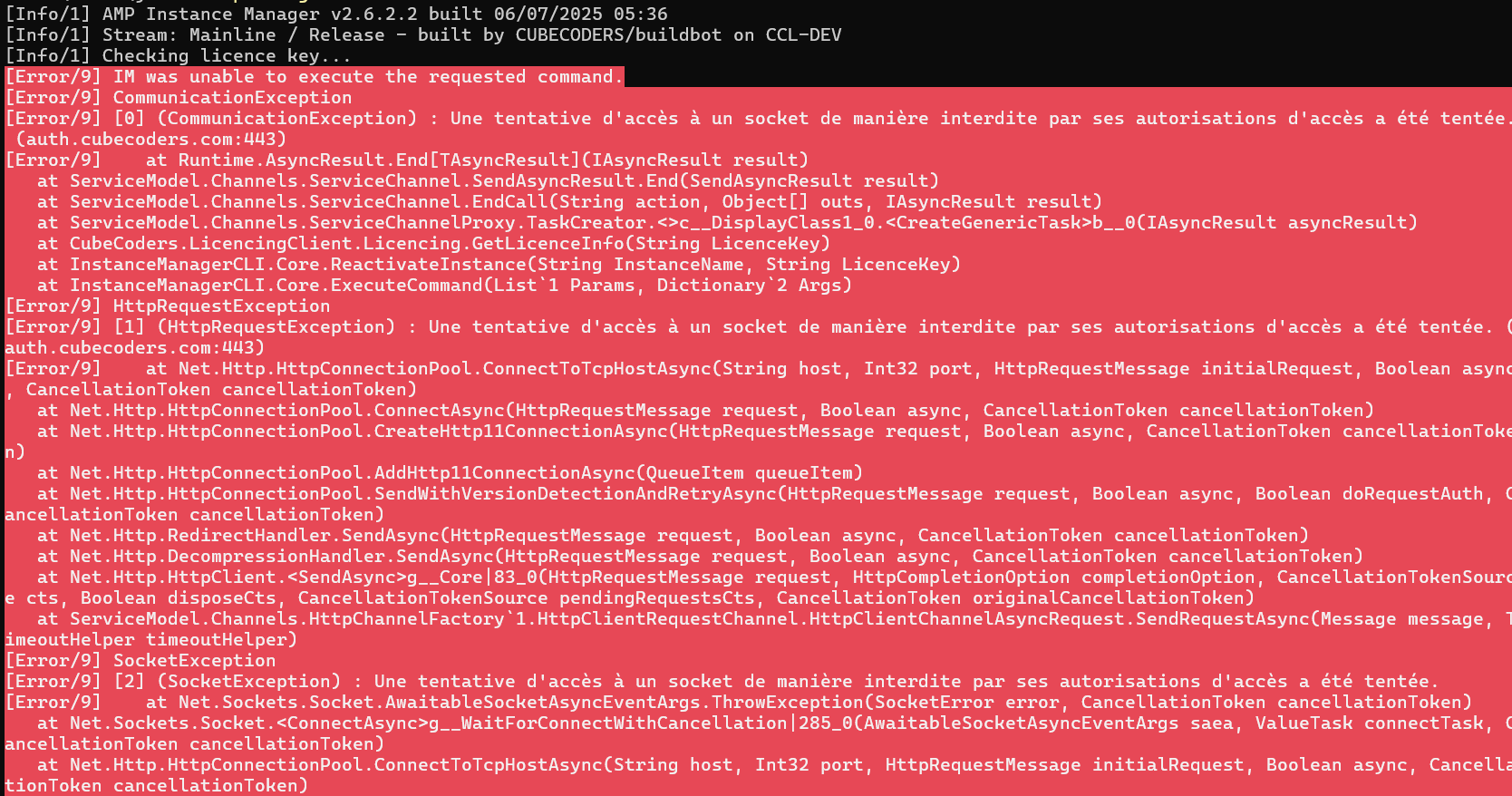
[Error/9] IM was unable to execute the requested command.
[Error/9] CommunicationException
[Error/9] [0] (CommunicationException) : Une tentative d’accès à un socket de manière interdite par ses autorisations d’accès a été tentée. (auth.cubecoders.com:443)
[Error/9] at ServiceModel.Channels.HttpChannelUtilities.ProcessGetResponseWebException(HttpRequestException requestException, HttpRequestMessage request, HttpAbortReason abortReason)
at ServiceModel.Channels.HttpChannelFactory1.HttpClientRequestChannel.HttpClientChannelAsyncRequest.SendRequestAsync(Message message, TimeoutHelper timeoutHelper) at ServiceModel.Channels.RequestChannel.RequestAsync(Message message, TimeSpan timeout) at ServiceModel.Channels.RequestChannel.RequestAsyncInternal(Message message, TimeSpan timeout) at Runtime.TaskHelpers.ToApmEnd[TResult](IAsyncResult iar) at ServiceModel.Channels.ServiceChannel.SendAsyncResult.FinishSend(IAsyncResult result, Boolean completedSynchronously) at Runtime.AsyncResult.End[TAsyncResult](IAsyncResult result) at ServiceModel.Channels.ServiceChannel.SendAsyncResult.End(SendAsyncResult result) at ServiceModel.Channels.ServiceChannel.EndCall(String action, Object[] outs, IAsyncResult result) at ServiceModel.Channels.ServiceChannelProxy.TaskCreator.<>c__DisplayClass1_0.<CreateGenericTask>b__0(IAsyncResult asyncResult) at CubeCoders.LicencingClient.Licencing.GetLicenceInfo(String LicenceKey) at InstanceManagerCLI.Core.ReactivateInstance(String InstanceName, String LicenceKey) at InstanceManagerCLI.Core.ExecuteCommand(List1 Params, Dictionary2 Args) [Error/9] HttpRequestException [Error/9] [1] (HttpRequestException) : Une tentative d'accès à un socket de manière interdite par ses autorisations d'accès a été tentée. (``auth.cubecoders.com:443``) [Error/9] at Net.Http.HttpConnectionPool.ConnectToTcpHostAsync(String host, Int32 port, HttpRequestMessage initialRequest, Boolean async, CancellationToken cancellationToken) at Net.Http.HttpConnectionPool.ConnectAsync(HttpRequestMessage request, Boolean async, CancellationToken cancellationToken) at Net.Http.HttpConnectionPool.CreateHttp11ConnectionAsync(HttpRequestMessage request, Boolean async, CancellationToken cancellationToken) at Net.Http.HttpConnectionPool.AddHttp11ConnectionAsync(QueueItem queueItem) at Net.Http.HttpConnectionPool.SendWithVersionDetectionAndRetryAsync(HttpRequestMessage request, Boolean async, Boolean doRequestAuth, CancellationToken cancellationToken) at Net.Http.RedirectHandler.SendAsync(HttpRequestMessage request, Boolean async, CancellationToken cancellationToken) at Net.Http.DecompressionHandler.SendAsync(HttpRequestMessage request, Boolean async, CancellationToken cancellationToken) at Net.Http.HttpClient.<SendAsync>g__Core|83_0(HttpRequestMessage request, HttpCompletionOption completionOption, CancellationTokenSource cts, Boolean disposeCts, CancellationTokenSource pendingRequestsCts, CancellationToken originalCancellationToken) at ServiceModel.Channels.HttpChannelFactory1.HttpClientRequestChannel.HttpClientChannelAsyncRequest.SendRequestAsync(Message message, TimeoutHelper timeoutHelper)
[Error/9] SocketException
[Error/9] [2] (SocketException) : Une tentative d’accès à un socket de manière interdite par ses autorisations d’accès a été tentée.
[Error/9] at Net.Sockets.Socket.AwaitableSocketAsyncEventArgs.ThrowException(SocketError error, CancellationToken cancellationToken)
at Net.Sockets.Socket.g__WaitForConnectWithCancellation|285_0(AwaitableSocketAsyncEventArgs saea, ValueTask connectTask, CancellationToken cancellationToken)
at Net.Http.HttpConnectionPool.ConnectToTcpHostAsync(String host, Int32 port, HttpRequestMessage initialRequest, Boolean async, CancellationToken cancellationToken)
I’ve done some more investigation and it doesn’t appear to be a local firewall or SELinux issue on my end.
When testing directly from my phone (mobile data, completely separate network), auth.cubecoders.com returns a 403 Forbidden. This rules out any local configuration issue on my machine or network.
Could you check if there’s an ongoing issue on your licence server?