OS Name/Version: Fedora 43
Product Name/Version: Deimos 2.7.2 - 20260423.1 (Podman)
Problem Description: Cannot change Java version from defaults.
Steps to reproduce:
- Install alternative Java version (via dnf)
- Restart AMP
- Optionally run
getamp installJava from amp user
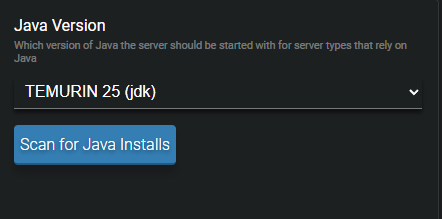
- Go to Minecraft instance > Configuration > Minecraft > Java and Memory
- Click “Scan for Java Installs”
- Open the Java Version dropdown and observe that the default TEMURIN options are still the only ones available
Actions taken to resolve so far: See above
Edit: Still testing but might have found the solution to just be an order of operations problem?
Order of operations:
- Start a vanilla instances of minecraft (accept EULA)
- Shut down server
- Change server type to latest NeoForge -Download/Update
- Start back up
I’m in the same boat here. Followed the same steps as the user above and made no progress.
OS: Ubuntu 24.04.4 LTS
Summary: I’ve been trying to use the latest version of NeoForge to install a few small mods but I can’t see to get the Java version it runs to change no matter what I do. Even when the dropdown Java versions shows 25 the command in console says its running 21? I can launch the latest version of vanilla minecraft and get it to boot but even when I do that and have 25 selected in the drop down it STILL shows its running as java 21. I could be missing some kind of order of operations but either way kinda frustrating…
Error when trying to launch the server with the latest NeoFroge version:
”Error: LinkageError occurred while loading main class net.minecraft.bundler.Main
java.lang.UnsupportedClassVersionError: net/minecraft/bundler/Main has been compiled by a more recent version of the Java Runtime (class file version 69.0), this version of the Java Runtime only recognizes class file versions up to 65.0"
Here are the logs from my instance:
[10:46:03] [System:admin Activity/12] : Starting the application.
[10:46:03] [Minecraft:admin Info/12] : Java located at /usr/lib/jvm/temurin-21-jdk-amd64/bin/java
[10:46:03] [System:admin Warning/10] : Server failed to start 1/5 times…
[10:46:03] [System:admin Warning/10] : Server stopped within 5 seconds of starting, AMP will not attempt to restart it.
The webUI and Console shows I have more options available but no matter what I do nothing changes:
docker exec AMP_Minecraft01 ls /usr/lib/jvm/
temurin-11-jdk-amd64
temurin-17-jdk-amd64
temurin-21-jdk-amd64
temurin-25-jdk-amd64
temurin-8-jdk-amd64
Checking to see what specific Java version the container is using,…
docker exec AMP_Minecraft01 java -version
openjdk version “21.0.11” 2026-04-21 LTS
OpenJDK Runtime Environment Temurin-21.0.11+10 (build 21.0.11+10-LTS)
OpenJDK 64-Bit Server VM Temurin-21.0.11+10 (build 21.0.11+10-LTS, mixed mode, sharing)
Sorry, looks like I misread your comment. This is a apparently a known bug. What you need to do is change versions, start then stop the instance, and then change to the version you want to use.
Leaving this as it solves my original issue:
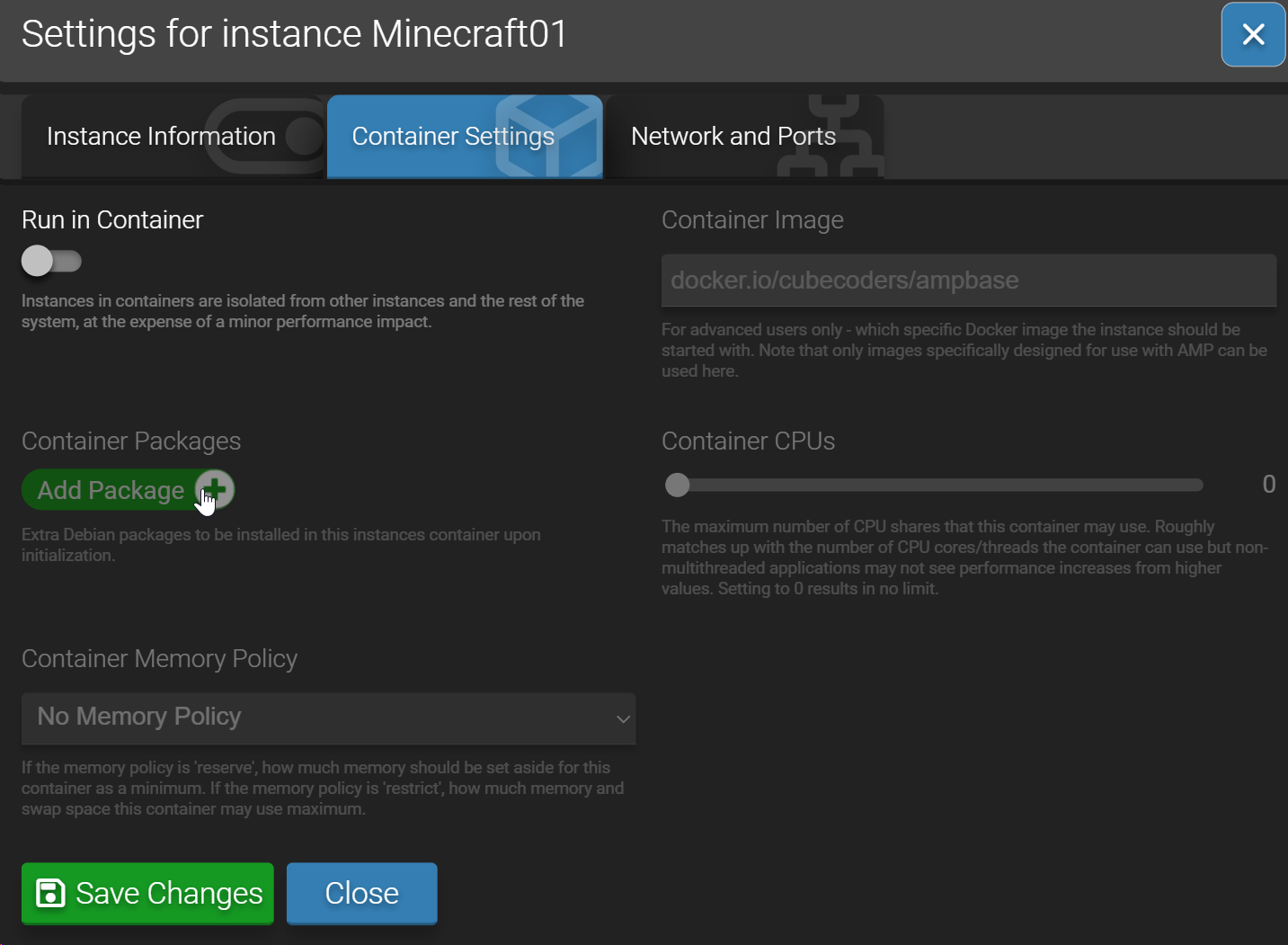
I think I found the issue - running containerized vs not.
If you are running containerized, it will not see any Java versions on your host OS. You will either need to not run containerized, or add the package to the container. See the below screenshot.
For myself, I do not want to run Minecraft in a container. I toggled “Run in Container”, and now all of the Java versions I installed on my host appear in the list.