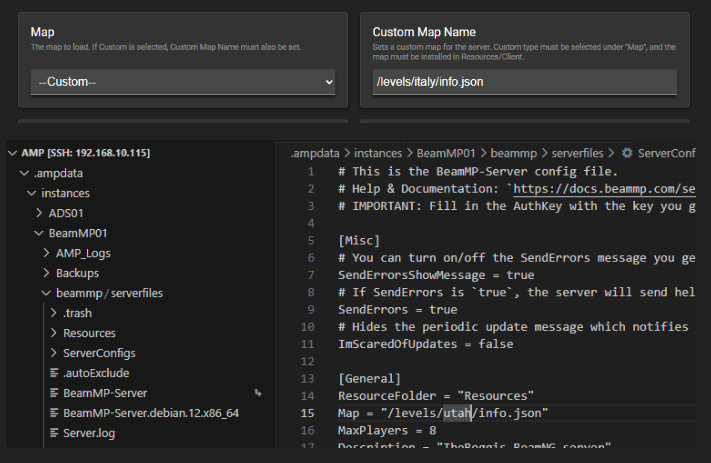
I’m looking for a way to update/change map of BeamNG from a script when using “Custom” map. From what I can see during testing, the “Map” property of ServerConfig.toml is updated when I exit the Custom Map Name field in the config-page. However, when I update directly in the ServerConfig.toml file and save, the changes is not reflected in the config-page.
Is there any smart trick to be able to update the toml file directly and get that reflected into the configpage?
If I restart the server after updating in the toml file, the map is overwritten with what is in the config in AMP config-page.
You would need to use the AMP API to configure the setting if you want to do it by script
If editing the file manually, you can now import the file into the AMP settings from the instance file manager - right click and import. Update your instance from the main instances page in AMP to get this change applied