OS Name/Version:
Ubuntu 22.04.3 LTS
Product Name/Version: Decadeus, v2.4.8 (29.01.24)
Problem Description:
There’s no output in the console (I can’t even look at the console in the webpanel), there’s no further information in the logs. I was informed via WebPanel that I can update to the latest version. After I did so, the ADS restartet as it should and since then I am not able to do anything with my Installation(s).
Steps to reproduce:
- Update from mainline (I tried dev line also, same problem), Restart
Actions taken to resolve so far:
Created a new Super Admin Account to preclude it is a “corrupted user” problem.
Also tried the different lines, such as dev line for example. Night builds also, same problem.
I upgraded all Instances with --nocache (even if I know that this phrase is obsolete now).
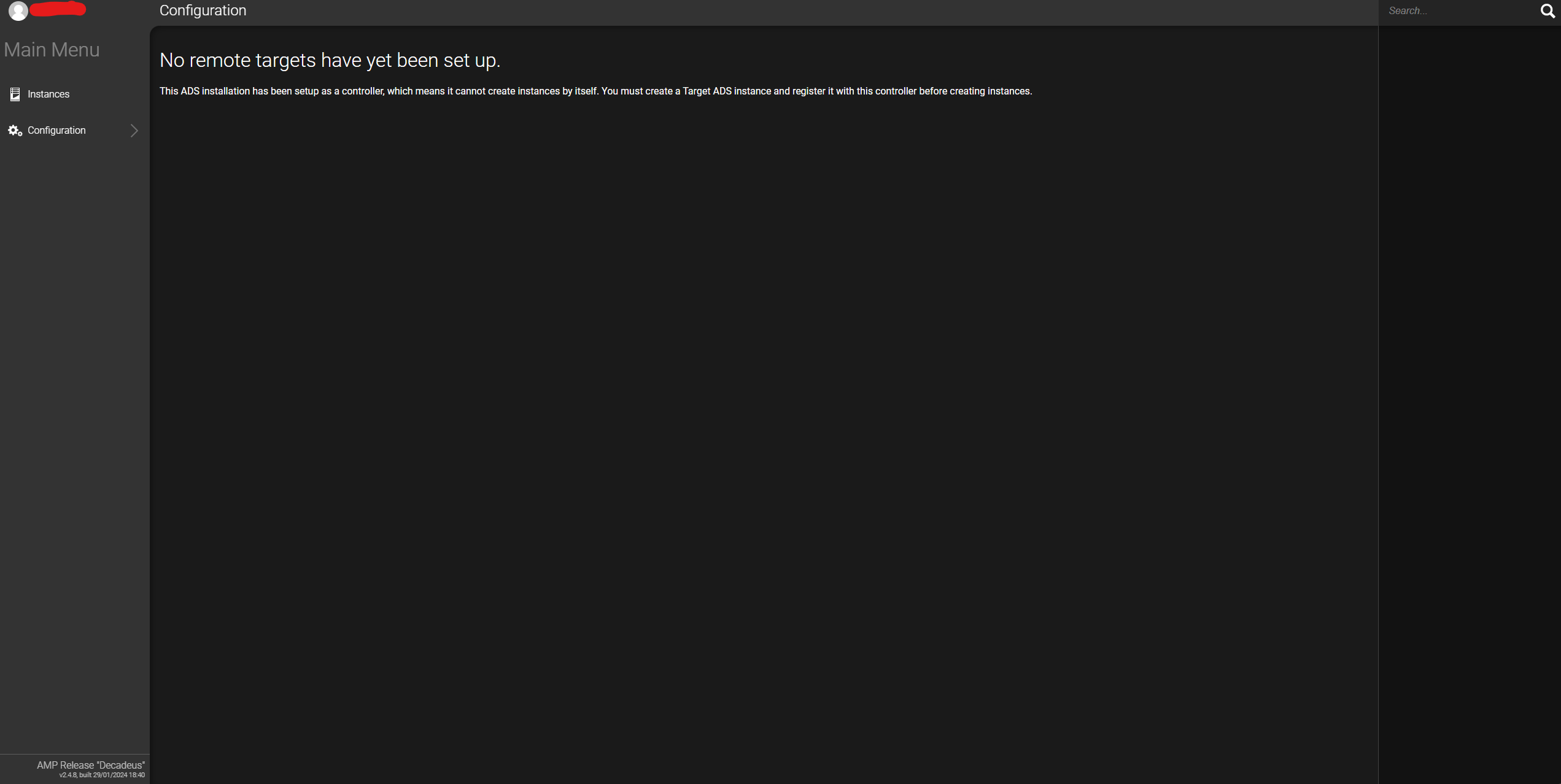
As you can see in the image I attached, this is how my Panel look like. “The Configuration” Part is empty as well as my Instances Tab wich tells me, this ADS would be set up as a controller - even if I set it up as standalone.
Hope, you can help me!
Regards